iPhone 16 Pro Max hardware: buttons, cameras, and ports

You can find the cameras, buttons, and other essential hardware features on iPhone 16 Pro Max, plus links to help you get started.

By Chris Smith - Senior Editor
0 Min Read

Learn the location of the cameras, buttons, and other essential hardware features on iPhone 16 Pro Max.

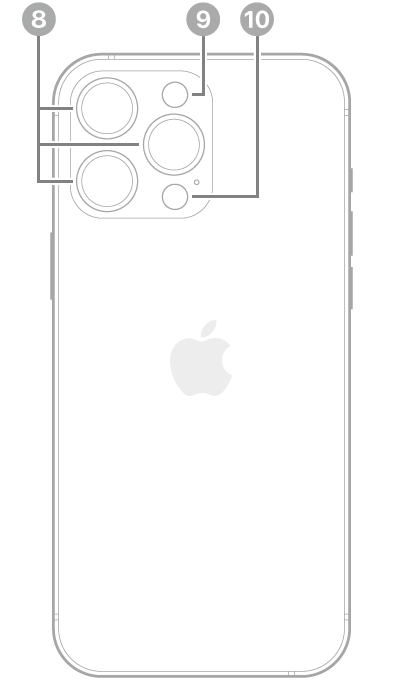
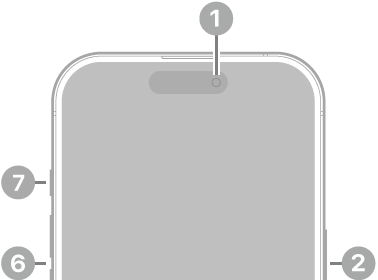
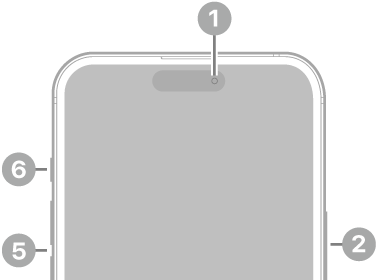
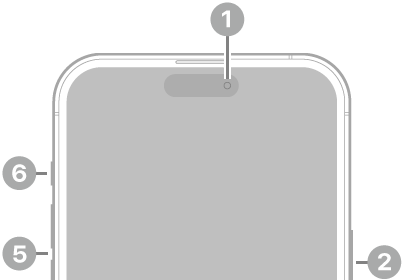
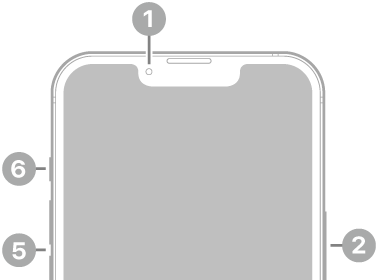
The front and sides show the front camera, side button, Camera Control, USB-C connector, SIM tray, volume buttons, and Action button, while the back shows the rear cameras, flash, and LiDAR Scanner. The SIM tray is available on models purchased outside the U.S.
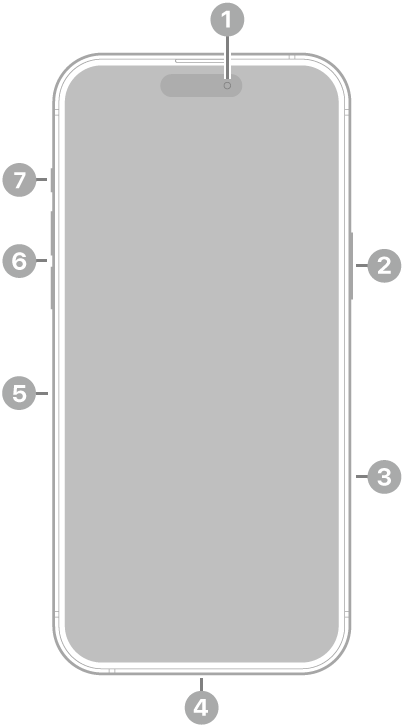
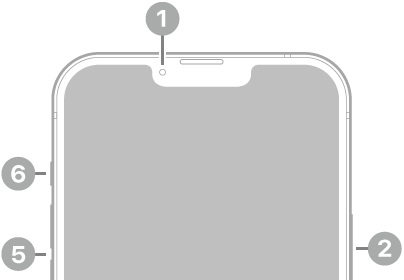
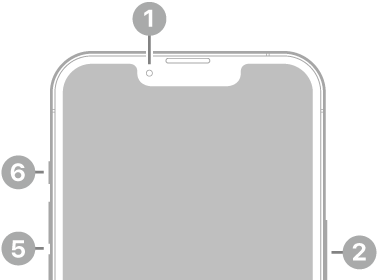
The front view of iPhone 16 Pro Max. The front camera is at the top center. The side button and the Camera Control are on the right side. The USB-C connector is on the bottom. On the left side, from bottom to top, are the SIM tray, the volume buttons, and the Action button.

  • 1 Front camera
  • 2 Side button
  • 3 Camera Control
  • 4 USB-C connector
  • 5 SIM tray (available on models purchased outside the U.S.)
  • 6 Volume buttons
  • 7 Action button

The back view of iPhone 16 Pro Max. The rear cameras, flash, and LiDAR Scanner are at the top left.

  • 8 Rear cameras
  • 9 Flash
  • 10 LiDAR Scanner

Get started with iPhone 16 Pro Max

TAGGED:
Senior Editor
Follow:
Chris Smith is a senior editor at GeeksChalk based in Canada. He likes to think of himself as a jack of all trades (and a master of at least a few), though he mainly focuses on iPhones and Macs. Often covering both at the same time. When not surrounded by various Apple devices while putting them through their paces, Chris can be found streaming the latest movies or series, gaming on his PS5, or getting fresh air on a hike in the beautiful wilderness of British Columbia.
Leave a Comment