If you’ve ever browsed through online marketplaces or walked past street vendors, you’ve probably seen them—Apple Watches that look just a little too cheap. Maybe you’ve been tempted. After all, who wouldn’t want to save a few bucks on something that looks exactly like the real deal?
But here’s the thing: counterfeit Apple Watches aren’t just knock-offs; they can be poor in quality, unreliable, and in some cases, risky to use. They might have software glitches, contain outdated or unsafe components, and they definitely won’t offer you the same performance—or peace of mind—as the genuine article.
So, how do you know if that Apple Watch in your hand is authentic or a clever fake? Let’s walk through it step by step, with a few side stories and practical tips along the way.
Why fake Apple Watches are everywhere now
Counterfeits have been around for decades—fake sneakers, handbags, even fake coffee beans. But with tech gadgets, the counterfeit game has gotten a lot more sophisticated. A decade ago, fake smartwatches looked nothing like the originals. Today? Some copies are so close in design that you might need to hold them next to a real Apple Watch to see the difference.
The reason is simple: the Apple Watch is one of the most popular wearable devices in the world. That means there’s demand. And where there’s demand, there are people trying to make a quick profit off the brand’s reputation. Some fakes are blatant, with clunky screens and misspelled packaging. Others are more subtle, targeting buyers who might think they’re just scoring a “discounted” genuine Apple Watch.
But remember—counterfeit sellers know that first impressions matter. So, they often focus heavily on getting the outside right while cutting corners on the inside. But don’t worry. Below we’ll show you how to check Apple Watch authenticity, step-by-step.
First impression test The packaging and unboxing
Apple is obsessive about packaging—down to the way the box slides open and the plastic peels away. If you’ve ever unboxed an iPhone, MacBook, or AirPods, you know there’s a certain feel to it. Genuine Apple Watch boxes are sturdy, perfectly fitted, and printed in high resolution. The printing is crisp, the font is consistent, and the text is perfectly aligned.
Signs of a fake box:
- Slightly flimsy cardboard or uneven edges
- Low-quality printing that looks a bit blurry or off-color
- Misspelled words or unusual phrasing on labels
- Barcodes that don’t scan or lead to unrelated products
Here’s a quick trick: look for the serial number on the box. Every genuine Apple Watch has a unique serial number, and you can check it directly on Apple’s coverage check page. If the serial number doesn’t work—or shows a different product—you’ve got a red flag.
The weight and feel test
This might sound strange, but your hand can often tell you more than your eyes. Authentic Apple Watches have a certain weight because of the high-quality materials inside—like stainless steel, sapphire crystal, or aluminum. Fakes are often lighter because they use cheaper components.
If you get the chance, hold the watch in your hand. A genuine one feels solid and balanced, not hollow or plasticky.
A friend of mine recently bought an Apple Watch Series 10 from a “too-good-to-be-true” Facebook Marketplace deal. When he held it, it felt almost like a toy. Sure enough, within two days, the “watchOS” interface started glitching—and it turned out to be a $30 clone from a wholesale site.
The display tells a story
Apple’s Retina display is one of its most distinctive features: high resolution, vibrant colors, smooth animations. A fake often fails this test miserably.
Here’s what to check:
- Brightness: Real Apple Watches are bright and easily readable even in direct sunlight.
- Touch response: Genuine watches have silky-smooth touch response—no lag, no delay.
- Animation fluidity: Scrolling should feel effortless, like the screen is gliding under your finger.
With a fake, colors might look slightly washed out or overly saturated. The screen might be dim even at maximum brightness, and animations may stutter.
Check the Digital Crown and side button
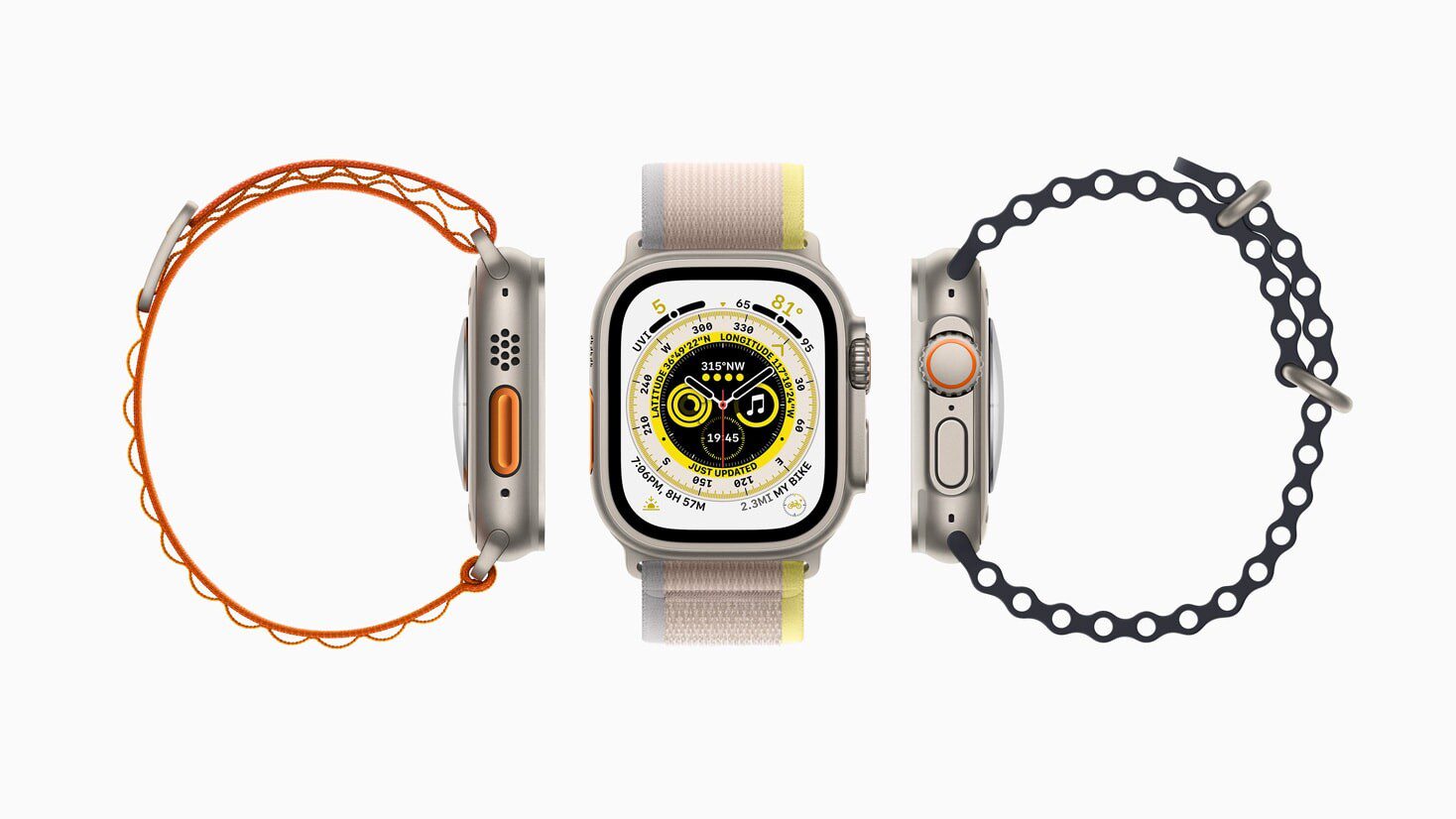
Apple spends millions perfecting the tactile feel of buttons. The Digital Crown on an authentic Apple Watch has a precise, smooth rotation and a solid click when pressed. The side button is equally firm and responsive.
Counterfeits often get this wrong. The crown may feel loose, stiff, or cheap. Sometimes it’s purely decorative—turning it doesn’t even scroll through menus, it’s just for show.
If you’ve ever handled a real one, you’ll notice the difference immediately.
watchOS vs. fake operating systems
This is one of the biggest giveaways. Genuine Apple Watches run watchOS, Apple’s proprietary operating system. It’s sleek, fluid, and perfectly integrated with iPhones. Counterfeits usually run some form of Android-based software disguised to look like watchOS—but it’s never quite right.
Signs you’re looking at a fake OS:
- Missing Apple-exclusive apps like ECG, Blood Oxygen, or Apple Maps
- Odd icons or menu layouts that feel “off”
- The App Store isn’t accessible directly on the watch
- Pairing process doesn’t go through the official Watch app on iPhone
A quick test: try to pair the watch with an iPhone. If it doesn’t ask to use the Apple Watch app—or requires you to install a random third-party app from the App Store—it’s not genuine.
Serial number and IMEI check
Apple Watches have a serial number (and in cellular models, an IMEI). You can find this in:
Settings → General → About
Cross-check the serial number on Apple’s website. If it’s valid, it should show the exact model and warranty status. If it says “invalid” or doesn’t match the watch in front of you, you’re likely holding a fake.
The charger test
Genuine Apple Watches use a magnetic charging puck with a smooth, premium feel. The charging connection is instant and stable. Many fakes will still use a magnetic-style charger, but the magnet may be weak or misaligned.
Here’s a simple hack: try charging with an official Apple Watch charger from an Apple Store or a friend. If it doesn’t work properly, that’s a dead giveaway.
Price is a loud signal
Let’s be honest—if someone’s selling a brand-new latest model watch like Apple Watch Ultra 2 for half the retail price, you need to ask why. Yes, there are legitimate discounts from certified resellers or during promotions. But a $500 watch going for $120 with no clear reason? That’s suspicious.
Counterfeit sellers often justify the low price with excuses like:
- “It’s a gift I never used”
- “Got it from a friend abroad”
- “Selling cheap because I need cash quickly”
While some stories may be true, always verify before you buy.
Packaging accessories and manuals
Apple includes high-quality documentation and accessories. The manuals are printed on premium paper, with flawless translations in multiple languages. The included band is neatly packaged and feels sturdy.
Fakes often come with thin paper manuals, poorly translated text, or no documentation at all. Bands may feel cheap, rough, or poorly stitched.
Try a feature test
If you’re still unsure, test a few features that only genuine Apple Watches have:
- Siri: Hold the Digital Crown and see if Siri responds.
- Apple Pay: Try adding a card.
- ECG app: Available on certain models—fake watches can’t replicate it.
- Handoff with iPhone: Send directions from your iPhone’s Apple Maps to the watch.
If any of these fail or behave oddly, you may be holding a counterfeit.
Where to buy safely
Your safest bet is always to buy from:
- Apple’s official website or retail stores
- Authorized resellers (Best Buy, Target, etc.)
- Trusted online platforms with buyer protection
Avoid random sellers on social media or classifieds unless you can verify authenticity in person.
Why using a fake Apple Watch can be risky
Some people might think, “It’s just a watch—what’s the harm?” But fakes can be unsafe. They may use low-quality batteries that overheat, lack proper waterproofing, and have unreliable sensors. Plus, they won’t receive Apple’s software updates, meaning you miss out on security patches.
Final thoughts
Spotting a fake Apple Watch isn’t about being paranoid—it’s about protecting your investment and ensuring you get the experience you’re paying for. Once you’ve handled a real Apple Watch, you’ll start to notice the subtle but telling differences in weight, display, software, and build quality.
And remember: if the deal feels too good to be true, it probably is.
See also: How to Spot a Fake iPhone