On iPad, you can get detailed cycling directions including routes on bike paths, bike lanes, and bike-friendly roads. You can preview the elevation for your ride, check how busy a road is, and choose a route that best avoids hills.
Siri can give you cycling directions, too, like directions home. And you can set Maps to avoid hills or busy roads before you go.
Here’s how to get cycling directions in Maps on iPad.
Note: Cycling directions and turn-by-turn spoken directions on Wi-Fi + Cellular models aren’t available in all countries or regions. Features for Wi-Fi + Cellular models require a cellular data plan and Cellular Data turned on in Settings > Apps > Maps.
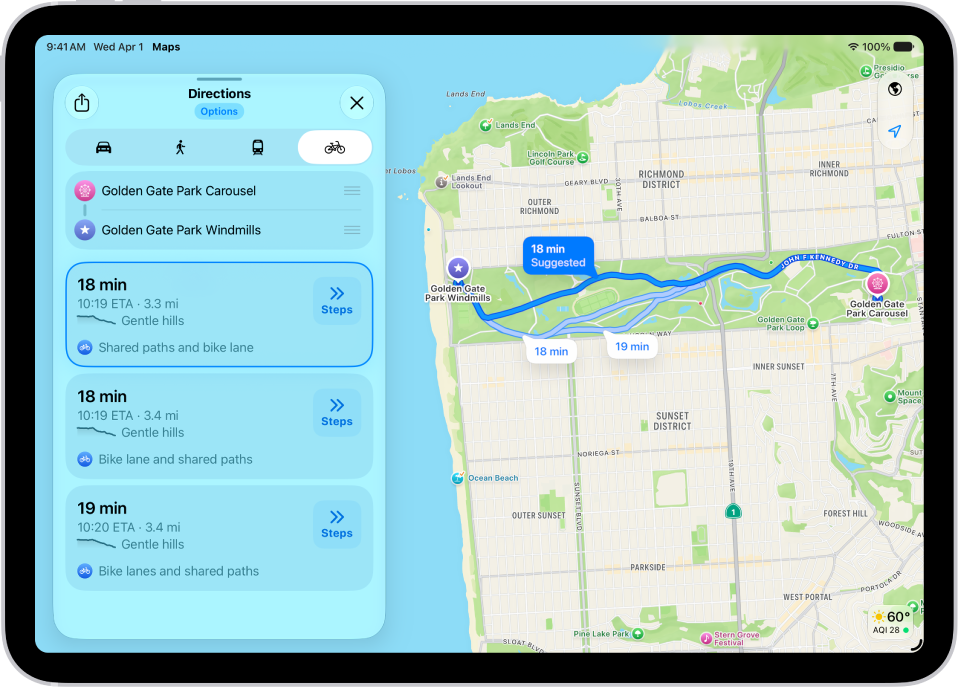
Get cycling directions
- Go to the Maps app on your iPad.
- Touch and hold anywhere on the map or enter an address in the search field and then tap the directions button.
- Tap Go or Steps for the route you want to take.
Siri: You can also ask Siri something like, “Give me cycling directions home.” Learn how to use Siri.
Avoid hills or busy roads
- Start the Maps app on your iPad.
- Touch and hold anywhere on the map or enter an address in the search field and tap Directions or the Travel Mode button.
- Tap Options (below the destination), make your choices (below Avoid) and then tap the Done button.
See also