If you are wondering where Spotlight Search went in iOS 27, you are not alone. I also thought Spotlight Search is gone in iOS 27. The good news is that the feature has not gone anywhere.
In iOS 27, a new Search or Ask Siri interface replaced the former Spotlight search option, and it’s available from the Dynamic Island.
In iOS 27, Spotlight and Siri have been unified in the same UI, so you can still quickly launch apps and documents via search in addition to asking questions.
Spotlight reindexed
Spotlight search is vastly improved thanks to a completely rethought indexing system. Everything stored on your device, from Contacts to Journal entries, is crawled after installing iOS 27.
The process can take up to a week, depending on how much data you have saved locally. The improvements are immediately noticeable because you can actually use Spotlight without waiting for results to populate.
Apple added new index in iOS 26.6 so people upgrading to iOS 27 in the fall will already have everything done day one. However, while that indexing will be done, it won’t be used until the fall releases.
That’s important because the new Siri AI relies heavily on that newly indexed data. Some queries flat out didn’t work when indexing was still going on, so keep that in mind.
While the Spotlight interface has integrated Siri AI, they are still distinct entities. If you search for an app name, tap search, and it launches, that’s Spotlight.
In my use this past week I can say that Apple accomplished its goal. Spotlight is instant.
Search or Ask in iOS 27
A swipe down from the middle of the iPhone’s display brings up Search or Ask, where you can type or speak a question or request to Siri.
An animation is displayed as Siri is thinking, and then the Siri bubble expands into a short response. If you swipe down on a response, it brings up a text bar where you can provide clarification or ask another question. A " " button lets you add images or documents to the conversation.
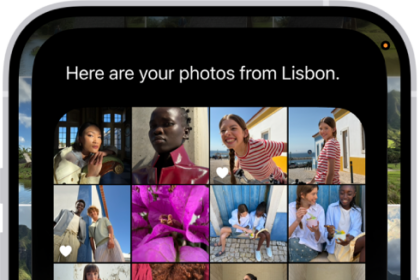
Some responses use rich information cards pulled from apps. If you ask Siri about the weather, you’ll see the current weather forecast. If you ask about upcoming calendar events, you’ll see them listed in the Calendar app format.
The lack of system-wide access to Spotlight on iOS bothered me for years. Now, search is only a swipe away no matter the app I’m using, and the search box itself is smart enough to understand whether I’m looking for an app to launch or formulating a longer request for Siri AI.
What do you think about the new hybrid Spotlight/Siri AI search UI in iOS 27? Drop a comment and let us know.