I use the Health app on my iPhone 18 Pro to monitor my sleep, and for the longest time, it worked without any issues. Then one day, it just stopped tracking. No changes on my end — no setting adjustments or app updates. It simply stopped logging my sleep. If you’re experiencing the same thing, you’re definitely not alone.
After checking online discussions (like https://discussions.apple.com/welcome), it’s clear that many iPhone users are facing the same issue. A common theme is that people who don’t use an Apple Watch are the ones seeing the sleep data vanish.
What Might Be Causing This?
It seems that Apple quietly changed how sleep data is tracked. Specifically, features like Time in Bed and Sleep Tracking are no longer available using just the iPhone. These features now appear to require an Apple Watch. So even if you’ve been using your iPhone alone to track sleep in the past, that option may no longer work after the update.
In previous iOS versions, your iPhone could estimate your sleep based on motion, screen activity, and charging behavior — all without needing to wear anything. But after an iOS update, those background sleep estimates are gone for many users.
It also seems that this isn’t just speculation. One user submitted a feedback report to Apple about the missing Time in Bed feature when using only the iPhone. Apple responded through the Feedback Assistant with the following message:
“After investigating your feedback, we have determined the behavior you reported will no longer be supported and therefore has been removed.
Your feedback was titled: Health app not tracking time in bed with iPhone.”
That response supports what many users have suspected: Apple no longer supports iPhone-only sleep tracking. Apple’s current sleep instructions also list an Apple Watch for tracking your sleep.
Possible Fixes You Can Try
Even though Apple hasn’t announced this change publicly, a few workarounds shared by users have helped restore sleep tracking for some. Here’s what you can try:
Turn iCloud Health Sync Off and On
- Open Settings, then tap your Apple Account name at the top.
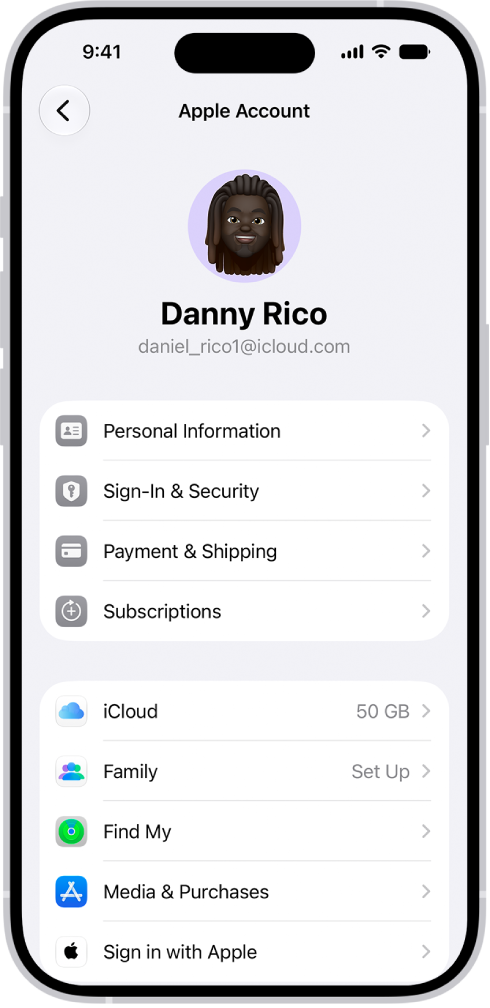
- Go to iCloud, then tap See All (next to Saved to iCloud).
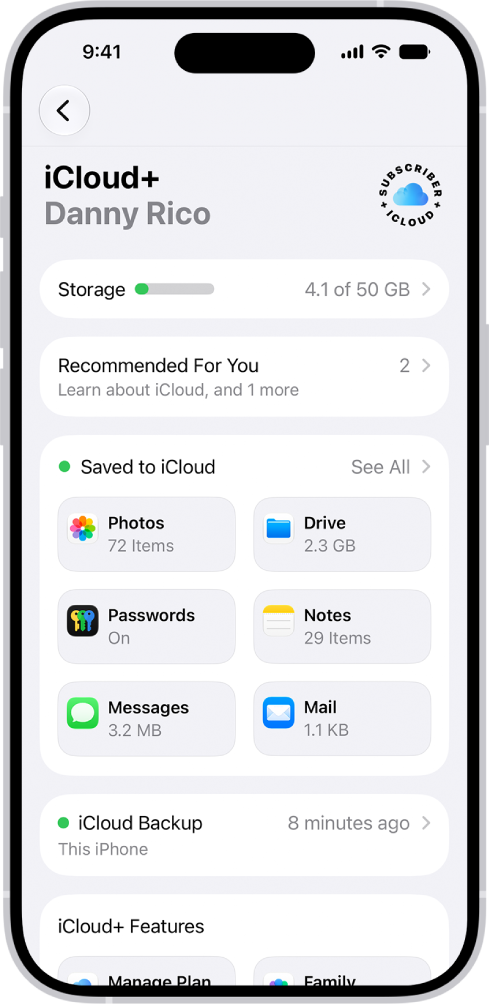
- Find Health and toggle off “Sync this iPhone.“
- Power off both your iPhone and Apple Watch (if you have one).
- Wait about 10 seconds, then turn your iPhone 18 Pro back on.
- Go back to the same setting and toggle “Sync this iPhone” back on.
- Turn on your Apple Watch again if you use one.
- Give it around 10–15 minutes to reload the data.
Set a Wake-Up Alarm Linked to Your Sleep Schedule
Another trick that worked for some was setting a wake-up alarm — even one with no sound.
- Open the Clock app.
- Tap the Alarms tab and set an alarm as part of your Sleep schedule. Simply tap Change under the Sleep/Wake Up section.
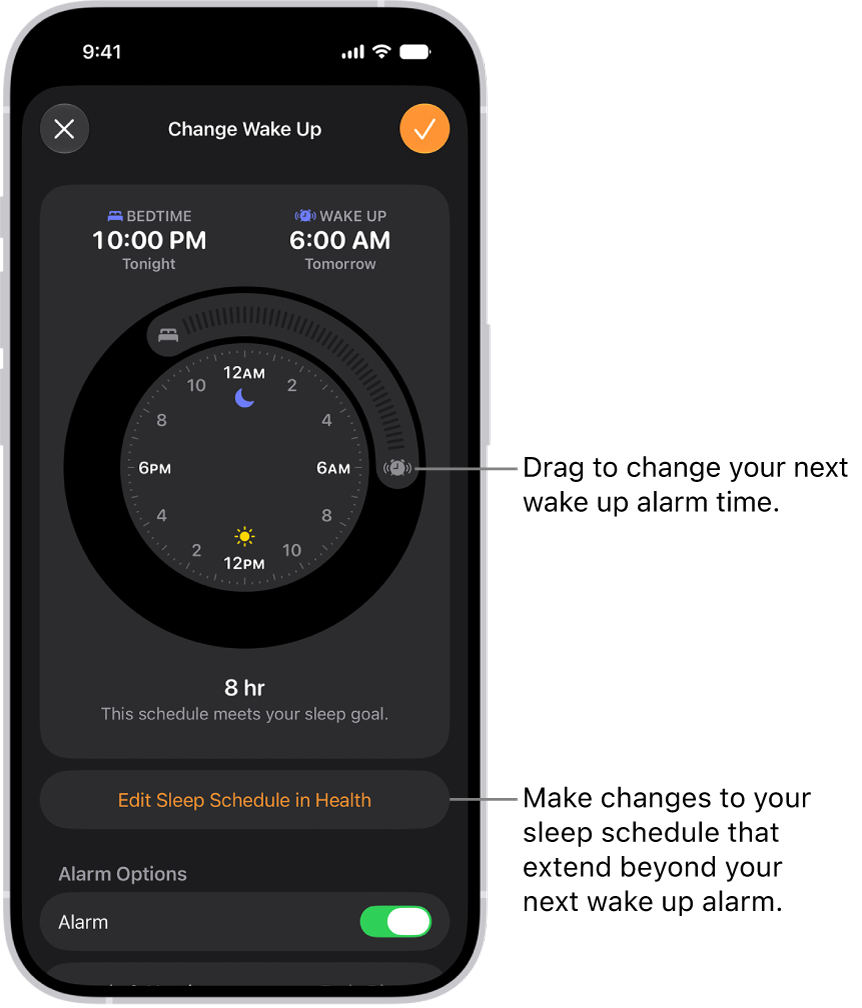
- Let the alarm run overnight and check if sleep data appears the next morning.
- You may need to keep a recurring alarm set daily to keep tracking active.
A Change You Can’t Undo?
Unfortunately, these fixes don’t work for everyone. If your iPhone used to track your sleep without a watch and now it doesn’t, this may be due to a deliberate change in an iOS update. It looks like Apple may only support sleep tracking through Apple Watch going forward.
This shift has caused frustration among users who relied on their phone alone to monitor sleep, especially those who prefer not to wear anything to bed or who simply don’t want to buy a watch for a single feature.
I do not want to wear my watch in bed while sleeping because it bothers me and I get constant Stand Up notices.
If your sleep data has disappeared after an iOS update, you’re not imagining things. iPhone-only sleep tracking appears to be gone or broken for many people. You can try toggling iCloud sync or setting alarms as a workaround — but there’s no guarantee it will fix the issue.