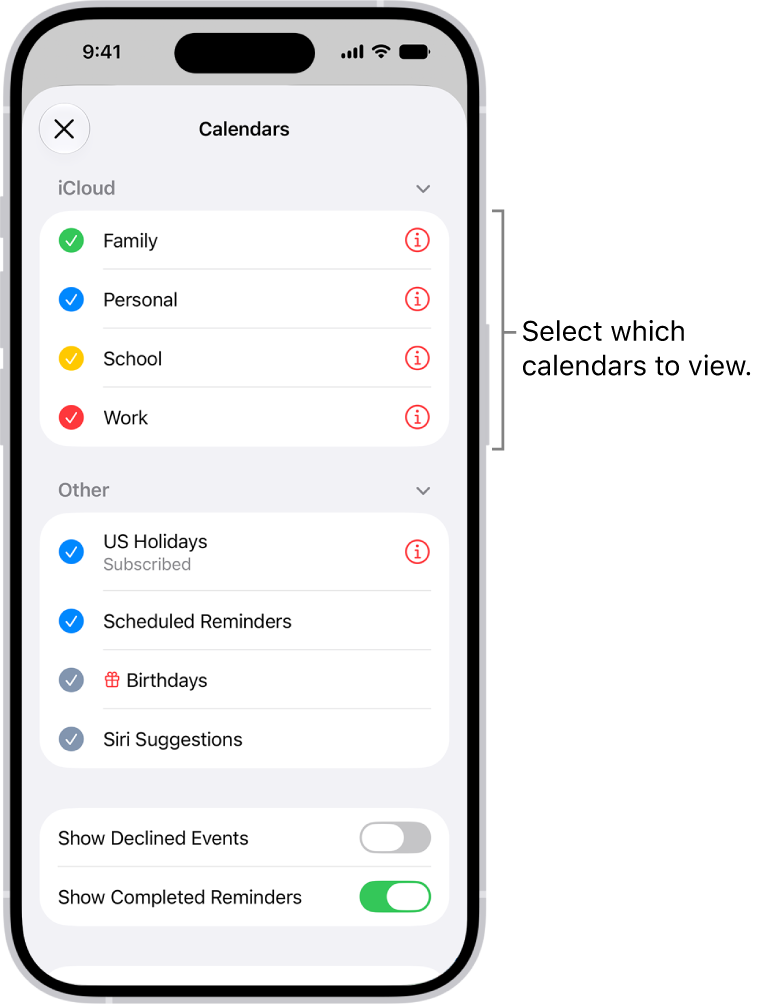
In the Calendar app, the Holidays calendar displays holidays based on the region set on your iPhone.
You can show or hide holidays, and add a holiday calendar from a different region. Since the Holidays calendar is a subscription calendar, though, you can’t add or delete holidays, because it can be modified only by the calendar provider.
Note: Because the Holidays calendar is a subscription calendar, only the calendar provider can modify it, so you can’t add or delete holidays.
Show or hide holidays
- Start the Calendar app on your iPhone.
- Tap the Calendars button.
- Select or deselect US Holidays (or the holiday calendar for your country or region).
Add a holiday calendar from a different region
- Start the Calendar app on your iPhone.
- Tap the Calendars button.
- Tap Add Calendar, then tap Add Holiday Calendar.
- Tap the holiday calendar you want to subscribe to and then tap the Done button.