Summary
- If your iPhone charger won’t stay in, the cable you’re trying to use might be damaged or that your iPhone’s charging port is obstructed.
- Try charging your iPhone with a different charging cable.
- If that doesn’t work, try cleaning the charging port out with compressed air or a toothpick.
- If nothing works, you can get the charging port replaced.
You plugged in your iPhone to charge it, but something’s not working right. Your iPhone charger won’t stay in. In this article, I’ll show you what to do if your iPhone charger won’t stay in the charging port!
Why An iPhone Charger Might Not Stay In
There are a few reasons that your iPhone charger might not stay in — you might need to check the charging cable for kinks and breaks. You may be using a cheap knock-off cable or one that wasn’t designed to work with an iPhone. It’s also possible there’s enough debris in your port to keep the connector from making a solid connection.
Yes, your iPhone’s port can get so dirty that it prevents the charger from staying in. Anytime you put it in a pocket or bag, small bits of gunk, debris, and lint can find their way in.
And when you insert the cable, that compresses and packs the debris deep in the port. Eventually, it might become so fouled with debris that the cable is unable to fit in your iPhone’s charging port.
Wireless Charging: A Temporary Fix
While you work on fixing your iPhone, you may still be able to charge it wirelessly if its charger won’t stay in. Every iPhone since the iPhone 8 supports wireless charging with Qi-certified chargers. Place your iPhone on the center of a Qi wireless charger and charge it. However, we still need to address the problem preventing your charger from staying in the charging port.
Check Your Charging Cable
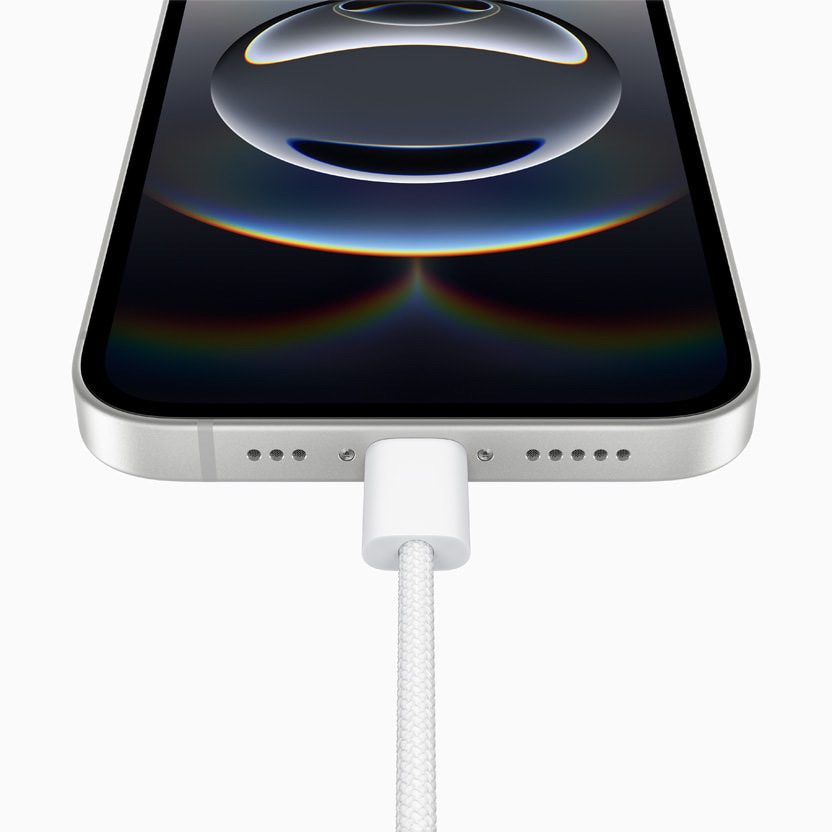
You might have difficulty getting a broken charging cable to stay plugged into your iPhone. Take a close look at the Lightning or USB-C connector end (the part of the accessory that plugs into your iPhone’s charging port) of the accessory you’re trying to use. If the Lightning or USV-C connector is damaged in any way, it might not fit perfectly into the Lightning port or USB-C port.
Additionally, you may run into problems if you try charging your iPhone with a cheap gas station cable. These cables usually aren’t MFi-certified, meaning the manufacturer didn’t get a certification from Apple to create accessories for the iPhone. Always check for the Made For iPhone label when purchasing an iPhone accessory!
In either case, it’s a good idea to try charging your iPhone with a different charging cable. If other charging cables stay plugged into your iPhone, there’s a problem with your cable, not your iPhone. If no cables stay plugged into your iPhone, move onto the next step!
Is The Charging Port Obstructed?
If the accessory is in decent shape, take a look inside the charging port on your iPhone. It’s easy for lint, gunk, and other debris to get stuck in your iPhone’s charging port. When this happens, your Lightning cable or USB-C cable may not be able to fit in your iPhone’s charging port. This was the case recently for me, as some debris inside my iPhone’s charging port caused my charging cable not to stay in.
Grab a flashlight and take a close look inside your iPhone’s charging port. If you see anything that doesn’t belong inside the charging port, try cleaning it out. Follow these steps to properly clean out your iPhone’s charging port:
- Power off your iPhone completely. You can open the Settings app and then tap General, followed by Shut Down.
- Holding the compressed air can upright (so it only blasts air, and doesn’t expel wet propellent) shoot a few short, controlled bursts into the port.
- Turn your phone on and try to charge it again. If your iPhone charger still won’t stay in, it’s time to try the toothpick.
- Again, with your phone turned off, gently insert the toothpick into the port and lightly scrape it against the inside wall of the port. Don’t apply pressure to the inside wall that’s closest to the front of the phone, because there are delicate pins there. Overall, it’s important to be gentle, because in addition to those pins, the sides are home to two small spring-mounted anchors that latch onto the charging port when you insert it (that’s why it "snaps" into place when you push the cable in). If you break anything, its charging days will be over permanently.
- After using the toothpick for a while, give the port another burst of compressed air to help remove anything you’ve loosened.
- If you push some dirt out, turn the phone back on and try to charge it.
If it works, congratulations — you’re back in business. If your iPhone charger still won’t stay in, move onto the next step!
iPhone Repair Options
There may be a hardware problem with your iPhone’s charging port if its charger won’t stay in. The pins that allow the energy to flow from the charger to your iPhone could be broken or damaged and have to be repaired. Schedule an appointment at the Apple Store near you and have a tech take a look at it
Conclusion
You’ve fixed the problem and your iPhone is charging once again. You’ll know exactly what to do the next time your iPhone charger won’t stay in. Feel free to leave any other questions in the comments section below!