If you’ve ever unboxed an iPhone, you know the feeling — that mix of excitement, curiosity, and the slightly irrational urge to cradle it like a newborn. Apple has spent years crafting that experience. And yet, counterfeiters have spent those same years getting scarily good at mimicking it. So good, in fact, that a fake iPhone can trick even seasoned tech lovers at first glance.
Here’s the thing: buying a fake iPhone isn’t just about losing money. You’re also risking your privacy, your data, and — let’s be honest — your dignity when your "brand-new iPhone" struggles to load Instagram without crashing. Whether you’re browsing a small electronics shop, buying from a friend-of-a-friend, or scrolling through online marketplaces, knowing how to check if an iPhone is original could save you a lot of heartache.
Let’s walk through it. But not in a boring, checklist way. I’ll show you how to tell if an iPhone is fake the way an actual Apple enthusiast would — by mixing technical checks with common-sense observations, and throwing in a few “Wait, what?” moments counterfeiters don’t want you to notice.
Why fake iPhones exist and why they’re so convincing
Before we jump into the spotting game, let’s talk about why fake iPhones even make sense to scammers. Apple’s global reputation means the demand for iPhones is constant. People save for months to buy one. That demand creates a huge secondary market — refurbished devices, used models, older generations — and within that market, counterfeiters slide in like uninvited guests at a wedding.
The clever part? They’ve learned to mimic Apple’s physical design down to tiny details: the camera ring color, the position of speaker grills, even the “designed by Apple in California” etching. They know that for many buyers, if it looks right and turns on, the sale is done.
But no matter how perfect the exterior seems, there’s always a tell. You just need to know where to look.
First impressions matter more than you think
When you first pick up an iPhone — real or fake — your senses are working overtime. The weight, the feel of the metal frame, the coolness of the glass, even the faint click when you press a button — these are things counterfeiters often almost get right, but not quite.
- Weight check: Real iPhones have a very balanced, solid feel. Fakes can feel slightly too light or oddly heavy in certain spots (because of cheaper internal components or poorly distributed batteries).
- Button quality: The volume and side buttons on genuine iPhones are crisp, with a tactile click. On fakes, they can feel mushy or even wobbly.
- Glass feel: Apple uses high-quality glass with oleophobic coating, so it resists fingerprints and feels smooth. Many fakes feel slightly sticky or plasticky on the screen.
Think of it like shaking someone’s hand — you can tell a lot in the first three seconds. If something feels “off,” trust that instinct and investigate further.
Check the box, but don’t be fooled by it
Counterfeiters know many buyers get swayed by “factory-sealed” packaging. And they’re right — Apple’s minimal, elegant box design is iconic. But they’ve learned to replicate it frighteningly well.
Still, the box can give away clues:
- Printing quality: Apple’s printing is razor-sharp with deep, consistent colors. Fake boxes sometimes have slight blurring or mismatched shades.
- Serial number: Every iPhone box has a serial number. On a genuine iPhone, that serial number will match the one in the phone’s settings and on Apple’s website.
- Accessories: Apple no longer ships iPhones with a charger brick, only a USB-C to Lightning cable (or USB-C cable for iPhone 15 and newer). If you see a bulky charger inside a supposedly new iPhone box, that’s suspicious.
Remember, just because the packaging looks perfect doesn’t mean the device inside is real. Scammers can swap in a fake phone and re-seal the box.
The Apple logo test
Here’s where attention to detail wins. Apple’s logo isn’t just a shiny apple; it’s precision-engineered. On real iPhones, it’s perfectly centered, the cutouts are sharp, and the surface has a distinct reflective quality — not too mirror-like, not too matte.
On fakes, the logo can be:
- Slightly misaligned
- Poorly reflective or overly shiny
- Painted on instead of inlaid
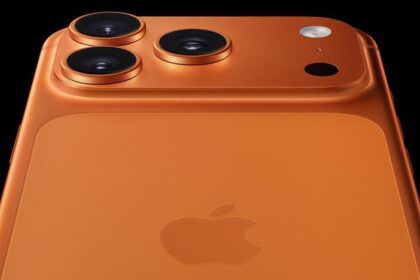
A quick test: tilt the phone under a light. On a genuine iPhone, the logo almost blends seamlessly with the back glass. On a fake, you’ll often see uneven edges or a different shade under certain angles.
Software tells the truth
Physical checks are great, but software doesn’t lie. iOS is exclusive to Apple devices — period. If the phone runs Android disguised with an iOS-like skin, it’s a fake, no matter how realistic the icons look.
Here’s how to check:
- Open Settings: On a real iPhone, the Settings app feels snappy and smooth, with consistent design across menus.
- App Store: A real iPhone connects to the official Apple App Store. Fakes running Android often open Google Play or a fake “App Store” that looks close but doesn’t have the same apps.
- iCloud: Sign into iCloud in Settings. On fakes, this often fails or redirects to a web login.
And here’s a sneaky one — open Safari and type “apple.com.” On a real iPhone, the site loads flawlessly, with smooth scrolling. On a fake, rendering glitches or odd font spacing often give it away.
Serial number and IMEI check
Apple gives you an easy way to confirm if an iPhone is genuine: the serial number lookup.
- Go to Settings > General > About and find the serial number.
- Visit Apple’s official warranty check page.
- Enter the serial number and confirm it matches the model you have.
If the site says the number is invalid, or if the model details don’t match, you’re likely holding a counterfeit. Same goes for the IMEI — check it with your carrier or through sites like IMEI.info.
The display quality giveaway
Apple’s screens are among the best in the business — bright, color-accurate, and incredibly responsive.
Things to watch for in a fake:
- Lower resolution (icons or text may appear fuzzy)
- Poor brightness in daylight
- Off-color whites (real iPhones have neutral whites; fakes sometimes lean blue or yellow)
- Weak touch response — delays or missed taps
An easy test? Play a high-quality YouTube video at full brightness and look for smooth motion and crisp detail. A fake will often reveal itself here.
Camera quality: more than megapixels
The iPhone camera has been Apple’s crown jewel for years, and counterfeiters can’t match it.
Try this:
- Open the Camera app and take a photo of something with fine detail (like printed text or fabric).
- Zoom in. On a real iPhone, the detail remains sharp; on a fake, it turns into a blurry mess.
- Check for camera features like Portrait mode, Cinematic mode, or Night mode — fakes often fake the look of these options but fail in performance.
Also, listen for the shutter sound — on real iPhones, it’s clean and crisp. Fakes sometimes use a tinny, low-quality sound effect.
Price that’s “too good to be true” often is
I know, everyone loves a deal. But if someone’s offering you a brand-new iPhone 15 Pro for half the retail price “because they got it as a gift” or “they’re upgrading tomorrow,” pause. Apple doesn’t discount new iPhones like that. Legit resellers rarely slash prices dramatically unless the model is discontinued.
Buy from places you can hold accountable
If you’re buying new, stick to Apple Stores, authorized resellers, or major carriers. If buying used, meet in person, check the phone thoroughly, and avoid sellers who refuse to let you inspect the device before paying.
Websites like Swappa and Back Market have buyer protections. Facebook Marketplace and Craigslist? More of a mixed bag.
Final thoughts
Spotting a fake iPhone isn’t about memorizing one or two tricks — it’s about developing a habit of checking multiple details. Think of it like verifying a diamond: no single test is enough, but together, the signs paint a clear picture.
If you walk away with one takeaway, it’s this: trust your gut, verify everything, and remember that saving a few dollars isn’t worth ending up with a piece of tech that’s more paperweight than phone.