Apple just opened the first iOS 27 public beta (July 13) to anyone in its free Beta Software Program, letting everyday users try the new OS months before it ships alongside the iPhone 18 this fall. This beta bring too many new features, so if you’re someone who wants the latest features before anyone else, you can download iOS 27 public beta to your iPhone right now.
It’s pretty simple to download and install iOS 27 public beta. All you need to do is sign up on Apple’s Beta Software Program website and you’ll be on your way to becoming a beta tester from the comfort of your couch.
You’re probably aware that the iOS 27 beta was previously made available to developers. Not everyone wants to run the developer beta though, because it’s for developers and is usually less stable than a public beta. Ultimately, both beta versions are not as stable as the general public iOS release.
Siri AI is the headline feature. The release also includes a redesigned Screen Time experience, Liquid Glass refinements, performance upgrades, and dozens of quality-of-life changes.
Here’s how to install iOS 27 public beta on your iPhone, what’s new, and which features you should try first.
First, does your iPhone even support iOS 27?
iOS 27 needs at least an A13 Bionic chip, so only the iPhone 11 and newer models qualify. Apple Intelligence features stay exclusive to the iPhone 17, iPhone 16 line and iPhone 15 Pro and Pro Max.
Here’s the full list of iPhones that support iOS 27
- iPhone SE (second generation and later)
- iPhone 11
- iPhone 11 Pro
- iPhone 11 Pro Max
- iPhone 12
- iPhone 12 Mini
- iPhone 12 Pro
- iPhone 12 Pro Max
- iPhone 13
- iPhone 13 Mini
- iPhone 13 Pro
- iPhone 13 Pro Max
- iPhone 14
- iPhone 14 Plus
- iPhone 14 Pro
- iPhone 14 Pro Max
- iPhone 15
- iPhone 15 Plus
- iPhone 15 Pro
- iPhone 15 Pro Max
- iPhone 16
- iPhone 16 Plus
- iPhone 16 Pro
- iPhone 16 Pro Max
- iPhone 16E
- iPhone 17
- iPhone Air
- iPhone 17 Pro
- iPhone 17 Pro Max
- iPhone 17e
Next, a warning…
A public beta is typically more stable than a developer beta, but it’s still a beta, which means you may deal with bugs and other critical issues that could negatively affect your phone. If you have a spare iPhone in your drawer somewhere, use that to run any iOS 27 beta, whether it’s the developer or public version.
In my personal experience, it’s usually fine to run a public beta on your main phone. You may encounter a bug here and there, maybe a function in a third-party app doesn’t work exactly as intended because it’s not yet optimized for any iOS beta software. It’s never crippling, just maybe a little bit annoying, and if you don’t mind that, running the iOS 27 public beta on the iPhone you use every day shouldn’t be a big deal.
Also, before you think of updating to iOS 27, first archive a backup on your computer in case you want to revert to iOS 18.
How to download the iOS 27 public beta on your iPhone
As long as you know the risks and have backed up your phone, you can download the iOS 27 public beta. Here’s what you need to do:
- On the iPhone you want to update, open Safari and visit beta.apple.com. Sign in with your Apple account. If you’re new to the program, tap Sign Up and follow the prompts to accept Apple’s beta agreement.
- Next, tap the iOS tab and you should see more information about the iOS 27 public beta.
- Under Get Started, hit the blue enroll your iOS device link.
- Now go to Settings > General > Software Update > Beta Updates and choose iOS 27 Public Beta.
- Finally, go to Settings > General > Software Update and install the iOS 27 public beta.
Once your phone reboots, you should be running the iOS 27 public beta.
Siri AI is the biggest iOS 27 feature
Once the iOS 27 public beta is installed, Siri AI is the best place to start.
Apple has rebuilt Siri around its next-generation Apple Intelligence system. The assistant can now hold an ongoing conversation and search your personal information. It can also understand onscreen content, take actions in apps, and answer broader questions.
Siri responses emerge from the Dynamic Island. Pull down on a response to open the full conversation. Meanwhile, a standalone Siri app keeps your history in one place. It syncs that history privately through iCloud.
After installing the public beta, ask Siri to find a detail buried in Mail, Messages, Notes, Reminders, or Calendar. Then ask a follow-up without repeating the original context. In iOS 27 beta 3, Siri also gained early access to information from some third-party apps.
The Camera app adds a Siri mode for Visual Intelligence. For example, you can photograph a membership barcode and turn it into a Wallet pass. Siri can also import events from a flyer.
In addition, Apple has added controls for Siri’s pace and expressivity. You’ll find them under Settings > Siri > Voice. These settings also affect spoken output in Maps and Safari.
Siri AI initially supports select English variants, and it won’t launch in the EU right away. It also requires an Apple Intelligence-compatible iPhone. Some advanced on-device features require iPhone 17 Pro, iPhone 17 Pro Max, or iPhone Air.
Apple Intelligence upgrades more iPhone apps
The iOS 27 public beta spreads some of its best AI features beyond Siri.
Safari can automatically organize tabs by topic. It also groups bookmarks and Reading List items while surfacing recently closed topics on the Start Page. In addition, Notify Me can watch a webpage for a change, such as an item coming back in stock. Safari can even create a specialized extension from a natural-language description.
Photos adds three powerful editing tools. Clean Up handles larger and more complex distractions. Extend generates content beyond the existing frame. Finally, Spatial Reframing lets you adjust the apparent camera position after taking a picture.
Try Extend on a photo with a crooked horizon. After that, test Spatial Reframing on a portrait with an awkward composition.
The Passwords app can automatically replace eligible weak or compromised passwords. It handles verification codes and shows its progress in a Live Activity. Shortcuts can now build an automation from a plain-language request. You can continue describing changes to refine the result.
Other Apple Intelligence additions include:
- Call Context in Phone, which surfaces details such as reservation numbers when you call a business.
- Photorealistic generation and natural-language editing in Image Playground.
- Natural-language event creation and editing in Calendar.
iOS 27 makes Liquid Glass more customizable
iOS 27 doesn’t replace the Liquid Glass design introduced last year. Instead, Apple has focused on clarity and flexibility.
Controls now diffuse complicated background content more effectively. Darker edges and brighter highlights also create better separation. As a result, buttons and text should remain easier to read. App icons have more layers and definition, too.
The feature to try first is the new Liquid Glass customization slider. You’ll find it under Settings > Appearance. It ranges from ultra-clear to fully tinted and applies across iOS and third-party apps.
iOS 27 should feel faster, even on older iPhones
Apple’s promised iOS 27 speed improvements extend beyond its newest hardware. The company says apps can launch up to 30% faster. Nearby AirDrop transfers can finish up to 80% faster. New captures can also appear in Photos up to 70% faster.
Apple optimized the CPU scheduler all the way back to iPhone 11. In addition, unlocking, Home Screen navigation, Control Center scrolling, and Lock Screen switching should feel smoother. Camera launches faster in Low Power Mode as well.
iOS 27 also moves between Wi-Fi and cellular data more intelligently. Therefore, your iPhone should be less likely to cling to a weak network as you leave home. Apple rebuilt search across Spotlight, Photos, and Mail, too. Mail now displays up to five ranked Top Results.
Screen Time and child safety get a major overhaul
iOS 27 is bringing a major Screen Time and parental-control overhaul. The new dashboard will give parents a clearer look at a child’s activity. It will also offer one-tap access changes.
Time Allowances will set limits for categories such as Games, Entertainment, and Social Media. Meanwhile, Schedules will control which apps are available at different times. Parents will be able to create separate routines for school days, evenings, and weekends.
Ask to Browse will extend the familiar Ask to Buy flow to websites. Children can also request permission before contacting someone new. Communication Safety already detects and blurs nudity. In iOS 27, it also intervenes when it detects gore or violent content.
One caveat is important. The redesigned experience requires the participating Family Sharing devices to run the OS 27 generation.
More iOS 27 public beta features to try
The smaller improvements add up quickly:
- Messages continues sending large media in the background without blocking newer texts. It also consolidates group-chat Tapback notifications.
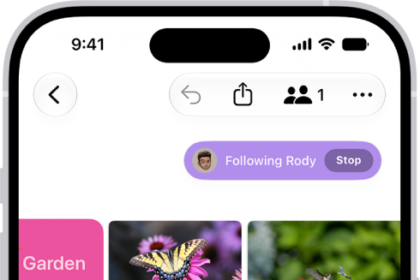
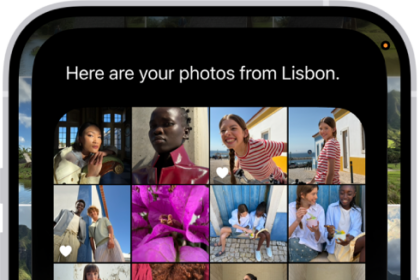
- Photos adds full-resolution Shared Albums, Windows and Android contributions, keywords, star ratings, and customizable slideshows.
- You can save any video frame as a photo with one tap.
- Alarm volume can be adjusted independently of system volume.
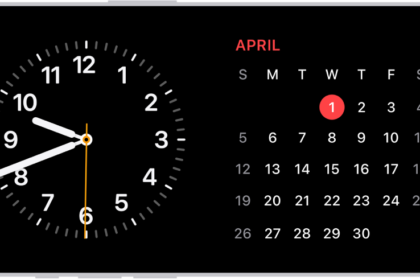
- Extra-large widgets can fill an entire Home Screen page.
- AirPods gain a custom equalizer for lows, mids, and highs.
- iPhone can connect directly to compatible GymKit equipment.
- FaceTime supports simultaneous front- and rear-camera video on iPhone Air and iPhone 17 models.
- Home adds more reliable HomeKit Secure Video recording and native 4K camera support with eligible hardware and iCloud service.
The iOS 27 public beta will continue changing throughout the summer. Apple plans to release the final version this fall. If you find a problem, use the built-in Feedback Assistant app to report it directly to Apple.
GeeksChalk’s Take
iOS 27 is an awesome update. At this point in the summer, most iOS betas still feel pretty rough around the edges. iOS 27 isn’t perfect, but it already feels like a clean upgrade over iOS 26.
I really like the new Liquid Glass slider. I tried the most translucent setting (all the way to the left), thinking I’d prefer the more dramatic look. Instead, I’ve found the most opaque version (all the way to the right) to look and feel best for my preferences. It feels nicer to me without looking dated.
I started using the Mac with OS X Leopard, soon updated to Snow Leopard, then spend the most time with OS X Lion and Mountain Lion. I didn’t really spend time with the Mac’s Aqua UI, but the new Liquid Glass look (all the way to the right) can feel like what a modern Aqua on iOS.
Siri AI is also a clear winner. It’s fast, capable, looks good, sounds good, and generally just catches Apple up with what people expect from AI these days. Personally, I’m still deeply interested in the day-to-day improvements coming out of the major AI labs, but I don’t expect Apple to change Siri at breakneck pace. The new threshold set by Siri AI in iOS 27 is solid.
In general, though, iOS 27 is just a really welcome update in terms of performance, stability, and making your iPhone feel even better to use.
See also: Siri AI in iOS 27: Features, Requirements, and How It Works