Apple Watch can track your swims. When you start a swimming workout, your Apple Watch locks the screen with Water Lock to avoid accidental taps. A Pool Swim workout automatically tracks your sets and when you rest, and the summary displays the kinds of strokes you used and the total distance.
Start a swimming workout
- Go to the Workout app on your Apple Watch.
- Turn the Digital Crown to Open Water Swim or Pool Swim.
- Tap the Start button.
For Pool Swim workouts, set the pool length, then tap Start.
- When you’re finished, press and hold the Digital Crown to unlock your Apple Watch and tap End.
The pool swim workout automatically tracks your sets and when you rest. The summary on your Apple Watch displays the kinds of strokes you used and the total distance you swam. You can find the pace for each set in the workout summary on your iPhone.
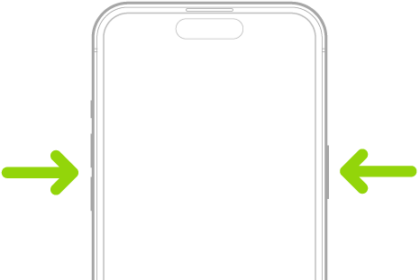
To pause or resume your swim, press the Digital Crown and side button at the same time. To review your swimming workout summary, unlock your Apple Watch, then tap End.
For handling details, read our guide, Important handling information for Apple Watch.
Manually clear water after swimming
When you start a swimming workout, your Apple Watch automatically locks the screen with Water Lock to avoid accidental taps.
- After your swim, press the side button to open Control Center and then tap the Water Lock button.
- Press and hold the Digital Crown to unlock the screen and clear water from the speaker.
You hear sounds and may feel some water on your wrist.
See also