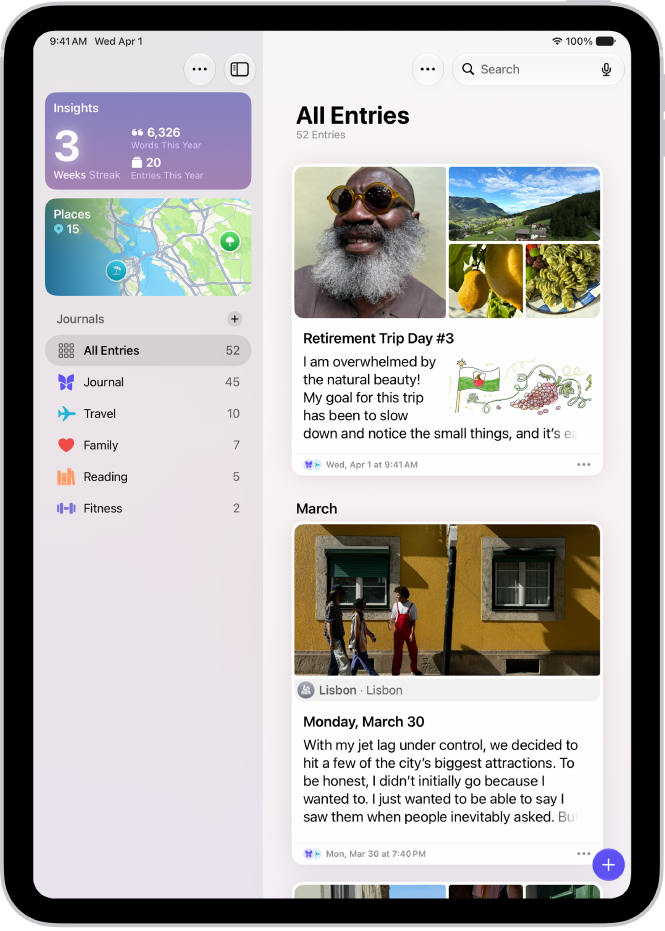
On iPad, in the Journal app, you can print and export individual entries or your entire journal.
You can print a single journal entry or multiple entries, choosing all entries or a date range. You can also export a single journal entry or multiple entries as PDF files, and share them with an app such as Notes, Files, or Messages on your iPad.
Here’s how to print and export entries in Journal on iPad.
Print a single journal entry
- Start the Journal app on your iPad.
- Choose a journal or tap All Entries.
- Scroll to the entry you want to print. Tap the More Options button below the entry.
- Tap Print.
Print multiple journal entries
- Start the Journal app on your iPad.
- Choose a journal or tap All Entries.
- Tap the More button at the top right of the screen and then tap Print.
- Choose All Entries or select a date range and then tap Print.
Export a single journal entry as a PDF file
- Start the Journal app on your iPad.
- Choose a journal or tap All Entries.
- Scroll to the entry you want to export. Tap the More Options button below the entry.
- Tap Print and tap the Share button.
Choose an app such as Notes, Files, or Messages or tap Save to Files.
Export multiple journal entries as PDF files
- Start the Journal app on your iPad.
- Choose a journal or tap All Entries.
- Tap the More button at the top right of the screen.
- Tap Export and choose Export.
- In the sidebar, choose a location and tap Save.
See also