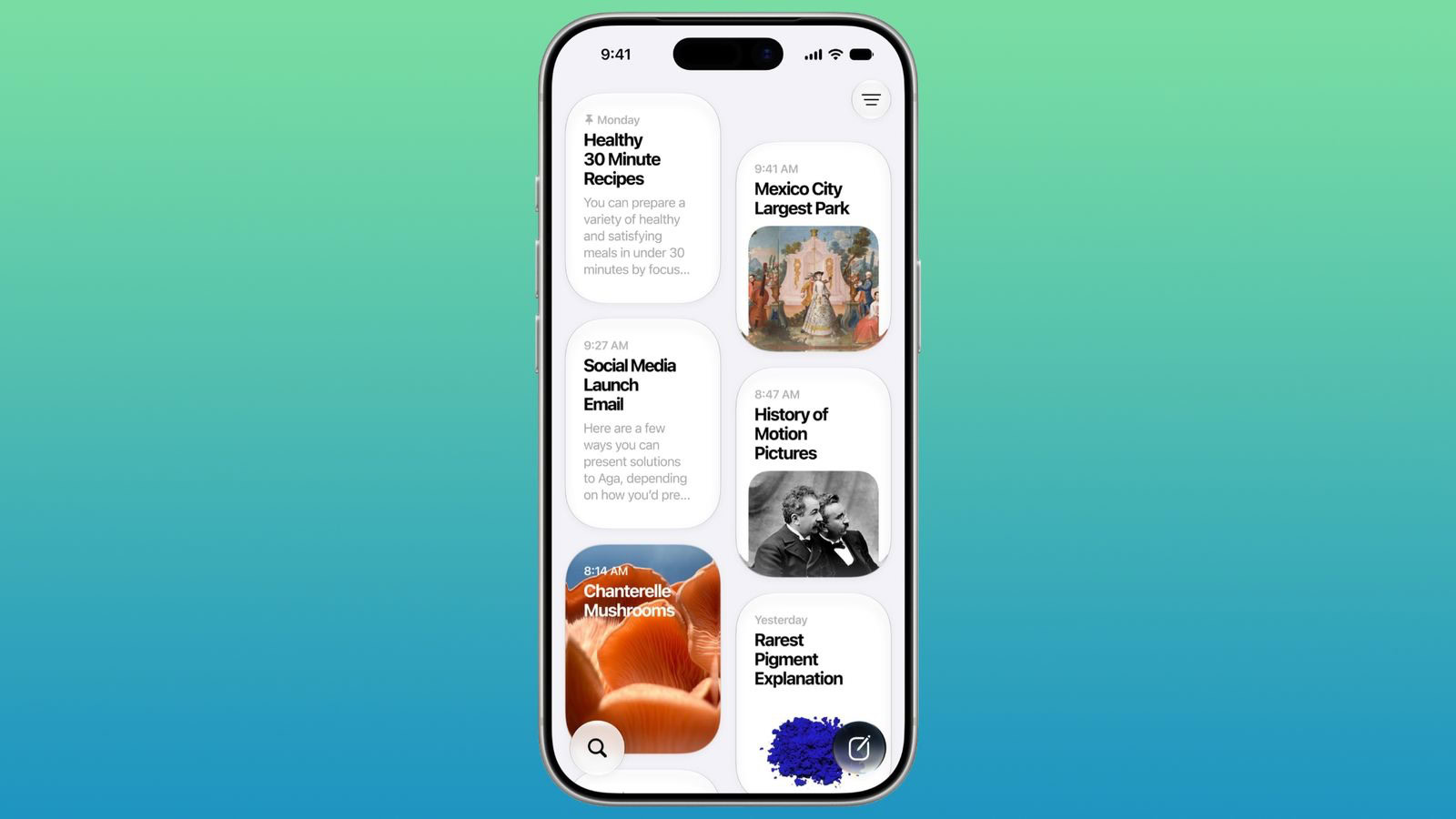
In iOS 27, there is a dedicated Siri app where you can start new conversations or revisit past conversations you’ve had with Siri. The app has a card-style interface with details on your most recent chats across all of your devices. You can also use the search button to find conversations, and there’s a pin option for conversations that you revisit frequently. This article will show you how to delete multiple Siri conversations at once.
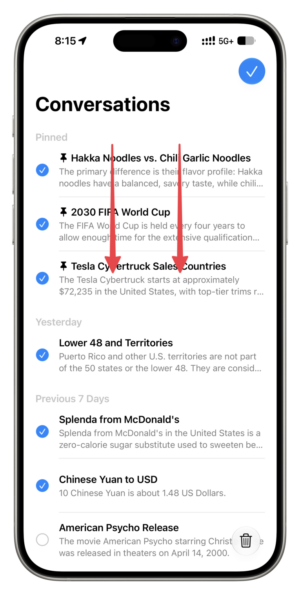
While there is an easy Select button on the Siri conversations screen, there is a faster way to select multiple conversations and delete them. This requires using the two-finger gesture, which also works in Messages, Mail, and other iOS apps.
How to Delete Multiple Siri Conversations at Once in iOS 27
- Open the Siri app and go to the conversations screen.
- Tap the menu icon and make sure you’re in List style view.
- Drag with two fingers to select multiple conversations in a smooth manner.
- Tap the trash icon to delete selected Siri chats.
How to Delete Siri Conversation History Automatically
- Open Settings on your iPhone.
- Tap Siri.
- Tap Keep Conversations.
- Change the setting from Forever to either 30 Days or 1 Year.
Once selected, iOS 27 will automatically purge any Siri conversations older than your chosen timeframe. Now you can actually enjoy Siri’s new AI powers without worrying about your past queries coming back to haunt you.
What do you think of the new Siri app in iOS 27? Do you find it useful? Let us know down in the comments.