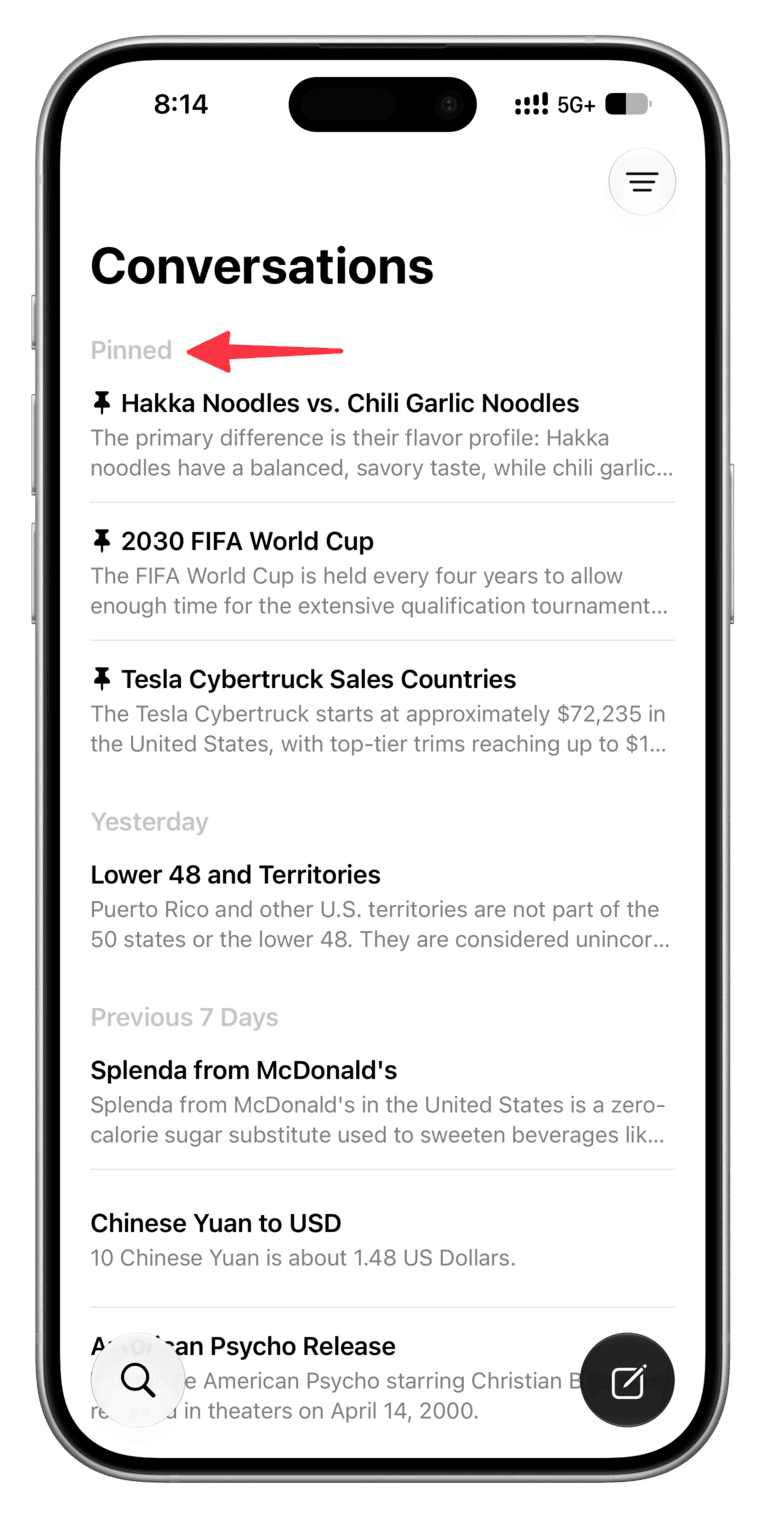
Just like Notes, Messages, and WhatsApp let you pin your most important stuff to the top of the screen, the Siri app does the same so that you can reference important conversations easily.
Chat apps like Messages and WhatsApp have a limit on how many items you can pin to the top. It’s 9 for Messages. But similar to Notes, the Siri app doesn’t seem to have a limit. I pinned more than 10 conversations, and it continued working.
Pin Siri conversations to the top
Here’s how to pin Siri chat on your iPhone so that you can reference your important conversations easily:
- Open the Siri app.
- Go to the all conversations screen in the Siri app.
- Touch and hold a chat and select Pin to stick it to the top of this screen.
The pin feature makes it easy for me to revisit past conversations i’ve had with Siri.
In addition to the option for pinning Siri chats that you revisit frequently, the app includes grid and list view mode for chats. There’s also a search button that lets you find yourconversations.
What do you think of the new Siri app in iOS 27? Do you find it useful? Let us know down in the comments.