To use Siri AI’s expressive voice and take advantage of more advanced dictation, you need a newer device than Siri AI itself requires.
Extended requirements for Siri AI
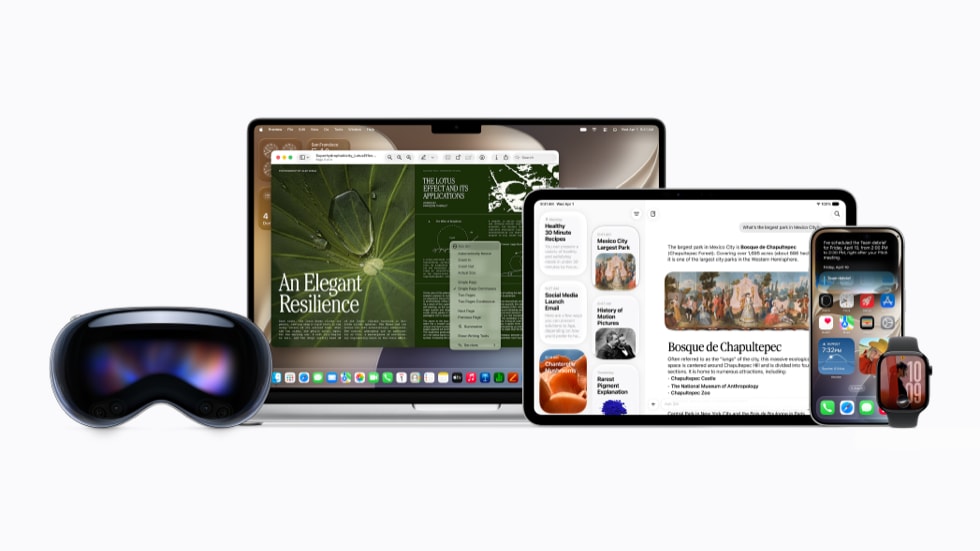
All Apple hardware with an M3 or later chip and 12 GB or more of unified memory supports these features. If you’re not sure if your device hits that mark, here’s the list:
- iPhone Air, iPhone 17 Pro, iPhone 17 Pro Max, or later
- iPads with an M4 or later chip
- Macs with an M4 or later M-series chip
- Macs with an M3 chip and 12 GB or more unified memory, which excludes some configurations
- Apple Vision Pro M5
Note: This list excludes the base configurations of the M4 iPad Pro. The 256 GB and 512 GB models carry 8 GB of unified memory, below the 12 GB minimum. The 1 TB and 2 TB M4 models have 16 GB and qualify, as do the M5 iPad Pros.
Siri AI voice settings
It has long been possible to choose among various male- and female-sounding voices and even different dialects, and Siri AI adds even more choices. But now, you can also adjust Siri’s speed and expressiveness. If you want a zippy, flat, “just the facts” response; a relaxed, cheerful response; or anything in between, you can go to Settings > Siri on iPhone or iPad, or System Settings > Siri on a Mac, and click or tap Voice. On this pane, you can select a base voice and then drag the Pace and Expressivity sliders as sample responses are played to dial in exactly the tone you prefer.
Dictation
Although Apple devices have had a Dictation feature for many years, starting in iOS 27, iPadOS 27, and macOS 27, Apple offers an improved version of Dictation—assuming your device meets the system requirements. You’ll need an iPhone 17 Pro or Pro Max, iPhone Air, or later; an iPad with an M4 chip or later and at least 12 GB of RAM; a Mac with an M3 chip or later with at least 12 GB of RAM; or an M5 Vision Pro.
Assuming your device meets those requirements, you can go to Settings > General > Keyboard on iPhone or iPad, or System Settings > Keyboard on a Mac, and enable Advanced Dictation Preview, which applies systemwide. Apple says this version of Dictation offers improved accuracy and automatic punctuation, while keeping all processing on your device. We have not yet been able to test this feature to validate this claim.