The reason for the above change appears to stem from some extraordinary articles in the Wall Street Journal. In February 2023, the Journal published a story with an alarming headline: “A Basic iPhone Feature Helps Criminals Steal Your Entire Digital Life” by Joanna Stern and Nicole Nguyen. The article noted that individuals were reporting and police departments confirming that an increasing number of thieves were stealing people’s iPhones and coercing or extracting the corresponding passcodes through in-person methods. With the iPhone and its passcode, the thief could unlock an Apple Account using a loophole.
If you don’t enable Stolen Device Protection, you remain susceptible to this real-world exploit, and should read on.
How physical passcode theft happens
The Journal article details multiple kinds of attacks, the most prevalent of which is shoulder-surfing criminal teams, which involve one thief interacting with you and another surreptitiously watching you or recording you.
For instance, one ne’er-do-well might offer to take a couple’s photo. They take the picture, but then sneakily press and hold the volume up/standby button on the phone and tap Cancel (see how to set a stronger iPhone passcode) This requires a passcode to unlock, which someone might naturally enter. However, Stern explained on a podcast that tests with 4K iPhone video indicate someone could easily record your passcode entry from nearly across a room. Then it’s just a snatch-and-grab operation.
Even more disturbingly, the reporters interviewed a number of people who said they were physically assaulted and coerced into revealing their passcode and giving up their phones, or waking up believing they were drugged with their phone missing and later account issues. (The prevalence of druggings at bars has become something awful.)
The reporters explained a criminal can reset an Apple Account password with nothing more than an iPhone passcode and possession of the iPhone. At that point, if someone uses iCloud email with their financial and other accounts, the thief can send password resets and receive second factor SMS and device-based tokens to validate changes and logins. One victim, an economist, lost access to her Apple Account and everything attached to it, and told the reporters that about $10,000 vanished from her bank account within a day.
While Face ID and Touch ID can’t be used to extract your passcode and then reset your Apple Account, they can be used against you if you’re drugged, threatened, or in custody of a government that compels their use. See how to set a stronger iPhone passcode for how to disable Face ID or Touch ID quickly.
We don’t know the scale of these attacks, as there’s no comprehensive accounting and Apple hasn’t made a statement. Does it happen to hundreds of people a year in the United States—the article’s geographical focus—or tens of thousands? Because of that two-thief passcode approach, I’d put my money on hundreds to thousands where the passcode is obtained when an iPhone is stolen.
The Journal raised important questions about how tightly Apple has linked a passcode to the ability to log in to an Apple Account. That led Apple to create Stolen Device Protection.
None of this is the fault of crime victims entering their passcode in public or…being drugged or mugged. Rather, the person who stole from you—I mean, it shouldn’t even have to be said that it’s that person who did wrong.
Before venturing forth into the world:
- Set a longer or more complicated passcode. This makes it harder for a thief to see or capture what you’re entering.
- Enable Face ID or Touch ID. This prevents unsophisticated shoulder-surfer snoops. Coupled with the Stolen Device Protection option, it dramatically reduces your exposure to Apple Account and other data hijacking.
- If you need to enter your passcode in public, make sure there’s no direct line of sight other than your own. Holding your hand over your phone or peering through your fingers is unfortunately not a ridiculous strategy. (I never enter my ATM PIN without holding my hand over the keypad.)
ATMs are also a prime spot for “skimmers” to be attached where thieves have a camera and sensor to grab your card number and PIN. Never use an ATM if anything around the keypad looks suspect, such as a raised external surface around any part.
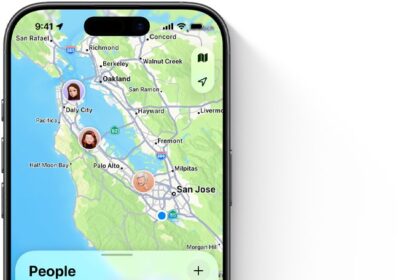
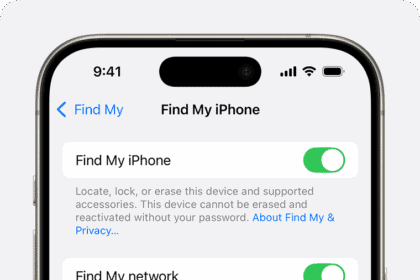
- Make sure Find My is turned on. This will help you later if you need to erase your device remotely.
- Remove from your Photos library any images that show your passport, driver’s license, or Social Security number, or any other cards or information that contain numbers useful for information theft. (“Surely the writer of this book hasn’t left his…oh, no.” Deletes many images.)
This might deter most instances. But for best results, if you consider yourself possibly at risk, read on to enable Stolen Device Protection.
What to do after a theft
Stolen Device Protection doesn’t prevent robberies. If your device is brazenly or violently stolen, here’s what else you can do:
- Access Find My: If you have access to Find My from one of your other devices right away, use a native app. Otherwise, you can use the Find My app on someone else’s device or log in to iCloud.com and use Find My there. (You have to have your iCloud password memorized or available through some backup method or other device, of course.)
Next, consider doing one or all of the following:
— Put the device in Lost Mode: If you have Stolen Device Protection enabled, putting your iPhone in Lost Mode could make it more recoverable as the thieves won’t be able to do anything useful with it. If the thieves haven’t powered down the iPhone or put it into Airplane Mode, it might immediately enter Lost Mode, or enter it the next time it has even the briefest internet connection. Because Find My is on, and the thieves can’t disable it, your iPhone retains Activation Lock, making it difficult or impossible to resell or reuse the phone.
— Erase the device remotely if it’s online: You can opt instead to try to erase your phone. If it’s online at any point, erasure is immediate, and Activation Lock remains on. In fact, it’s still trackable even after being erased with iOS 15 or later.
— Remove the device from your account if it’s offline: I recommend that if you don’t have Stolen Device Protection enabled and your iPhone is showing as offline, consider whether to remove the iPhone from your Apple Account on another device or via iCloud.com. This prevents Find My tracking, but it also halts iCloud syncing, so there’s a tradeoff.
- Change your Apple Account password immediately: You may, ironically, need another trusted device connected to your account to do so.
- Change important financial and email account passwords: If you don’t have Stolen Device Protection enabled, you should change critical passwords elsewhere; with it on, you might consider doing so anyway. After erasing or disconnecting your device, you can create new passwords they won’t have access to. (If you can’t erase or disconnect your device, turn off Passwords syncing in iCloud on your remaining devices.)
- Call your phone company: If you haven’t enabled Stolen Device Protection, you can block your device from receiving SMS messages by calling your carrier. Have them remove the phone number from the SIM and disable the line temporarily at least. (If you wisely set a PIN for your cellular account, you’ll need that PIN to get the account locked, too.)
This experience can be scary. Theft and assault always is. If you can summon the strength to act quickly, you can minimize harm.
Automatic restart after three days
In late 2024, law-enforcement departments began to exchange stories of iPhones that had been unlocked and were kept carefully in that state in locked, shielded storage areas had spontaneously rebooted. While Apple didn’t make an announcement, iOS 18.1 apparently included a “reboot after inactivity” timer, according to reporting by 404 Media.
iPhones have two general states: Before First Unlock (BFU), which happens after a restart, and After First Unlock (AFU). An iPhone is easier to rummage through for investigative or illicit purposes in the AFU state, when its internal storage has been unlocked and other kinds of access remain available, even if some data remains protected by a passcode or biometrics.
Apple now apparently starts a three-day timer (as of 2026) when an iPhone is in the AFU state. If it’s inactive for that period of time, it restarts, putting it back into the harder-to-crack BFU state. Security researcher Matthew Green told 404 Media it wasn’t about blocking police access—but criminal use. He told them, “This feature means that if your phone gets stolen, the thieves can’t nurse it along for months until they develop the tech to crack it.”