How to enable cookies on iPad

You can enable cookies on iPad by turning off Block All Cookies in Safari settings, so websites that need cookies work normally.

By Kevin Shaw - Editor
0 Min Read

You can enable cookies on iPad. Some websites use cookies to keep track of your activity, such as your settings, and enabling cookies allows websites that require them to work normally. You can also clear your cache and cookies on iPad.

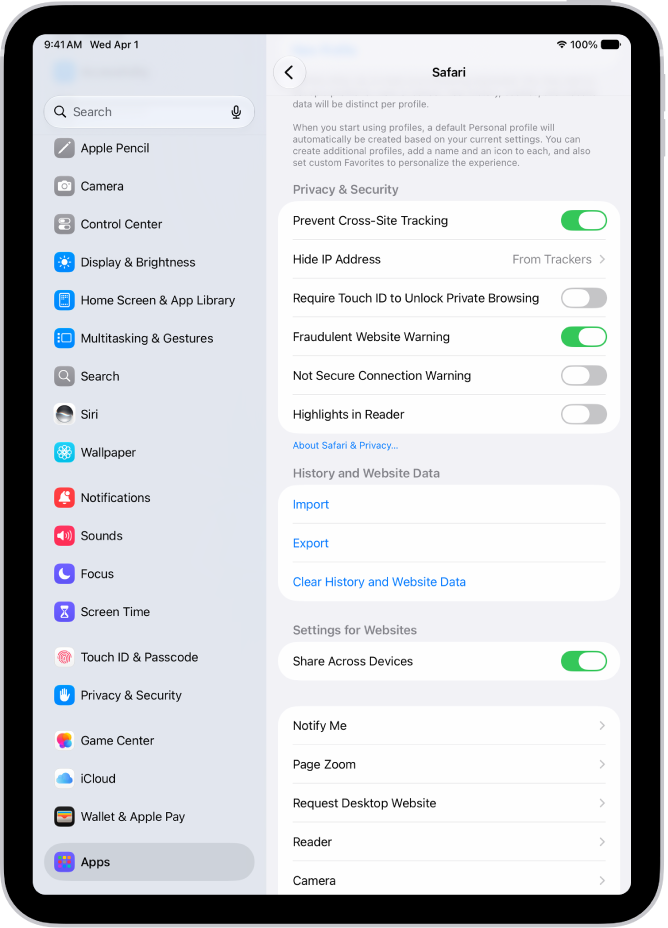
  1. Start the Settings app on your iPad.
  2. Tap Apps, then tap Safari.
  3. Tap Advanced and turn off Block All Cookies.

See also

TAGGED:
Editor
Follow:
Kevin Shaw is a seasoned tech journalist based in Los Angeles with a penchant for all things Apple. He started writing about Apple products in 2007 and it's been a love affair ever since. He has spent over a decade testing and writing about iPhones, iPads, Macs, and other Apple products. In his spare time, he likes nothing more than catching up with the latest news and sports podcasts on the beach.
Leave a Comment