Audio descriptions provide an audible narration of important onscreen action and content in movies and TV shows on Apple TV 4K. In Settings on Apple TV 4K, you’ll find them under Accessibility. During video playback, you can also choose an Audio Descriptions (AD) option if available, and there’s a quick gesture on your remote when VoiceOver is turned on.
There are a few ways to turn on audio descriptions:
- In Settings on Apple TV 4K, go to Accessibility, then select Audio Descriptions to turn it on.
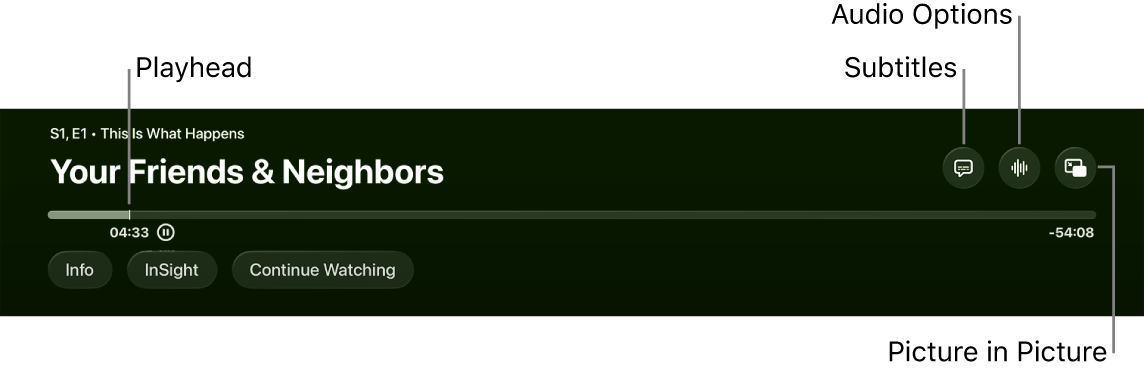
- During video playback, show playback controls, swipe up on the clickpad or touch surface, select the Audio Options button, then select an Audio Descriptions (AD) option if available.
- When VoiceOver is turned on, press the clickpad center or touch surface on your remote three times.
Note: When VoiceOver is turned off, this action instead turns closed captions on or off.
Quick tip: For quicker access, you can also add an accessibility shortcut that turns on audio descriptions.
Not all features and content are available in all countries or regions or on all Apple TV hardware models.