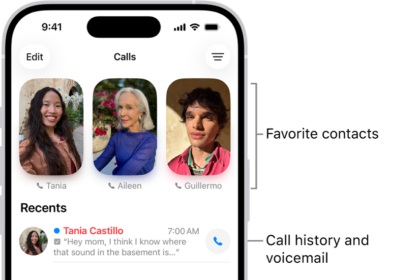
You can manage incoming iPhone calls on Apple TV 4K. You’ll receive incoming phone or FaceTime audio call notifications for your iPhone, and you can put the call on hold until you answer it on iPhone. If you have one or more HomePod speakers connected to Apple TV 4K, you can even answer the call directly from Apple TV 4K.
This feature requires iOS 26 or later for iPhone and tvOS 26 or later for Apple TV 4K. An automatic setup notification appears once both are updated, but you can also set up incoming calls later in Settings.
Set up incoming calls on iPhone and Apple TV 4K
Once your iPhone is updated to iOS 26 and Apple TV 4K to tvOS 26, an automatic setup notification appears on Apple TV 4K. Or you can set up incoming calls later, in Apple TV 4K Settings.
- Go to Settings on Apple TV 4K.
- Go to Profiles and Accounts. Select the profile of the user whose iPhone you want to use.
- Turn on Show Incoming Calls.
- On the user’s iPhone, go to Settings > Apps > Phone > Calls on Other Devices, and make sure Allow Calls and Call Notifications are turned on for your Apple TV 4K.
Get incoming iPhone call notifications on Apple TV 4K
- When an incoming iPhone call notification appears on Apple TV 4K, press the TV button on the remote to place the call on hold on your iPhone.
- Answer the call on your iPhone to dismiss the notification.
Answer an incoming iPhone call on a HomePod connected to Apple TV 4K
- When an incoming iPhone call notification appears on Apple TV 4K, press the TV button on the remote to answer the call on your connected HomePod speaker or speakers.