This article explains how you can cancel your AppleCare+ plan or AppleCare Protection Plan. This article also details how you can request and get a refund.
You can extend your Apple warranty coverage by purchasing AppleCare+ or the AppleCare Protection Plan. AppleCare+ is available for many Apple products, including Mac computers and displays, Beats headphones, HomePods, iPhones and iPads, Apple Watches, and Apple TVs. AppleCare+ plans include Apple software associated with the covered hardware. However, you may cancel your purchase at any time for any reason.
This is in addition to the standard warranty. Most Apple devices include a one-year limited warranty and 90 days of technical telephone support. AppleCare+ extends the devices’ one-year limited warranty and the ninety days of technical support (which is known as basic AppleCare). It allows the customer unlimited incidents of accidental damage with a deductible (which, like the price of the plan, varies by device).
There are two AppleCare payment options:
- AppleCare is also offered with a subscription-based payment plan option and you keep paying the monthly charge. This is also called Monthly Plans.
- This extended coverage can be purchased upfront for two years. This is also called Single-Pay Plans.
If you cancel your AppleCare plan, the monthly or annual billing2 can’t be renewed. If you’re no longer eligible for an AppleCare plan, you can’t add it to your device again.
Do you have AppleCare? Are you not sure if you have an AppleCare plan. You can easily check this by going to the checkcoverage.apple.com website and enter your serial number (see below on how to find your serial number).
How to cancel the AppleCare plan that you pay monthly
You can cancel your AppleCare plan just like how you cancel your Apple subscriptions. Unless you cancel, the Monthly Plan will renew automatically.
For Monthly Plans, Apple does not give a refund when you cancel your AppleCare subscription. You will have your benefits until the next billing date which is the last day of the month.
Here is how you can cancel your plan from your iOS or iPadOS device and Mac:
Cancel AppleCare and AppleCare Plus subscriptions on your iPhone, iPad, or iPod touch
- Open the Settings app.
- Tap your name.
- Tap Subscriptions.
- You will see your plan. Tap it.
- Tap Cancel Subscription.
Cancel AppleCare subscriptions on your Mac
- Open the App Store app.
- Click your name. If you can’t find your name, click Sign In.
- Click Account Settings.
- Scroll to Subscriptions, then click Manage.
- Click the AppleCare plan subscription.
- Click Cancel Subscription.
. If you pay monthly for AppleCare+ from your wireless carrier, contact the wireless carrier to request a refund.
How to cancel the AppleCare plan that you paid in full
Do not worry, if you paid in full upfront for your AppleCare plan, you can still cancel and get a full or partial refund. There may be a cancellation fee.
If you cancel your AppleCare plan within 30 days of your purchase date, you’ll get a full refund, minus the value of any service already provided.
If you cancel your AppleCare plan more than 30 days after your purchase, you’ll get a refund based on the percentage of unexpired AppleCare plan coverage, minus the value of any service already provided.
You will need to contact Apple Support to cancel your plan. Here is how you can contact Apple Support. You can also live chat with Apple support team.
Before you contact Apple, please have these items ready:
- The AppleCare agreement number. You may sign in to MySupport to look up your agreement number.
- The serial number of the device that the plan covers.
- Your original sales receipt.
If you need to find your device’s serial number:
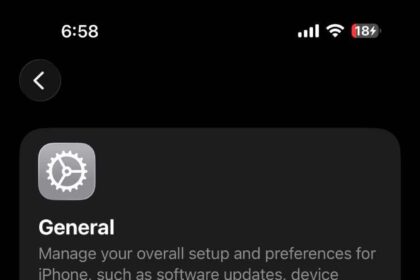
- On iPhone, iPad, iPod touch, Apple Vision Pro, Apple TV, or Apple Watch, go to Settings > General > About.
- On Mac, choose Apple menu > About This Mac.
- On AirPods, make sure your device is connected and then go to Settings > Bluetooth. Find your AirPods in the list and then tap the More Info button next to your AirPods to see the serial number.
- On HomePod, the serial number is on the bottom of your HomePod or HomePod mini speaker.
If you have your product’s original packaging, you can check the barcode to find the serial number. You can also find your product’s serial number on the original product receipt or invoice.
Cancel over the phone, by mail or fax
There are other ways to cancel AppleCare plan too:
- Send a written request. You can mail or fax this request. Your request should include your Plan Agreement Number and a copy of the Plan’s original proof of purchase.
- Send your request: AppleCare Administration, P.O. Box 149125, Austin, TX 78714-9125, U.S.
- Or fax it: 916-405-3973.
- You can also call 1-800-800-2775.
. If you don’t see your plan when you try to cancel it, contact Apple Support.
The refund guidelines might vary in your country, region, state, or province. You can find more information about canceling and refunds in the applicable AppleCare Terms and Conditions.