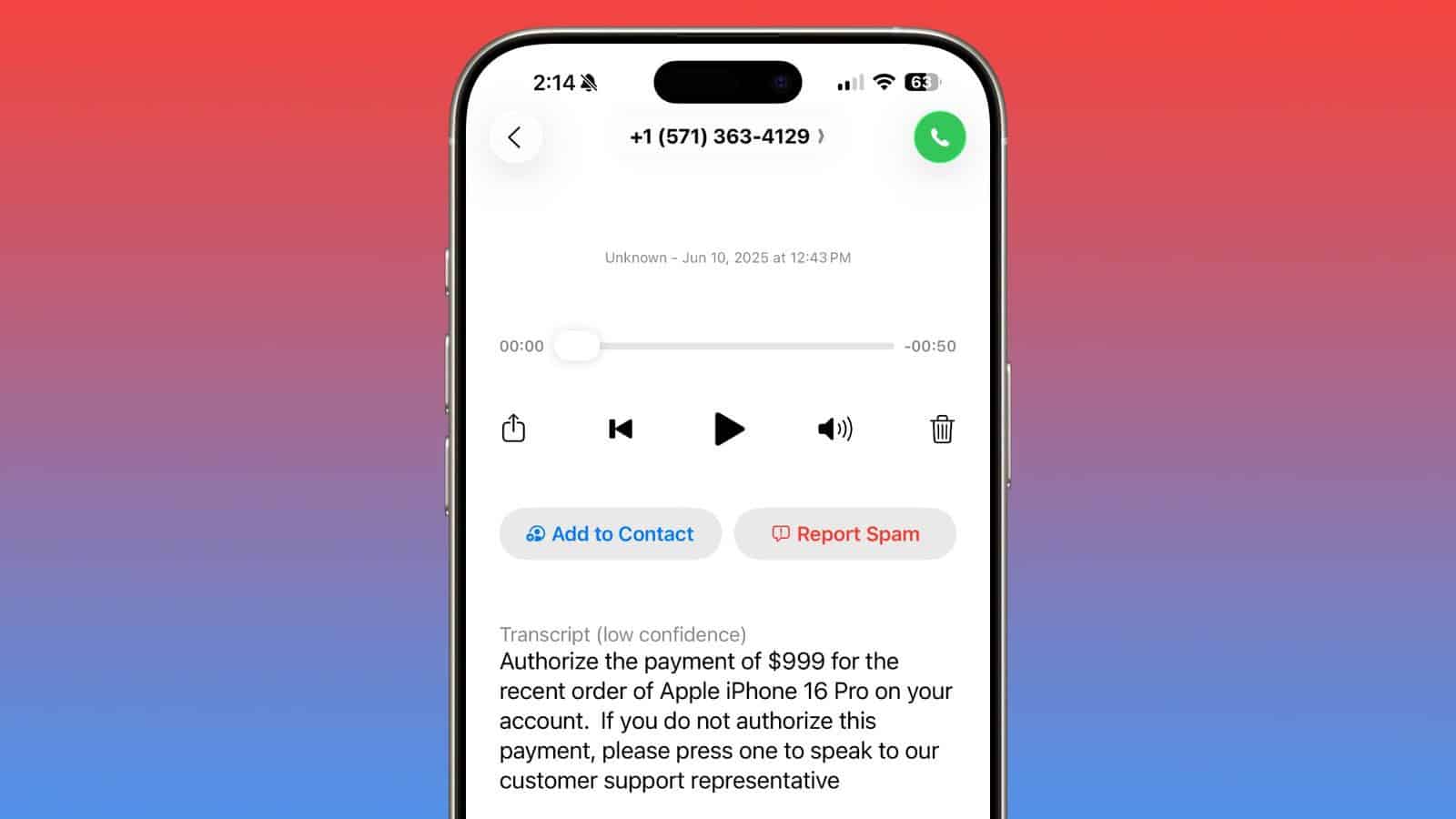
iOS 26 has an updated Phone app with several new functions. There are notable new additions like Hold Assist and Call Screening, along with smaller options like a feature to flag spam voicemails.
Here’s how to use the new spam voicemail reporting tool in iOS 26:
- Open the Phone app.
- Select the Voicemail tab at the bottom of the screen.
- Tap the voicemail message that you believe is spam.
- If the voicemail is from an unknown or unsaved number, youll see a “Report Spam” button.
- Tap “Report Spam.
- choose one of the following options:
- Report and Keep – Flags the voicemail as spam but keeps it in your inbox.
- Report and Delete – Flags it as spam and removes it from your inbox.
That’s it! Your report is sent to Apple, and the voicemail is either kept or deleted based on your choice.
Apple doesn’t include information on what it does with spam voicemails, but the company has allowed similar reporting of spam iMessages for some time now. It’s also not clear what Apple does with iMessages that are reported as spam, but they appear to inform spam filtering functionality added in iOS 26.
As with spam iMessages, reporting a voicemail as spam does not block the caller, and that needs to be done with a separate step.
Apple is working to implement features that cut down on spam messages and calls. The Call Screening option in iOS 26 intercepts calls from numbers that are not saved in your contacts list, and asks the caller for more information like a name and reason for calling before forwarding the call along to you.
The Messages app also has a refined spam reporting workflow in iOS 26. Messages that Apple detects are spam are sent to a specific Spam folder, which is now distinct from the Unknown Senders folder. Messages from numbers that aren’t in your contacts, such as two-factor authentication messages, go in Unknown Senders. Scam messages are sent to the spam folder. If you get a spam message that’s not correctly categorized, you can tap into a miscategorized message and tap on the "Report Spam" option.
Messages from unknown senders and spam messages are both silenced and you won’t get a notification for them, but you will see a badge at the top of the Messages app. You can disable these features in the Messages section of the Settings app, if desired.
There is no automatic filtering of spam voicemails, but that is a feature that Apple could use in the future after receiving enough voicemails that people flag as spam.
See also: How to Turn OFF iOS 26 Liquid Glass Design on iPhone & iPad