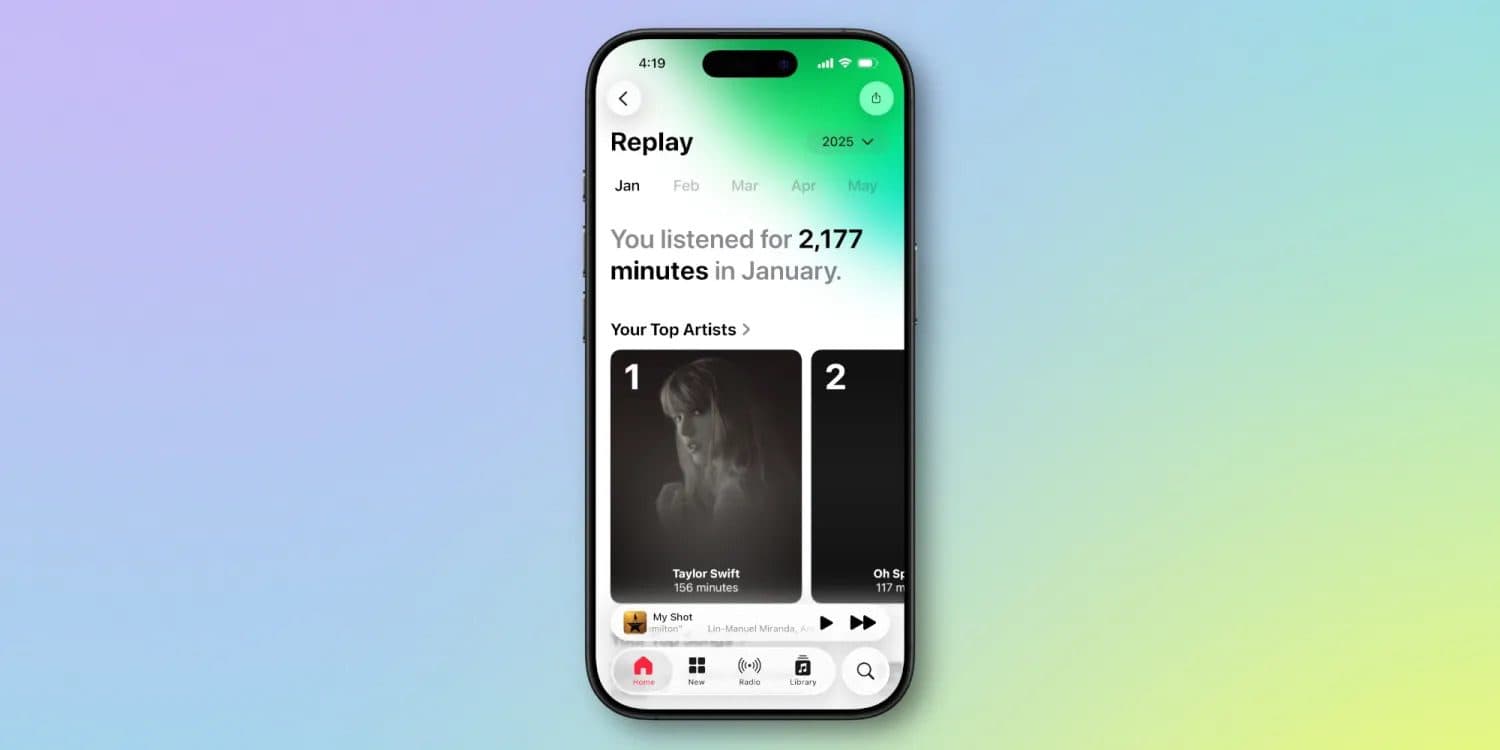
Apple Music has received several notable updates in iOS 26, including one that wasn’t included in the WWDC keynote or press materials: Apple Music Replay is now a fully native in-app experience.
What Is Apple Music Replay?
Apple Music Replay is similar to Spotify Wrapped, showcasing the top songs and artists that you listen to each year, complete with a year-end highlight reel.
Apple Music Replay is available for most of the year, though.
Apple Music Replay has had one major flaw: it was only available via the web, not inside the Music app.
Things improved last year, with Replay being integrated into the Music app itself for the first time—but there was a catch.
You could view Apple Music Replay without leaving the Music app. But ultimately you were still just opening a web view inside the app. It wasn’t built natively into the app.
But in iOS 26, that’s changed.
What’s New in iOS 26?
Starting with iOS 26, Apple Music Replay is now a completely native feature. This means that you can see your monthly and yearly listening statistics directly in the Apple Music app, rather than in a popover web view.
A corresponding Apple Music Replay playlist is available in the Apple Music app, at the bottom of the Home tab. The playlist lists the 100 songs that you have listened to the most as the year progresses, and it is updated on a weekly basis until the end of the year. At that point, the playlist for that particular year becomes final.
For some users, this change won’t make a huge difference. Not everyone cares whether a web view pops up or not.
But making Replay fully native is absolutely a step in the right direction, creating a more pleasant user experience and giving Apple Music a boost in its ongoing competition with Spotify.
Are you glad to see Apple Music Replay go native in iOS 26? Let us know in the comments.
See also: How to Use Apple Music AutoMix in iOS 26 for DJ-Like Song Transitions