On iPad, you can design your own personalized Memoji—choose skin tone, glasses, body, and more—and create multiple Memoji to use in different contexts. Each Memoji, even the ones you create, automatically generates a range of poses and expressions.
On supported models, you can send animated Memoji messages that record your voice and mirror your facial expressions. To make a new Memoji that’s slightly different from one you have, you can duplicate it and edit the copy.
Create Memoji
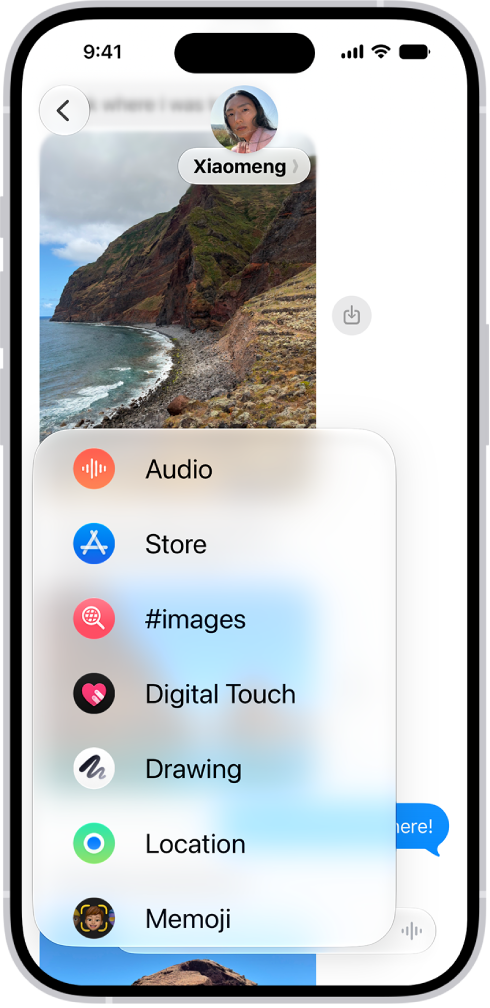
- Go to the Messages app on your iPad.
- In a conversation, tap the Add button.
- Tap Memoji. (You may have to swipe up.)
- Tap the Add Memoji button.
Tip: To make a new Memoji whose outfit or appearance differs slightly from one you already have, tap to select it, tap the Edit button, then tap Duplicate.
- Tap each feature (Skin, Hairstyle, and others to the right) and choose the options you want.
- Tap the Done button to save the Memoji to your collection.
Send animated Memoji or Memoji recordings
Supported models can send Memoji messages, which record your voice and mirror your facial expressions.
- Open the Messages app on your iPad.
- In a conversation, tap the Add button.
- Tap Memoji, then swipe and tap to choose a Memoji.
- Tap the Record button to record your facial expressions and voice. Then tap the Recording button to stop.
Tap Replay to review your message.
- Tap the Send Recording button to send your message or the Discard Recording button to cancel.
You can also capture your movements, facial expressions, and voice in Memoji when you become a Memoji in a FaceTime conversation.
See also