On iPad, you can find the password of the Wi-Fi network you’re currently using and see all the Wi-Fi networks and passwords you’ve previously saved. You can share the password of the Wi-Fi network you’re currently using with a nearby friend or family member.
You can also copy the password to use elsewhere. To share it, though, both devices must be within Bluetooth and Wi-Fi range.
Here’s how to find and share your Wi-Fi password on iPad.
Find a Wi-Fi password
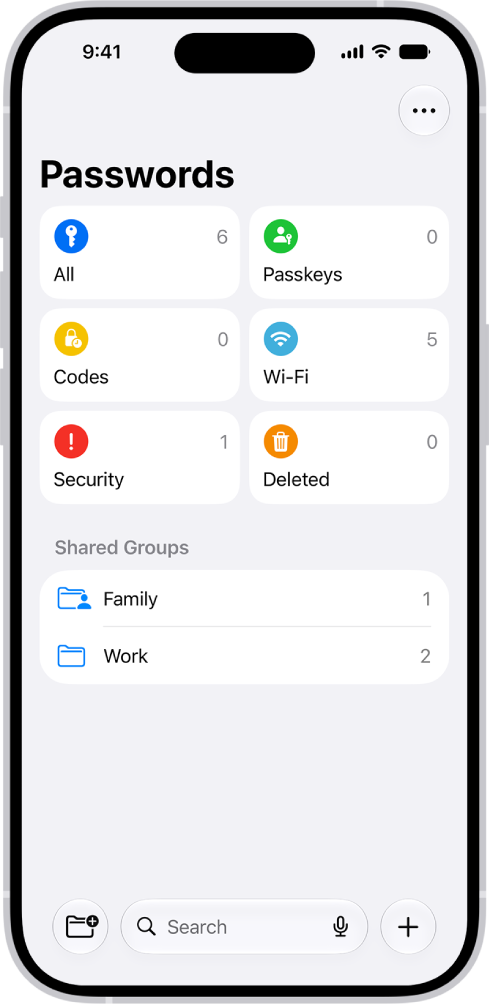
- Go to the Passwords app on your iPad.
- Tap Wi-Fi.
If you’re connected to a Wi-Fi network, its name appears at the top of the screen. You can also see all the Wi-Fi networks you’ve previously saved.
If you don’t see Wi-Fi, tap the Sidebar button at the top of the screen.
- Tap a Wi-Fi network.
- Tap the Password field.
To copy the password to use elsewhere, tap Copy Password.
Share your Wi-Fi network password with a nearby friend or family member
- Make sure your iPad (the one sharing the password) is unlocked and connected to the Wi-Fi network.
- Have your friend or family member go to Wi-Fi settings on their iPhone, iPad, or Mac. Choose the network.
- When a message asks if you want to share your Wi-Fi password, tap Share Password.
Note: Before you can share your Wi-Fi network password, the devices must be in Bluetooth and Wi-Fi range, not using Personal Hotspot, and in each other’s contacts.
You can also go to the Wi-Fi network and tap Show Network QR Code, which friends and family can scan to join the network.
See also