Summary
- To find someone else’s lost iPhone, log in to the Help a Friend feature in your Find My app.
- Using Help a Friend bypasses two-factor authentication so you don’t have to enter a passcode on the lost device.
- Once your friend logs in with their Apple Account, you can track the lost iPhone and enable Lost Mode.
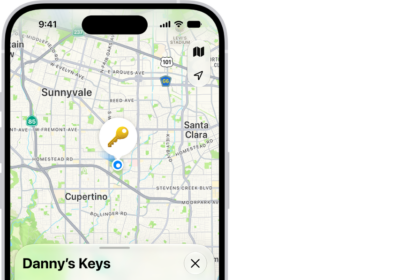
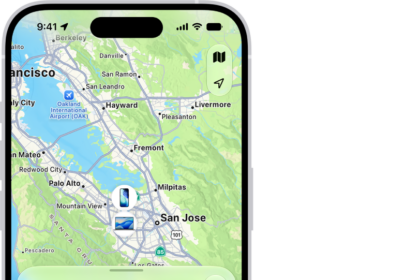
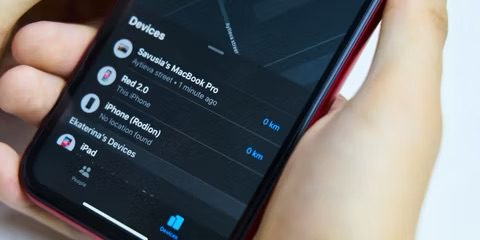
So, how do you find someone else’s iPhone? You can help your friend locate their lost iPhone using the "Find My" app by following a few simple steps. Below, we’ll cover how to use Find My iPhone for a friend.
How to help a friend find their lost iPhone with Find My
You can help a friend locate their lost iPhone (or find your own iPhone from someone else’s iPhone) by signing into the Help a Friend feature within the Find My app. This feature, which opens in your web browser, bypasses two-factor authentication so that your friend can find their device quickly. If you try to open Find My in a web browser without using the Help a Friend feature, you’ll need to enter a unique six-digit code that is sent to the lost device.
Here’s how you can help someone find their iPhone:
- Open the Find My app on your iPhone.
- Select Me tab from the options on the bottom of the screen.
- Scroll down and tap Help a Friend at the very bottom.
- This will open iCloud.com. Tap Sign In. If you are prompted to use your own Apple Account, just tap the x icon.
- Have your friend sign in to iCloud using their Apple Account to see their devices.
- Select the device they are looking for.
- If the lost device appears to be nearby, tap Play Sound to help you locate it.
- If the lost iPhone is far away, tap Lost iPhone to help protect your data. This will also turn on Low Power Mode to give you more time to search.
- Once your friend has located the lost device, tap the three-dot icon in the top-right corner and select Sign Out.
That’s how to use Find My iPhone for a friend. Now that you know how to find your friend’s iPhone, you’ll be very popular with your more forgetful friends. While searching for the lost iPhone, I recommend activating Lost Mode, but don’t recommend selecting the Erase iPhone option unless you’re sure important private data is at risk of being stolen or if the iPhone is disabled.
FAQ
-
How can I help a friend find an iPhone that is turned off?
A dead or turned off phone is still trackable as long as the lost iPhone has iOS 15 or later and Find My is enabled. Otherwise, you’ll be shown the last known location of your iPhone. -
How do I find someone else’s dead iPhone?
If the lost iPhone is dead, you can see the last known location but not the current location. (This is true as long as you left Send Last Location enabled when you set up Find My.) Find My will continue to show your iPhone’s last known location for seven days in the Find My app and 24 hours on iCloud.com. -
How can I find an offline iPhone?
If the lost iPhone is offline, the Find My app can still find the lost iPhone’s current location using nearby Apple devices. So as long as other Apple devices are nearby, you will be able to track it. -
Can you enable Find My iPhone from another device?
Unfortunately, no. You must enable Find My on your iPhone or other devices before it goes missing.