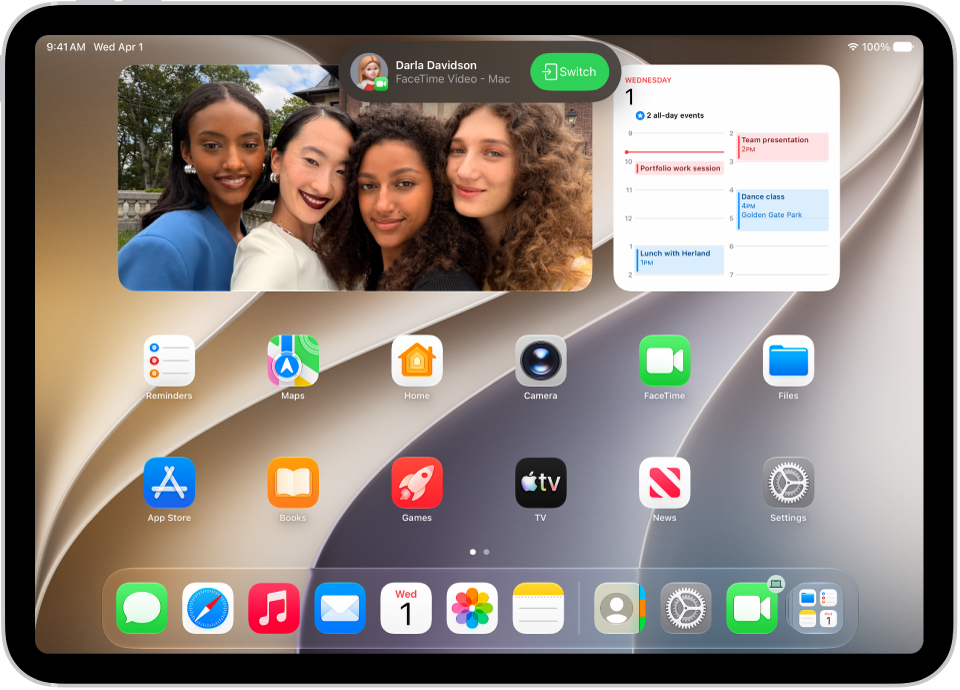
You can start a FaceTime call on your iPad and move the call to another device where you’re signed in to the same Apple Account, like an iPhone with iOS 16 or later or a Mac with macOS 13 or later.
A call can even continue on the bigger screen of Apple TV 4K (2nd generation or later), with your iPad serving as its webcam and microphone. And if you change your mind, you can bring the call back.
With Continuity Camera and Mic, you can also use iPad as a webcam and microphone for FaceTime calls on your Mac or Apple TV 4K.
Note: The contact information you’ve chosen for the call (shown in Settings > Apps > FaceTime) has to match the contact information selected in Settings > Apps > FaceTime on whichever device you want to hand off to.
Hand off a FaceTime call from iPad to iPhone or Mac
You can hand off a FaceTime call in progress on your iPad to your Mac (macOS 13 or later) or iPhone (iOS 16 or later). Both devices need to be signed in to the same Apple Account.
- During a call in the FaceTime app on your iPad, do one of the following on your other device:
- Tap the notification with the suggestion “Move call to this [device].”
- Tap the Video Handoff button at the top of the screen.
- Tap Switch or Join.
The call moves to the new device. On the original device, a banner appears confirming that the call was continued elsewhere, along with a Switch button, which you can tap if you want to bring the call back.
Hand off a FaceTime call from your iPad to Apple TV 4K
If you’re signed in to the same Apple Account on both devices, you can start (or receive) a FaceTime call on your iPad, then hand off the call to Apple TV 4K (2nd generation or later) for a larger screen. Once you hand off the call, it continues on Apple TV 4K, and your iPad works as the webcam and microphone for Apple TV 4K for the whole call. Supported iPad models can use Continuity Camera with Apple TV 4K (2nd generation or later).
See also