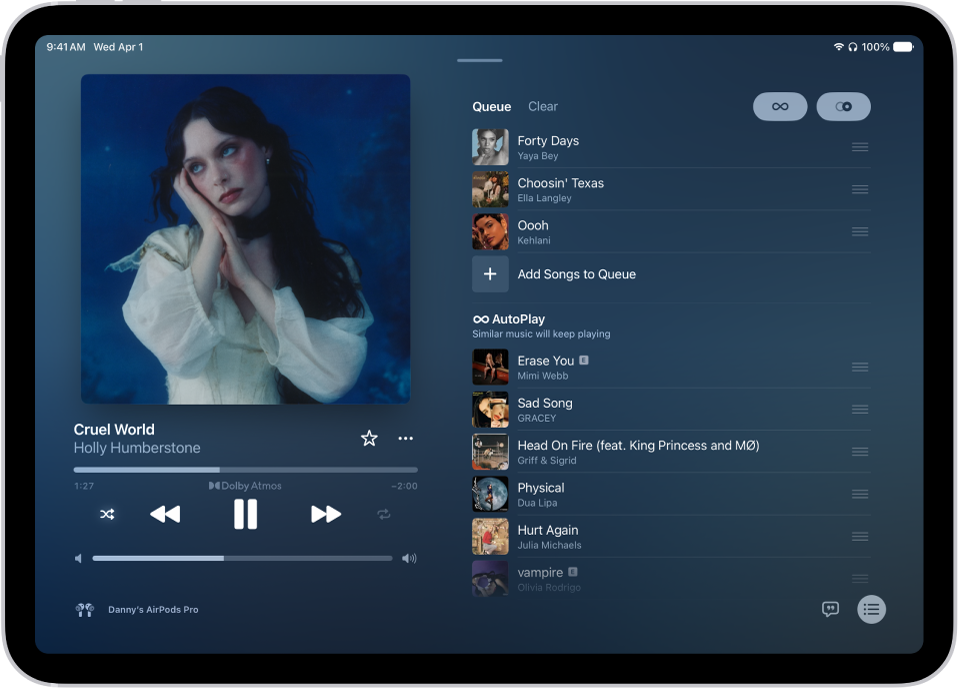
On iPad, you can shuffle all the songs and albums in your library, which plays them in random order, or shuffle just a playlist or album. You can also repeat individual songs, playlists, or albums, or the entire queue.
When multiple songs are repeating, you can see how many will be repeated at the bottom of the queue. And you can queue up your music, or adjust the sound quality in Music on iPad.
- Open the Music app on your iPad.
- While a song is playing, tap the MiniPlayer to open the Now Playing screen.
- Tap the Playing Next button and then do any of the following:
- Play your songs in random order (shuffle): Tap the Shuffle button. Tap again to turn off shuffle.
- Repeat an album, playlist, or the entire queue: Tap the Repeat button.
Note: When multiple songs are repeating, you can view how many songs will be repeated—just scroll to the bottom of the queue.
- Repeat a single song: Double-tap the Repeat button.
See also