How to hear audio descriptions for video content on iPad

You can hear audio descriptions for video content on iPad, a narration of the visual content, by turning on Audio Descriptions.

By Abigail Shilets - Staff Writer
0 Min Read

On iPad, if you can’t see your screen and your content includes audio descriptions, you can listen to an audio description—a separate audio track that narrates or describes the visual content of a clip, show, or movie. You can also get live descriptions of your surroundings.

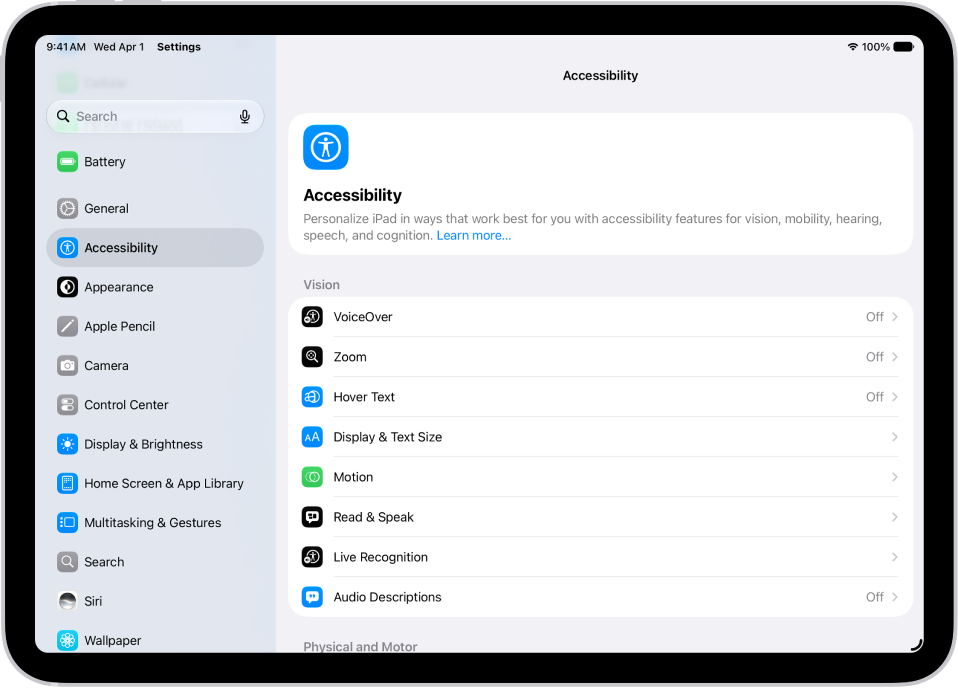
  1. Open Settings, tap Accessibility, and then tap Audio Descriptions.
  2. Turn on Audio Descriptions.

See also

Staff Writer
Follow:
Abigail is a staff writer for GeeksChalk based in Pennsylvania. She covers news, how-tos, and user guides for iPhone, iPad, Mac, and Apple Watch. Before becoming a writer Abigail studied computer science at University and also worked at Apple for more than two years. When not creating masterpiece for GeeksChalk, you can usually find Abigail hiking, climbing, or otherwise unplugged.
Leave a Comment