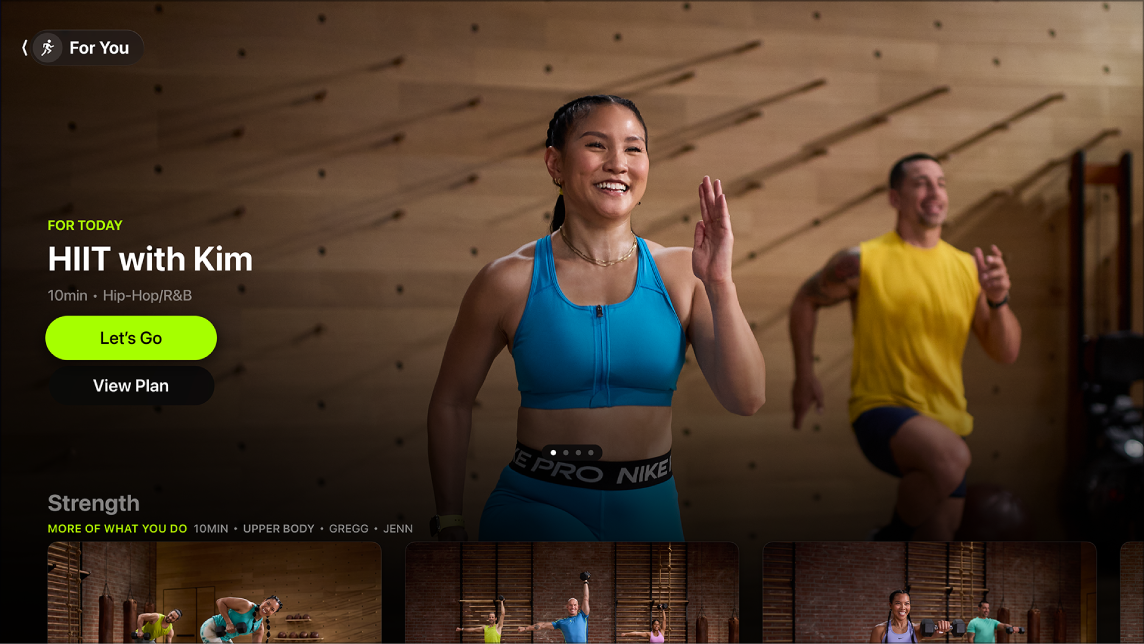
To help you reach your fitness goals and stay on track, you can view Fitness+ plans you create on iPhone right on Apple TV 4K, in the Fitness app. There are three types: Stay Consistent, Push Further, and Custom Plan. Your progress is saved across devices, too.
Using the Fitness app on your iPhone, you can create three types of plans:
- Stay Consistent: Preselected workouts and meditations based on your recent Fitness+ activity and preferences such as duration, activities, favorite trainers, music genres, and days of the week you like to be active.
- Push Further: For those who want to challenge themselves, these preselected workouts increase the time of each day’s workout sessions.
- Custom Plan: Build your own plan with activities, workout length, and days of the week.
Note: Apple Fitness+ workouts require a subscription and an Apple Watch or iPhone connected to the Fitness app on Apple TV 4K.
- Go to the Fitness app on Apple TV 4K.
- Open the sidebar, then select Plans.
- Select a plan.
You can see your current Plan, plus any previous plans you completed or canceled.
If you don’t have an active Custom Plan, select Build Your Own to be prompted to create one on your iPhone. You can also select a recent plan to repeat it.
- Do any of the following:
- Start a workout from your plan: Select View Plan and select the workout you want to do.
Workouts in the plan appear in chronological order, with this week’s plan at the top so you can see what’s scheduled next or scroll down to see what’s scheduled in subsequent weeks. As you complete each week of your plan, the completed workouts move to the bottom of the page.
You can go back to previous days or weeks to complete workouts at any time during your plan. If you start a plan on Apple TV 4K, your progress is saved and you can continue it on an iPhone or iPad or vice-versa.
- Rename your plan: Select View Plan, select the More button, and select Rename Plan. Enter a new name, then select Done.
- End your plan: Select View Plan, select the More button, and then select End Plan.
- Repeat a previous plan: Navigate down to the Recent Plans row and select a plan. Select Exact Repeat to repeat with the exact same workouts as the last time, or Refreshed Repeat to refresh the plan with newer workouts.
- Start a workout from your plan: Select View Plan and select the workout you want to do.
Not all features and content are available in all countries or regions or on all Apple TV hardware models.
See also