Several users have complained that they are unable to use the Apple News app on their iPhone 18 Pro or iPhone 18 Pro Max. It appears that users are experiencing these problems:
- Crashing.
- Won’t respond, load or open.
- News+ catalog, individual channels, or the main Today news feed is not loading.
- News links are not opening.
- Stories are showing the “loading” error.
Furthermore, it appears that some users are presented with different error messages upon opening the app:
- Feed unavailable. There may be a problem with the server or network. Please try again later.
- Sorry, Apple News isn’t available right now. Please try again later.
- Channel unavailable.
This article explains what you can do when the Apple News app is not working properly on your iPhone 18 Pro or iPhone 18 Pro Max. See Apple News Fails to Load on iPhone 18 Pro After iOS Update.
Check these first
You may have issues using Apple News on your iPhone 18 Pro for one of these reasons:
- Apple News may not be available for all countries. Go to Settings > General > Language & Region and make sure that the region is set correctly.
- There could be an Apple News outage. Go to the Apple System Status page to check if there is an outage for the News service in your country.
- It appears that Low Power Mode may cause Apple News not to work properly. Turn off Low Power Mode by going to Settings > Battery > Power Mode and then try again.
- Your device is out of date. You can check for updates on your iPhone by going to Settings > General > Software Update.
- Force closing the app and then trying to reopen it. Here is how you can do this:
- Swipe up from the bottom of the screen, find the News app, and swipe up on the app.
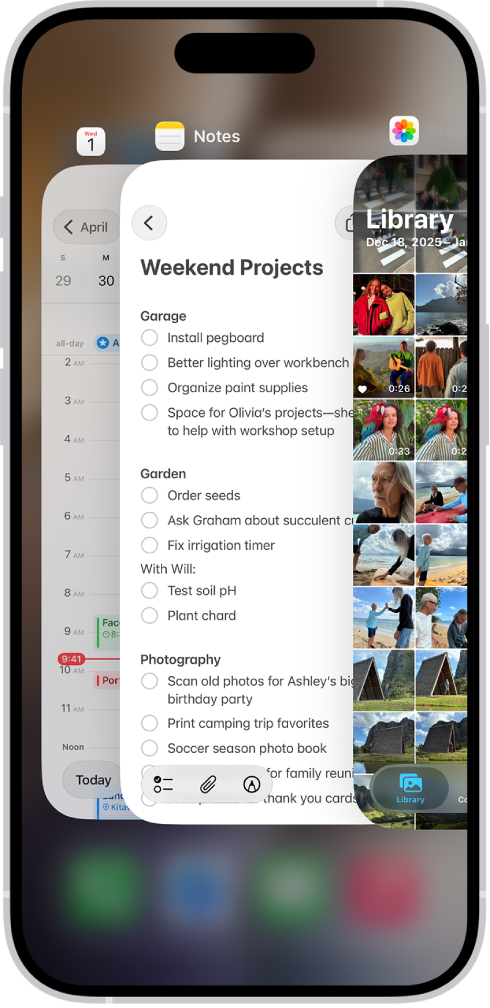
- Swipe up from the bottom of the screen, find the News app, and swipe up on the app.
- Restart your iPhone. Then try to open the News app again.
- Clear Apple News history and try again:
- On your iPhone: Open the News app, then go to Following > History and tap Clear and Clear All.
If none of the above reasons apply to you, and you still can’t use the app, follow these steps:
Check your connection
The app may not work because you may be suffering slow Internet speeds.
- Make sure your iPhone has a Wi-Fi connection or a cellular-data connection. On your device, open Safari and visit a website like geekschalk.com. If nothing loads that may mean that you are having connection issues. Try these:
- Enable Airplane Mode on your iPhone and then disable it.
- Restart your router/modem. Unplug it, wait one minute, and then replug it.
- Make sure that you are not too far from your router or modem.
- If you are using a VPN, turn it off and try again.
- You can reset your network settings. On your iPhone, go to Settings > General > Transfer or Reset iPhone > Reset > Reset Network Settings.
- If you are trying to use Apple News over cellular on your iPhone, please ensure that Use Cellular Data is on for Apple News. On your device, go to Settings > Cellular, Cellular Data, or tap Mobile Data > then find News and ensure that it is enabled.
Date and time
Ensure that the date and time settings on your device are set correctly for your location. Here is how you can check:
- On your iPhone, go to Settings > General > Date & Time. You may also want to turn on “Set Time Automatically”.
Delete and reinstall
If you are still having this issue, you may want to delete and reinstall the News app. Although News is a built-in app, you can delete it from your iPhone 18 Pro. And after deleting you can reinstall. Here is how:
- Tap and hold the News app.
- Tap Remove App.
- Tap Delete App.
- Tap Delete.
- Now restart your device.
- Then go to the App Store and find the News app and download and install it.