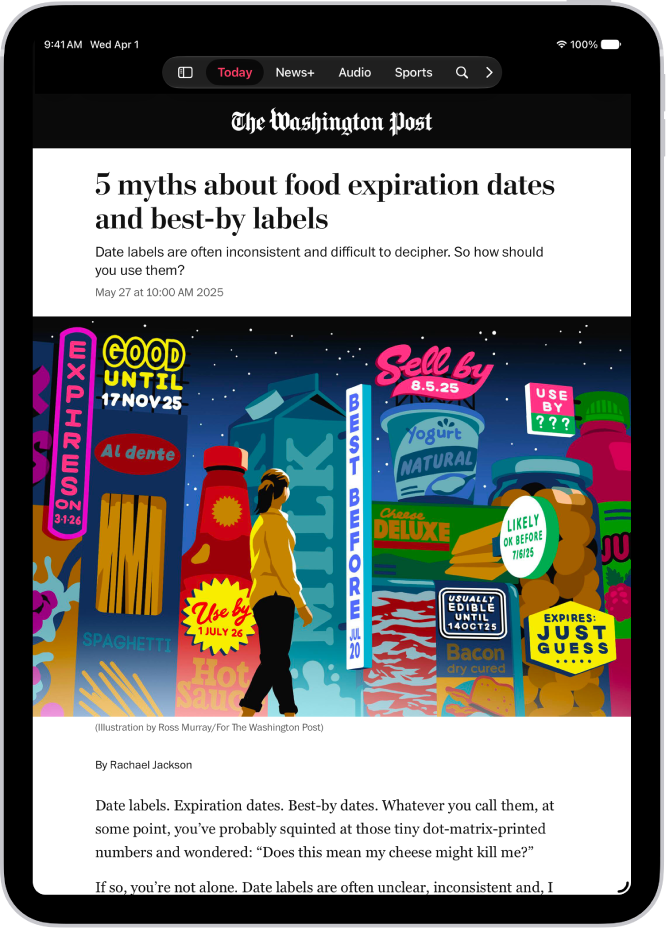
On iPad, the Today feed in the News app presents top stories selected by Apple News editors, the best stories from the channels and topics you follow, and stories and issues from Apple News+.
It also includes stories suggested by Siri, trending stories, My Sports, and more. Depending on your location, you may see Apple News Today audio briefings, puzzles, and local news with your weather, too. You can refresh the feed for the latest stories anytime, and influence what appears in it by following and blocking channels and topics.
Note: Local news and puzzles aren’t available in all countries or regions.
Access stories in the Today feed
- Start the News app on your iPad.
- Do one of the following:
- Open a story: Tap the story.
- Read more stories within a group: Tap the arrow next to the name of the group.
- Play a video: Tap the Play button in the thumbnail.
- Get newer stories: Next to Top Stories, swipe down to refresh the Today feed with the latest stories.
Follow, unfollow, block, and unblock channels and topics
By following and blocking channels and topics, you can influence what appears in the Today feed.
- Start the News app on your iPad.
- Do any of the following:
- Open a channel feed: Touch and hold a story, tap the channel name, and then tap Go to Channel. Or tap a story in the Today feed and tap the channel name at the top of the story.
- Open a topic feed: Tap the topic title—Movies or Travel, for example.
- At the top of the feed, do any of the following:
- Follow: Tap the Add button.
- Unfollow: Tap the More button. Then tap Unfollow Channel or Unfollow Topic.
- Block: Tap the More button and then tap Block Channel or Block Topic.
- Unblock: Tap the More button and tap Unblock Channel or Unblock Topic.
Note: Top Stories look the same for everyone, so if a story from a channel you blocked is in Top Stories, you’ll see the headline, but the channel stays blocked in the rest of your feed.
Manage your favorites
Favorites holds the channels and topics from your Following list that you like most, though you can have only a limited number of them. Adding them to Favorites makes them easier to access.
Note: You can add only channels and topics you currently follow to your Favorites.
Favorites appear in the sidebar.
- Start the News app on your iPad.
- Tap Edit at the top of the sidebar.
If you don’t see the sidebar, tap the Sidebar button.
- Do any of the following:
- Add a channel or topic to your Favorites: Tap the Add Favorite button next to a channel or topic.
- Remove a favorite: Tap the Remove Favorite button next to a channel or topic you no longer want as a favorite.
- Reorder favorites: Touch and hold the Reorder button and then drag favorites to the order you prefer.
- Tap the Done button.
Tell News what kind of stories you prefer
- Start the News app on your iPad.
- Tap Today in the sidebar or tab bar.
- Tap the More button below a headline. Then tap Suggest More or Suggest Less.
See stories only from the channels you follow
- Start the Settings app on your iPad.
- Tap Apps, then tap News.
- Turn on Restrict Stories in Today and then confirm your choice.
Note: When you restrict stories, the variety of stories in the Today feed is significantly limited, and Top Stories and Trending Stories don’t appear.
See also