You can quickly switch between apps on Apple TV 4K without having to return to the Home Screen. App-switching on Apple TV 4K is very similar to app-switching on iPhone or iPad. Windows representing each of your open apps appear in a row on the screen, so you can pick the one you want to switch to. And if you change your mind, you can leave app-switching view without changing apps.
Here’s how to jump between open apps on your Apple TV 4K.
- On the remote, press the TV button twice quickly.
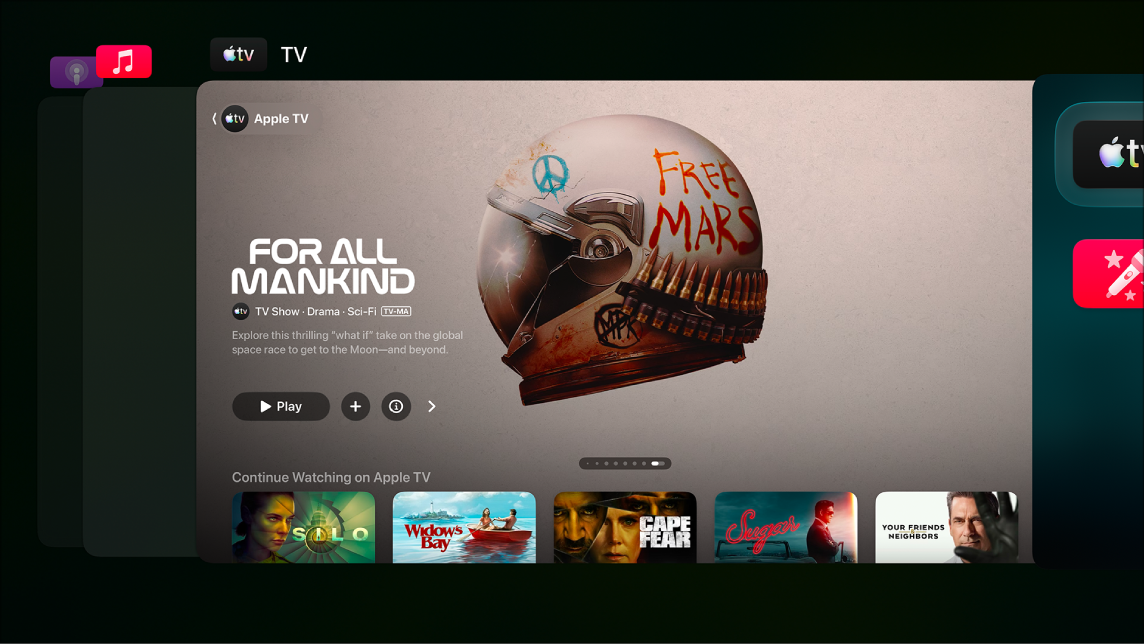
- Go to a different app. Then select the one you want to switch to.
- To leave app-switching view without changing apps, press the Back button or the Menu button on your remote.
Not all features and content are available in all countries or regions or on all Apple TV hardware models.