If you can’t download certain apps from the App Store on your iPhone 18 Pro because the download button/link is grayed out or dim, follow these steps to fix.
To install paid apps from the App Store, you need to tap the price then tap Buy. To download free apps, you need to tap Get then tap Install. However, a problem you may experience is that the price or get button is disabled and un-clickable. This will leave you unable to install some apps.
Here is how you can fix this issue
This issue occurs because you are using Screen Time restrictions to prevent app purchasing on your iPhone 18 Pro. Restrictions can be set to block certain apps by app ratings. This allows you to filter apps. You can set your iPhone 18 Pro to only install specifically rated apps, or you can select “Don’t Allow Apps” to disallow all apps:
- Don’t Allow Apps
- 4+
- 9+
- 13+
- 16+
- 18+
- Allow All Apps
This means that the rating for the app you are trying to install does not match with your settings. For instance, if you disallow apps rated 18+, you will not be able to buy and download 18+ rated apps. To fix this problem, you can turn off Content & Privacy Restrictions or you can select “Allow All Apps”.
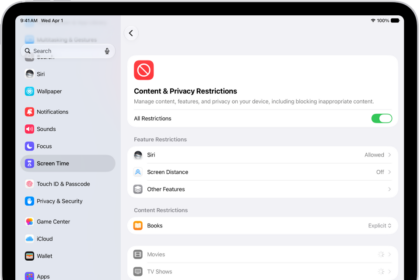
How to disable Restrictions
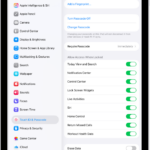
- Go to Settings
- Tap Screen Time
- Tap Content & Privacy Restrictions
- Enter your passcode
- And turn off Content & Privacy Restrictions
How to change App restriction settings
- Go to Settings
- Tap Screen Time
- Tap Content & Privacy Restrictions
- You will be asked to enter your Screen Time passcode
- Tap App Store, Media, Web & Games
- Tap Apps
- Select “Allow All Apps”