With iOS 27 out, you might be wondering how long it takes to get the new Siri AI after joining the waitlist. Joining the waitlist is pretty simple. Just open Settings > Siri and tap Try New Siri. You’ll see a splash screen explaining the new features; tap Join Waitlist, then Continue.
Wait Time for Siri AI waitlist
apple has not yet officially announced how long the wait take, but Apple used a similar waitlist when rolling out Apple Intelligence in iOS 18. It could be a matter of hours for some of the first users to update to iOS 27.
Once you’ve joined the waitlist, Apple says you’ll be notified when ‘New Siri’ is available for your iPhone.
For the first iOS 27 release, most who received it were able to download the update within the first 30 minutes. Those who couldn’t download the software that fast actually waited a couple of days, or up to 72 hours. That said, there’s no way to skip the line, and the sooner you join, the sooner you can get the new Siri AI. In addition to the new UI, iPhone owners will also see the new Siri app available.
For me, I was able to join Siri AI waitlist right after downloading iOS 27, then waited up to an hour to get the new Siri AI interface.
Some people are waiting up to 72 hours after joining. The process is similar to what the company did with the first batch of Apple Intelligence features in iOS 18, which means users might need to be patient to get the revamped personal assistant.
Once you get the new Siri, ask the assistant to find a detail buried in Mail, Messages, Notes, Reminders, or Calendar. Then ask a follow-up without repeating the original context. In iOS 27 beta 3, Siri also gained early access to information from some third-party apps.
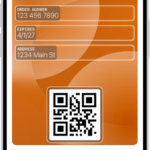
The Camera app adds a Siri mode for Visual Intelligence. For example, you can photograph a membership barcode and turn it into a Wallet pass. Siri can also import events from a flyer.
In addition, Apple has added controls for Siri’s pace and expressivity. You’ll find them under Settings > Siri > Voice. These settings also affect spoken output in Maps and Safari.
See also: Siri AI in iOS 27: Features, Requirements, and How It Works
Siri AI is free, but Apple does have daily limits on some capabilities like image generation. Opting into an iCloud subscription plan increases AI limits. Siri AI is limited to English (Australia, Canada, Ireland, India, New Zealand, South Africa, UK, U.S.), and it is not available in the European Union on the iPhone or the iPad, but EU users can try it on Mac. Siri AI is not available in China.
How long did Siri AI waitlist take on your iPhone? Let us know in the comments.