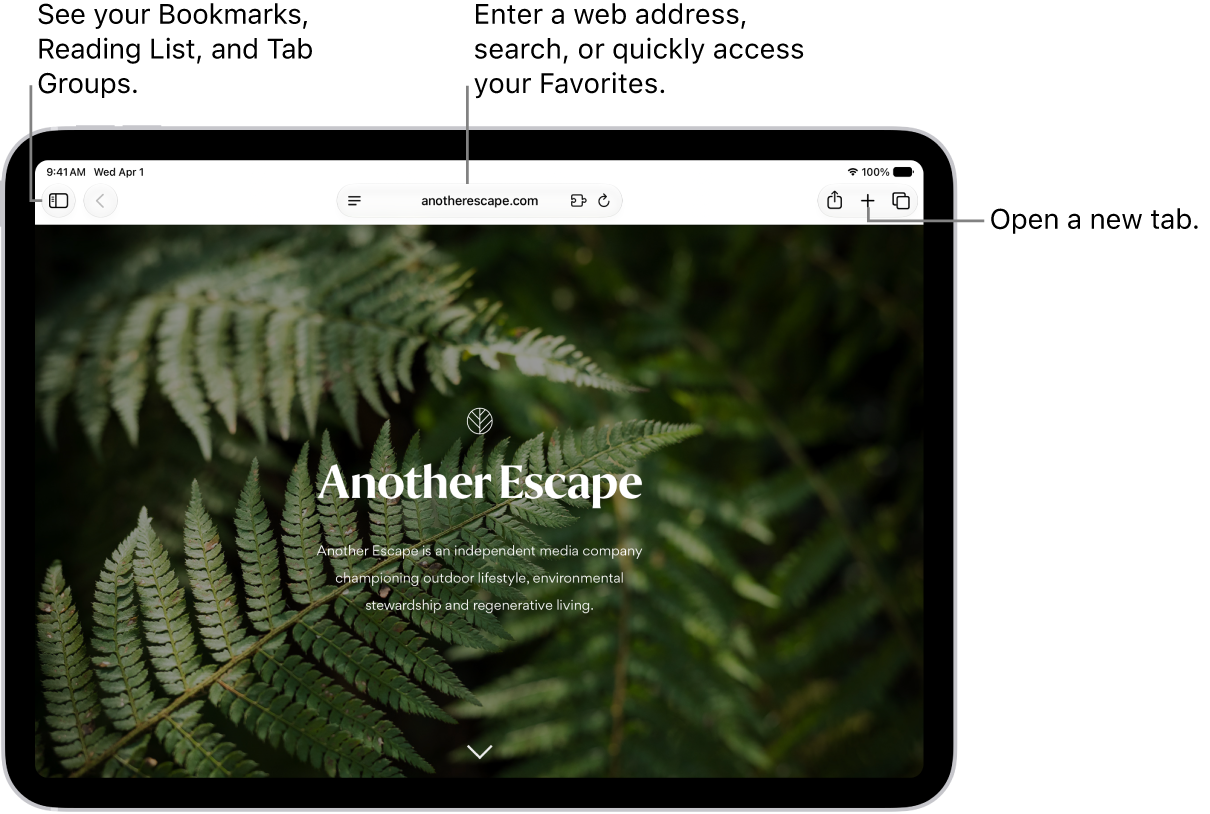
How to change the layout in Safari on iPad

You can change the layout in Safari on iPad, choosing Separate Tab Bar or Compact Tab Bar without losing your open tabs.

By Kevin Shaw - Editor
0 Min Read

On iPad, you can choose the tab bar layout that works best for you in the Safari app. You can pick either Separate Tab Bar or Compact Tab Bar, and moving between layouts as much as you want won’t close the tabs you have open.

  1. Open the Settings app on your iPad.
  2. Tap Apps, then tap Safari.
  3. Scroll down to Tabs and then select either Separate Tab Bar or Compact Tab Bar.

    You can move between layouts as much as you want without losing the tabs you have open.

    Note: If you’re using the Compact Tab Bar layout, the menus and layout may look different from what’s described in this guide.

See also
TAGGED:
Editor
Follow:
Kevin Shaw is a seasoned tech journalist based in Los Angeles with a penchant for all things Apple. He started writing about Apple products in 2007 and it's been a love affair ever since. He has spent over a decade testing and writing about iPhones, iPads, Macs, and other Apple products. In his spare time, he likes nothing more than catching up with the latest news and sports podcasts on the beach.
Leave a Comment