The remote that comes with your Apple TV 4K has a rechargeable battery inside, and with typical usage, you’ll need to charge it a few times a year. An alert appears on the TV screen when the remote battery is running low, and you can also check the battery level in Settings.
Depending on your remote’s model, you’ll use either a USB-C cable or a Lightning cable (sold separately) to charge it. It takes about three hours to fully charge.
Here’s how to check your Apple TV 4K remote’s battery level and charge it.
Note: You can continue to use the remote while it’s charging.
Check the battery level of the remote
- Go to Settings on Apple TV 4K.
- Go to Remotes and Devices and select Remote.
Information about your remote appears, including Battery Level.
Charge the remote
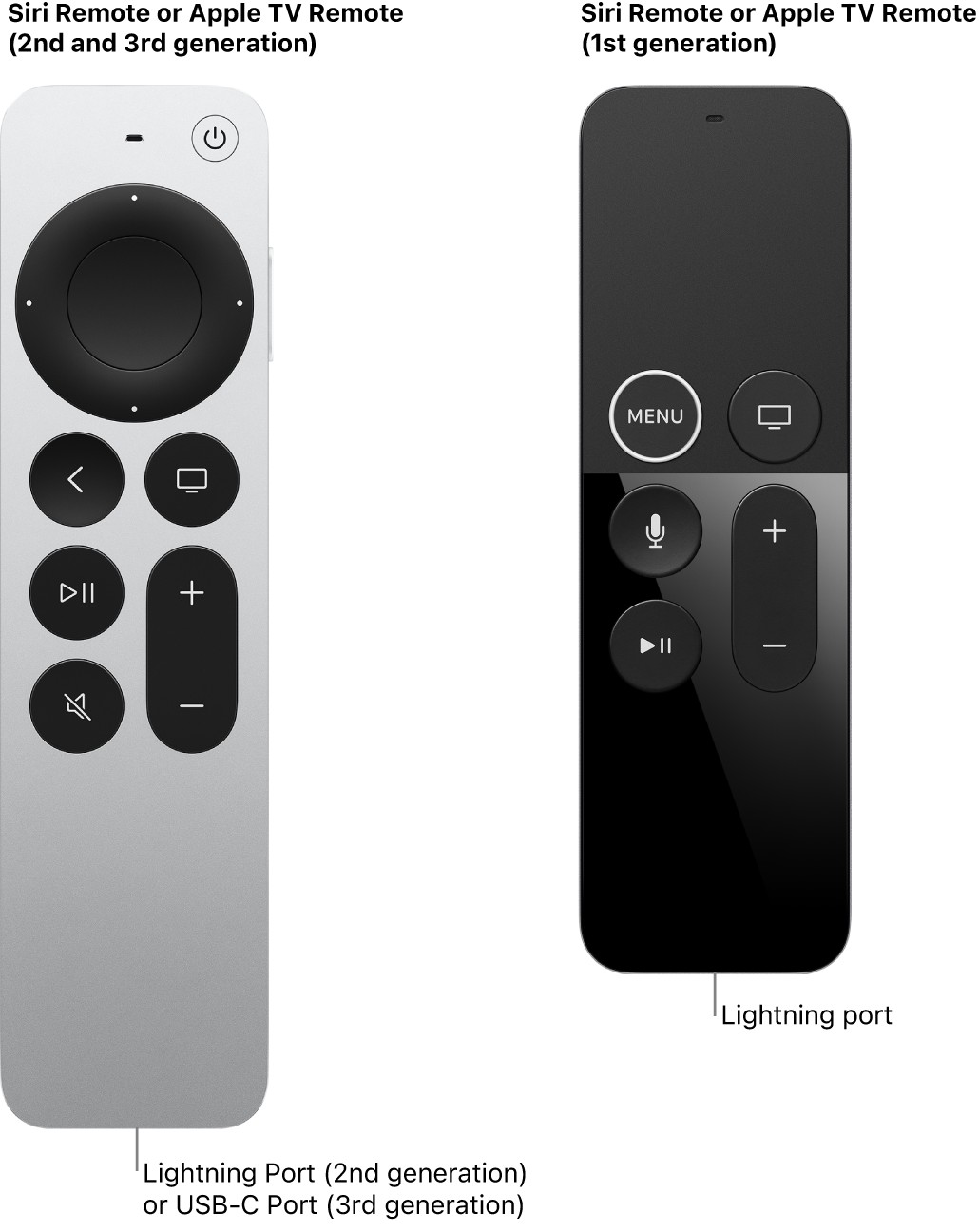
Depending on its model, the remote charges with a Lightning cable or a USB-C cable (sold separately).
- Connect one end of a USB-C or Lightning cable to the port on the bottom of your remote.
- Connect the other end of the cable to a computer USB-C or USB port or to an Apple USB-C or USB power adapter (sold separately).
It takes about three hours for the remote to fully charge.
Not all features and content are available in all countries or regions or on all Apple TV hardware models.