On Apple Watch, the Shortcuts app lets you automate tasks you do often with just a tap or by asking Siri. With the shortcuts you create on your iPhone, you can quickly get directions home, create a top 25 playlist, and more.
When you add a new shortcut on your iPhone, it also appears on your Apple Watch, as long as it’s compatible. Not every iPhone shortcut works on your watch, though.
Here’s how to use shortcuts on Apple Watch.
Note: Not all shortcuts on iPhone are compatible with Apple Watch.
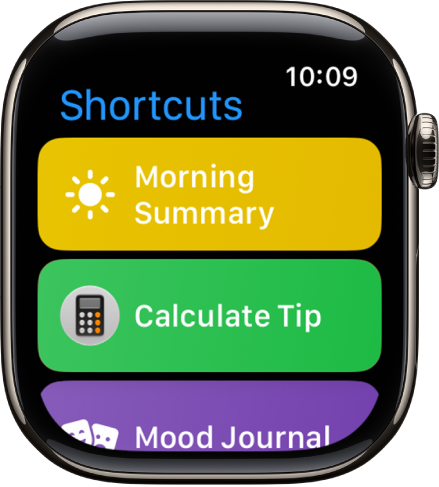
Run a shortcut
- Open the Shortcuts app on your Apple Watch.
- Tap a shortcut.
Add more shortcuts to Apple Watch
A new shortcut you add on your iPhone also appears on Apple Watch, as long as it’s compatible.
Quickly access your shortcuts
To quickly access your shortcuts, do any of the following:
- Add a Shortcuts complication to the watch face.
- Add a Shortcuts widget to the Smart Stack.
- Run a shortcut with the Action button on Apple Watch Ultra models.
See also