Apple makes it very easy to submit refund claims for apps, in-app content, subscriptions or other types of content you purchased from the App Store, iTunes Store, or Apple Books. Not all items are eligible for a refund, but you can still ask for it if you think you have valid reasons for it. After submitting your refund request, Allow 24 to 48 hours to receive an update from Apple. If approved, the time it takes for the money to appear on your account or statement depends on the payment method. In this article, I explain how you can check your refund claim status. Please note that after checking your status, you can also appeal Apple’s decision if it rejected your claim and you think that is a mistake.
When Apple has reached a decision on your refund request, you will get an email saying:
There has been an update on the refund request for one or more items through Report a Problem. To review, visit Report a Problem. After logging in, click “Check Status of Claims” near the top of the page.
You may find this email vague or confusing, and you may not know where to go. Here is how you can do this in a step-by-step guide:
How to check your Apple refund status
- Go to reportaproblem.apple.com and sign in to your Apple Account.
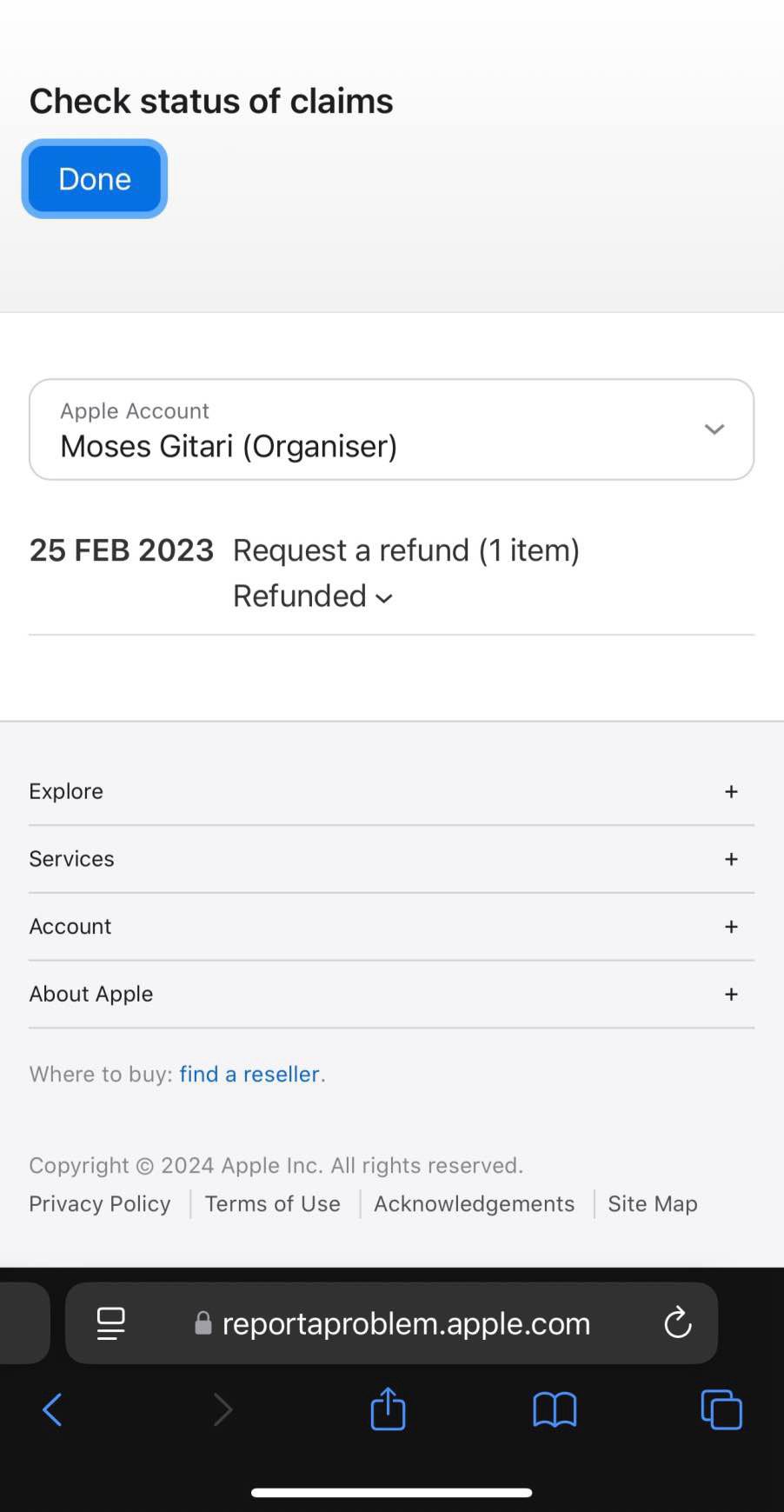
- Tap or click Check Status of Claims. All of your recent refund requests will be listed there. You will see their status. There are three different statuses:
- Pending: Apple has not made a decision yet. Wait a little bit more. As I stated above, Apple refund claim takes 24 to 48 hours.
- Refunded: This is good news. You have been refunded for this purchase.
- Not Eligible for Refund: This is bad news. Your request has been rejected. But you can appeal.
Please note, if your refund request is approved, you may lose access to refunded items.
How to appeal the rejected claim
You can ask Apple to reconsider their refund decision by asking them to review it again. Apple may overturn its decision.
- Follow the same steps above if you have closed the window, and find the item that you think Apple should review its decision about it. Click the arrow-down button next to its status to reveal more options.
- Click Review Decision.
- On the next screen, write your reasons why Apple should overturn this decision and give you a refund. You can write up to 1000 characters. When you are done writing, click the Submit button.
Again, Apple will provide you with an update within 48 hours. If Apple rejects it again, you are out of luck. There are no more appeals.
When will I get the money back?
If your refund claim is approved, the funds are applied to the same payment method that you used to buy the item. Here’s how long it takes for a refund to appear on your account or statement:
- Store credit—It might take up to 48 hours to see the refund in your Apple Account balance.
- Mobile phone billing—It might take up to 60 days for the statement to show the refund. Processing time might be affected by your carrier. You can contact your carrier for an update.
- Credit and debit cards, Apple Pay, Apple Cash, and all other payment methods—It might take up to 30 days for the statement to show the refund. If you don’t see the refund after 30 days, contact your financial institution.
Please note, if you already initiated your refund request, contacting Apple by phone or chat won’t help speed up your request, or the processing of your funds. Monitor the status of your request on reportaproblem.apple.com, or with your financial institution.