Use Siri to control your Apple Watch and other Apple devices with just your voice—like opening apps, adjusting settings, and locating your other Apple devices or items with AirTags. You can also control smart home accessories that you set up in the Home app.
On your watch, Siri can open apps and settings, adjust utility and accessibility settings, and contact emergency services. At home, you can ask Siri to turn on lights or adjust the thermostat, even when you’re not there, and make an announcement.
Control your Apple Watch
Siri: On your Apple Watch, activate Siri, then see the ideas below for requests you can make.
- Open apps and settings
- “Open the Sleep app”
- “Open Settings”
- “Read my notifications”
- Adjust utility settings
- “Turn on Airplane Mode”
- Adjust accessibility settings
- “Turn on VoiceOver”
- Contact emergency services
- “Hey Siri, call 911”
- “Start the siren” (Apple Watch Ultra Models only)
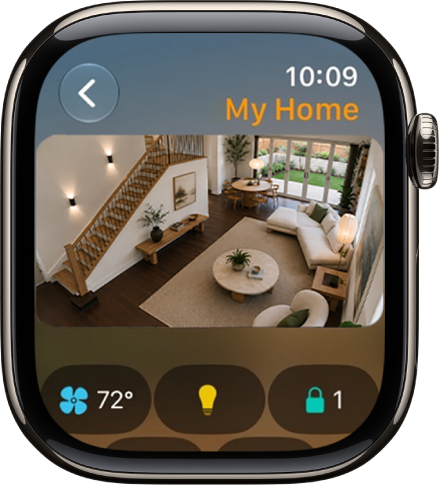
Control your home
Siri can turn on lights, adjust the thermostat, and control the products you use in your home, even when you’re away.
Siri: On your Apple Watch, activate Siri, then see the ideas below for requests you can make.
- Control accessories
- “Turn on the lights”
- “Set the temperature to 72 degrees”
- Adjust an accessory
- “Siri, make it cooler”
- “Set my reading scene”
- Control a room or zone
- “Turn off the lights in the office.”
- Check your home’s status
- “Siri, is the front door locked?”
- “Hey Siri, are the upstairs lights on?”
- Make an announcement
- “Hey Siri, announce upstairs ‘I’m going to the store.'”
- “Hey Siri, tell the office ‘The movie is starting'”
- “Siri, intercom, ‘Time for school'”
- “Siri, it’s movie night”
See also