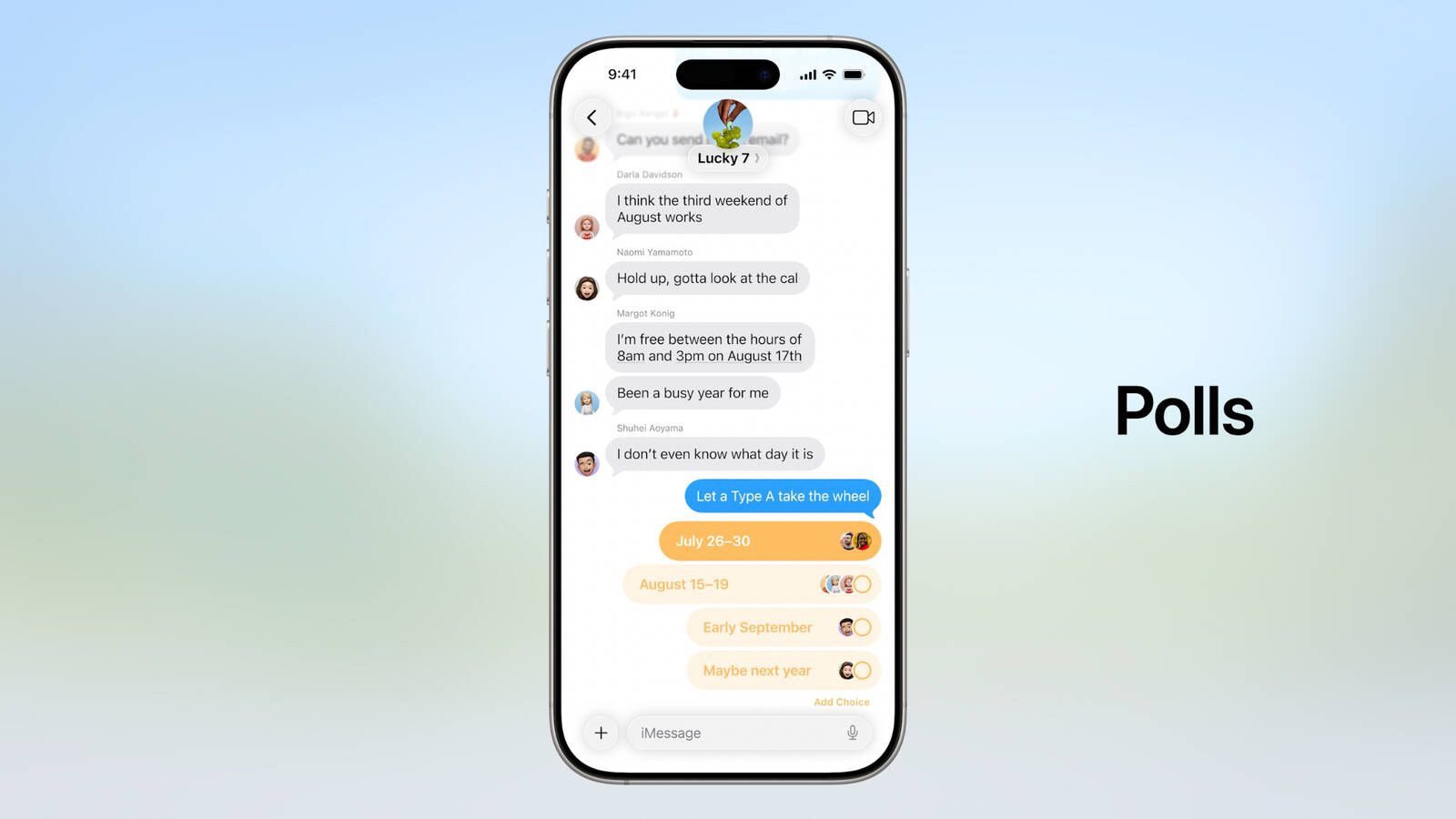
iOS 26 introduces the ability to create polls for voting. Polls allows you to post multiple-choice options in group chats so that people can log their preference while making it simple to keep track of who voted for what. It’s the sort of thing that comes in handy when trying to plan outings, figure out what to eat or decide what time everyone can be ready to go.
Apple is also giving polls a boost with its on-device AI system Apple Intelligence. When the system detects planning-related questions, it can suggest creating a poll.

It’s a long-requested feature that helps eliminate the chaos of texting back and forth to settle simple group decisions. Polls in iMessage work much like those in other chat apps like WhatsApp and Telegram.
Follow these steps to create and share a poll in iMessage on your iPhone or iPad running iOS 26:
- On your iPhone or iPad, go to Messages app.
- Tap a group chat you’d like to add a Poll.
- Tap the Plus button next to the Message field.
- Select Polls.
- Populate the fields of the chat with choices and press send.
The other members of the group chat tap their choice, with the bars adjusting to indicate the most popular option. As a handy visual cue, the chat avatars of each person appear next to their choice.
While the ability to create polls in iMessage chats is in no way groundbreaking, it’s nice to see Apple catch up to other chat services and give users a better way to plan and decide things right within their group chats.
See also: How to change the background on iMessage on iPhone in iOS 26