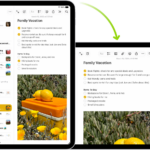
You can allow other people to play music, podcasts, and more on HomePod, and decide who gets access: everyone nearby, anyone on the same network, or only people sharing your home. Your choice also controls who can add to the Playing Next queue and hand off audio to HomePod, and it applies to all HomePod speakers.
You can also require a password. And with an Apple Music subscription, you can start a SharePlay session so your guests control the music from their iPhone or iPad.
Here’s what you need to know about letting other people play audio on your HomePod.
Allow others to control audio on HomePod
- Start the Home app on your iPhone or iPad.
- Tap the More button, then tap Home Settings.
Note: If you have more than one home, settings are shown for your current home (based on your location). To edit a different home, tap Homes, then tap the home you want to edit.
- Tap Speakers & TV and choose one of the following options:
- Everyone: Gives access to everyone nearby.
- Anyone On the Same Network: Gives access to those connected to your Wi-Fi network.
- Only People Sharing This Home: Gives access to those you’ve invited to share your home (in the Home app) and who are connected to your Wi-Fi network.
The option you pick also determines who’s able to add to the Playing Next queue for HomePod, in either the Music app or the Podcasts app, and who can hand off audio to HomePod. And if you have more than one HomePod, your choice applies to all of them.
Each member of your home can access their own music from your HomePod. To set that up, check out our article, Set up voice recognition and personal content.
Set a password to play audio on HomePod
- Start the Home app on your iPhone or iPad.
- Tap the More button, then tap Home Settings.
Note: If you have more than one home, settings are shown for your current home (based on your location). To edit a different home, tap Homes, then tap the home you want to edit.
- Tap Speakers & TV.
- Turn on Require Password.
Have more than one HomePod? This setting applies to every one of them.
Play music together using SharePlay
With an Apple Music subscription, you can start a SharePlay session and let your guests control the music using their iPhone or iPad (with iOS 18, iPadOS 18, or later).
This guide is for HomePod software version 27 or later.
See also