





What is iCloud.com?
iCloud is the service from Apple that securely stores your personal information, keeps it up to date on all your devices, and makes it easy to share with friends and family. When you use iCloud.com, you can access information stored in iCloud in a web browser. Your photos, files, notes, and more are safe and available wherever you are. You can access the data you have stored in iCloud by signing in to the iCloud.com website from your iPhone or iPad.
You can see any changes you make on iCloud.com on all your Apple devices where you’re signed in to the same Apple Account.
please note, you can already access your iCloud data via your iPhone or iPad apps, e.g., Photos, iCloud Drive, Mail etc.
Sign in to iCloud.com
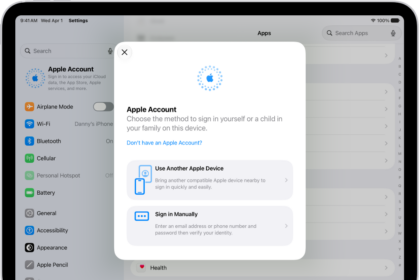
- Go to iCloud.com, then sign in to your Apple Account in any of the following ways:
- In any browser: Enter an email address or phone number and your password.
-
In Safari: Use Face ID or Touch ID (if you’re already signed in to a device that supports these features).
-
In supported versions of Google Chrome or Microsoft Edge: Enter your email address or phone number, then click "Sign in with Passkey" to scan a QR code (if you turned on iCloud Keychain and have an iPhone or iPad with iOS 17, iPadOS 17, or later).
-
If prompted, follow the onscreen instructions to verify your identity by entering a code sent to a trusted device or phone number, or by using a security key.
you can access the following apps and features at iCloud.com:
- iPhone: Find Devices, iCloud Drive, Mail, Notes, Photos, and Reminders.
- iPad: Calendar, Contacts, Find Devices, iCloud Drive, Mail, Notes, Photos, and Reminders. Keynote, Numbers, and Pages documents are read-only on a an iPad.
Troubleshooting tips for various problems when attempting to sign in at iCloud.com
- Do not just enter your username. Make sure that your enter your complete Apple account email like "[email protected]"
- If you have more than one Apple Account, make sure to sign in to iCloud.com with the account that has the data you’re looking for. For example, if you want to see the photos you have stored in iCloud Photos on your iPhone, make sure to sign in to iCloud.com with the same Apple Account you’re signed in to on your iPhone.
- If you forget your password, you can reset.
- Check iCloud support website to make sure there are no issues showing up.
iCloud was launched in 2011. It replace MobileMe.





Ms Butler, thank you so much for your clear, detailed explanation of the steps needed to sign into iCloud.com. I’m a 73 year old Mac user in the Santa Fe mountains, and I need all the help I can get to learn how to navigate the vastly expanding online multiverse.