You can subscribe to Apple Music on your Apple TV 4K, and Apple Music offers a variety of plans, including Student, Individual, and Family. You can also bundle your Music subscription with other Apple services by subscribing to Apple One.
With Family Sharing, up to five other family members can use your subscription without doing anything. They’ll have Apple Music as soon as they open the Music app after your subscription begins.
Subscribe to Apple Music
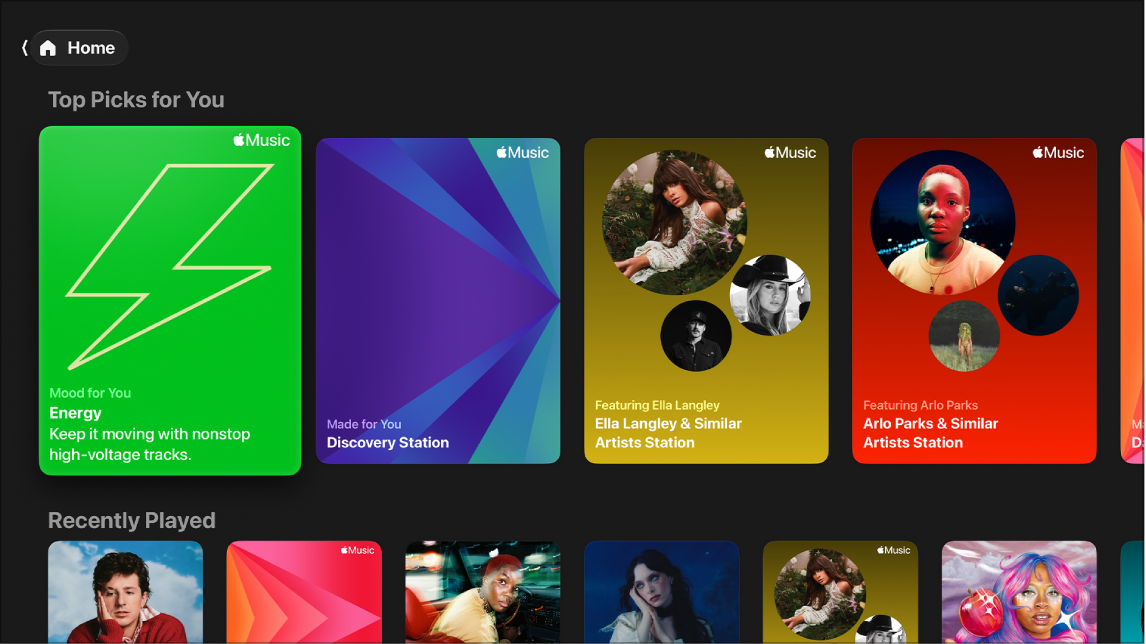
- Open the Music app on Apple TV 4K.
- Go to Home at the top of the screen.
- Select the subscription button for the plan you want. Follow the onscreen instructions.
Cancel your subscription
- Go to Settings on Apple TV 4K.
- Go to Profiles and Accounts > [profile] > Subscriptions and select a subscription.
- Follow the onscreen instructions to change or cancel your subscription.
Share Apple Music with Family Sharing
Once you subscribe to Apple Music or Apple One, Family Sharing makes it possible to share your subscription with up to five other family members. Nobody in your family group has to do anything, either. Apple Music is ready for them the first time they open the Music app once your subscription starts.
Note: Apple Music and Apple One aren’t available in all countries or regions.
Joining a family group that subscribes to Apple Music or Apple One when you already subscribe? Then your own subscription isn’t renewed on your next billing date, because you use the group’s subscription. And if the family group doesn’t subscribe, it uses your subscription.
Note: To stop sharing your subscription with a family group, either cancel the subscription or leave the family group. Family group organizers can also stop using Family Sharing.
Not all features and content are available in all countries or regions or on all Apple TV hardware models.