On supported iPhone models, you can use Camera to take photos in Apple ProRAW. Apple ProRAW combines the information of a standard RAW format along with iPhone image processing to offer additional creative control when you make adjustments to exposure, color, and white balance.
It’s available on all cameras, including the front camera, though not in Portrait mode. Once it’s turned on, you can also change the Apple ProRAW default resolution and format. ProRAW photos retain more information about the images, so they have larger file sizes.
Set up Apple ProRAW
To set up Apple ProRAW on supported models, go to Settings > Camera > Formats, then turn on Apple ProRAW or ProRAW & Resolution Control (depending on your model).
Note: Because Apple ProRAW photos retain more information about the images, their file sizes are larger.
Take a photo with Apple ProRAW
- Open Camera on your iPhone.
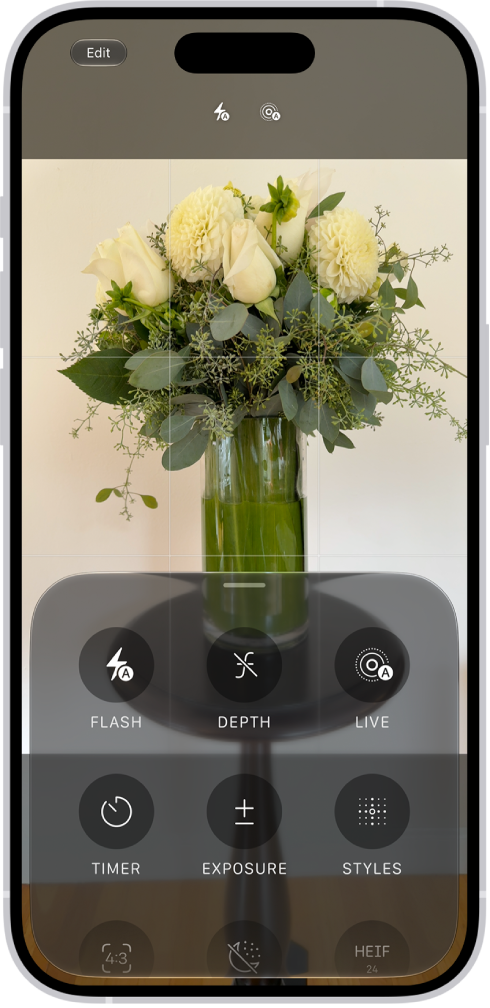
- Depending on your settings, tap either JPEG or HEIC at the top of the screen. Then tap RAW.
- Tap the screen anywhere outside of the menu to close it.
- Tap the Shutter button to take your shot.
To preserve your ProRAW setting, go to Settings > Camera > Preserve Settings, then turn on Apple ProRAW or ProRAW & Resolution Control (depending on your model).
Change the Apple ProRAW default resolution and format
On supported models, choose 12 MP, 48 MP, or HEIF 48 MP as your ProRAW default resolution.
- Start the Settings app on your iPhone.
- Tap Camera, then tap Formats.
- Turn on ProRAW & Resolution Control.
- Tap ProRAW Format, then select an option.