Getting started with CarPlay on iPhone

You can connect iPhone to CarPlay to use directions, phone calls, music, Calendar, and more from your vehicle's display.

By Abigail Shilets - Staff Writer
0 Min Read

Connect your iPhone to CarPlay to get turn-by-turn directions, make phone calls, listen to music, check your calendar, and more, all from your vehicle’s display. Before you start, check your car. CarPlay works only with select automobiles and aftermarket navigation systems.
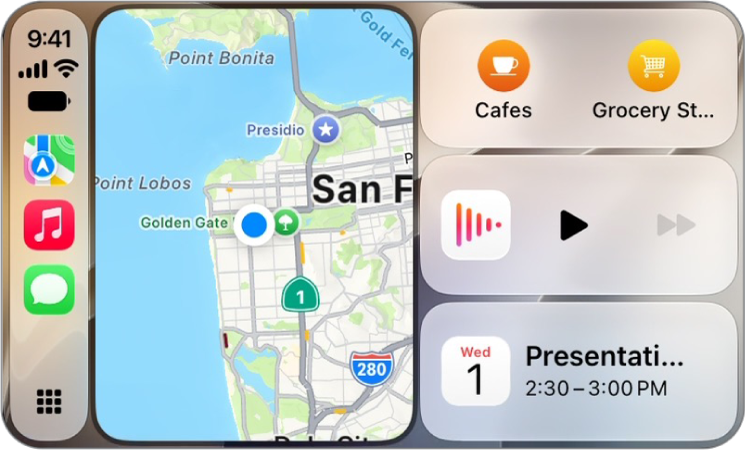
A CarPlay Dashboard showing Maps, Music, and Messages in the Sidebar. On the right is a map of San Francisco, navigation buttons, a now playing window, and a calendar entry.

Note: CarPlay isn’t available in all countries or regions .

Only select automobiles and select aftermarket navigation systems offer CarPlay.

WARNING: For important information about avoiding distractions that could lead to dangerous situations,.
TAGGED:
Staff Writer
Follow:
Abigail is a staff writer for GeeksChalk based in Pennsylvania. She covers news, how-tos, and user guides for iPhone, iPad, Mac, and Apple Watch. Before becoming a writer Abigail studied computer science at University and also worked at Apple for more than two years. When not creating masterpiece for GeeksChalk, you can usually find Abigail hiking, climbing, or otherwise unplugged.
Leave a Comment