Apple on Monday, November 3 released iOS 26.1, the first major update to the iOS 26 operating system that came out in September, iOS 26.1 comes over a month after iOS 26 launched. iOS 26.1 is compatible with the iPhone 11 series and later, as well as the second-generation iPhone SE. iOS 26.1 update includes a handful of new features and changes, including the ability to adjust the look of Liquid Glass and more.
In this guide, we highlight all the new features and changes in iOS 26.1.
Liquid Glass Toggle
iOS 26.1 offers users ability to choose their preferred look for Liquid Glass.
In the Settings app, under Display and Brightness → Liquid Glass, there is a more transparent "Clear" option and a more opaque "Tinted" option.
Lock Screen Camera Toggle
In the Settings app, a new "Lock Screen Swipe to Open Camera" toggle lets you turn off the ability to swipe left on the Lock Screen to quickly open the Camera app.
Slide to Stop Alarms
When an alarm goes off in the Clock app, iOS 26.1 shows a new "slide to stop" control on the screen for turning off the alarm. On previous iOS 26 versions, there is simply a large "stop" button, which could be accidentally tapped.
This change — which also applies to timers — comes after Apple significantly increased the size of the "stop" button in the Clock app on iOS 26.
Song Swiping
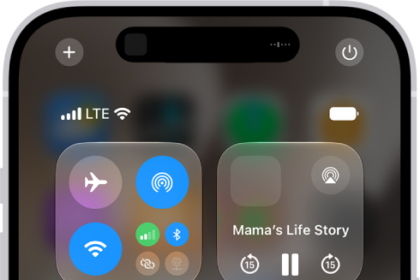
You can now swipe on the music player in Apple Music to switch between songs.
Apple TV Rebrand to Apple TV
On October, Apple announced that its Apple TV streaming service is being renamed to Apple TV, with a "vibrant new identity." iOS 26.1 lays the groundwork for this change by introducing a more colorful Apple TV app icon.
More Apple Intelligence Languages
In iOS 26.1, Apple Intelligence is now available in Danish, Dutch, Norwegian, Portuguese (Portugal), Swedish, Turkish, Chinese (Traditional), and Vietnamese.
More AirPods Live Translation Languages
AirPods Live Translation works with additional languages in iOS 26.1, including Japanese, Korean, Italian, and Chinese (Traditional and Simplified).
The feature is available on AirPods 4 with ANC, AirPods Pro 2, and AirPods Pro 3.
Background Security Improvements
In the Settings app, under Privacy & Security → Security Improvements, there is a new option to automatically download and install "Background Security Improvements." These are stopgap security patches issued between full iOS updates.
This is a revamp of the prior Rapid Security Responses feature.
You can download iOS 26.1 on eligible iPhones over-the-air by going to Settings > General > Software Update.
Apple’s release notes for the update are below.
This update includes the following features and enhancements:
- Liquid Glass setting gives you the option to choose between the default clear look or a new tinted look which increases opacity of the material in apps and notifications on the Lock Screen
- Live Translation with AirPods support for Chinese (Simplified and Traditional), Japanese, Korean and Italian
- Apple Music MiniPlayer swipe gesture to go to the next or previous track
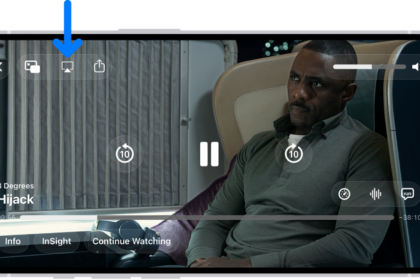
- Apple Music AutoMix support over AirPlay
- Gain control is available for external USB microphones when recording with local capture
- Local capture files can be saved to a specific location
- Manual workout logging is available directly from the Fitness app
- New Camera setting to turn on or off Lock Screen swipe to open Camera
- Improved FaceTime audio quality in low-bandwidth conditions
- Communication Safety and Web content filters to limit adult websites are enabled by default for existing child accounts for ages 13-17 (Age varies by country or region)
For information on the security content of Apple software updates, please visit:
https://support.apple.com/100100Some features may not be available in all regions or on all iPhone models. To learn more, please visit:
https://apple.com/ios/feature-availability/Software updates, like this one, add new features and improvements that may affect performance and/or battery life. To learn more, please visit:
https://support.apple.com/125039