What the Weather app icons mean on iPad

You can learn the weather icons on iPad and what each one means in the Weather app, from sunrise to fog and haze.

By Kristina Terech - Staff Writer
0 Min Read

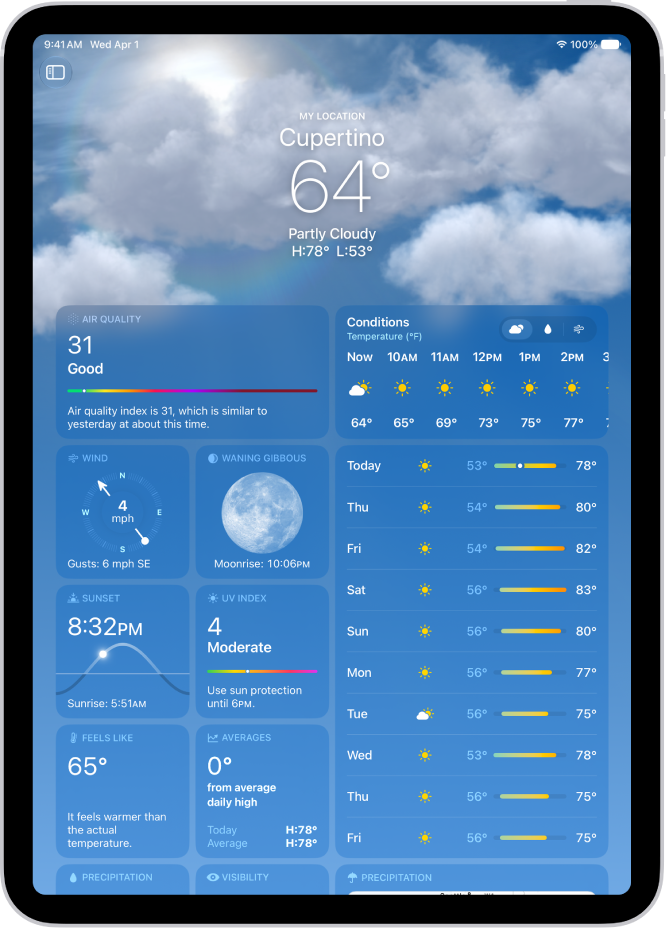
On iPad, the icons in the Weather app indicate different weather conditions, like fog or haze. Here’s a list of some of the weather icons and what they mean, starting with the icon for sunrise. You’ll see these icons throughout your forecast in the Weather app.

Icon Description
An icon symbolizing sunrise. Sunrise
An icon symbolizing sunset. Sunset
An icon symbolizing clear or mostly clear. Clear / Mostly clear
An icon symbolizing partly cloudy. Partly cloudy
An icon symbolizing haze. Haze
An icon symbolizing fog. Fog
An icon symbolizing windy or breezy. Windy / Breezy
An icon symbolizing cloudy. Cloudy
An icon symbolizing thunderstorm. Thunderstorm
An icon symbolizing rain. Rain
An icon symbolizing heavy rain. Heavy rain
An icon symbolizing drizzle or freezing drizzle. Drizzle / Freezing drizzle
An icon symbolizing snow. Snow
An icon symbolizing heavy snow or blizzard. Heavy snow / Blizzard
An icon symbolizing freezing rain or sleet. Freezing rain / Sleet / Wintry mix
An icon symbolizing nighttime clear. Clear / Mostly clear (night)
An icon symbolizing nighttime partly cloudy. Partly cloudy (night)
An icon symbolizing nighttime drizzle. Drizzle (night)

See also

TAGGED:
Staff Writer
Follow:
Kristina is a staff writer at GeeksChalk, and is interested in all things Apple. This includes its best products such as the iPad, iPhone, Mac, AirPods, and Apple Watch. When she's not tinkering with the latest Apple gear, you’ll find her watching movies, taking pictures and exploring the great outdoors.
Leave a Comment