The iPhone has many uses. It checks the weather, searches the internet, plays games, streams media, takes pictures, and analyzes data. iPhones are great, except for the fact that newer, better versions are always on the horizon. Most of us can probably use the same iPhone for years, but the upgrade cycle means it’s always tempting to splurge on a shinier model.
So what happens to your old iPhone? If you don’t trade it in, you can sell your used iPhone to make some of that money back. However, chances are you’ll end up with an extra, aging iPhone hanging around. Instead of throwing the device away or letting it collect dust in a drawer, reuse it! If it connects to Wi-Fi, it can still be a handy addition to the household. We’ll explain how to repurpose old iPhones in detail.
What to do with old iPhone
Here are a few cool things you can do with your old iPhone:
1. An Old iPhone Is a Cool Digital Picture Frame
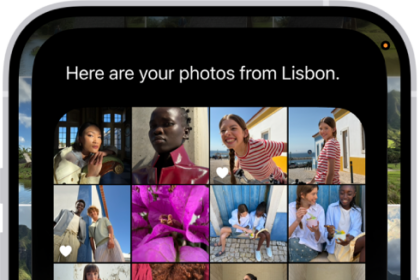
The digital photo frames of yesteryear were small, low-resolution and a pain in the neck. But your iPhone can deliver an excellent photo-frame experience, revolving through hundreds or even thousands of photos in a never-ending slideshow.
Unfortunately, Apple removed the iOS Picture Frame mode years ago, which was designed expressly for this purpose. But you can accomplish more or less the same thing by setting up a dedicated iCloud photo album, then tweaking your iPhone’s settings so it continues to display a slideshow of that album.
That’s one option; you may also want to consider a few apps. LiveFrame, for example, displays photos from not just your photo library, but also your Facebook , Flickr, Instagram and other accounts. It’s free, but if you want to remove ads, it’ll cost you $5.99.
These options require little more than a good iPhone stand (or even a wall mount if you want to go that route) and a nearby outlet so it has full-time power. Trust me: Once you start using a photo frame, you’ll never want to live without it.
2. Your Old iPhone Is Perfect for Kids
If you’re not yet ready to buy your kid their own phone, repurpose your old iPhone for them. You don’t need cellular connectivity for the camera to work! Once the phone is secure, connect it to Wi-Fi and your kids can send pics, search the internet, download apps, make calls over Wi-Fi, and play games.
If you do go this route, make sure you set up Apple’s Screen Time tool on your iPhone, and your child’s iPhone, so you can keep tabs on which apps they’re using, and when. You can even limit who they can talk to. It’s pretty cool. Also make sure you have a case and screen protector.
3. Use your old iPhone as a DIY Security Camera
If you have an old iPhone that’s no longer in use, turn it into a home security camera. Download a security camera app like AlfredCamera on your old and new device, then mount the old iPhone where you need it; just make sure the device has access to power. You can use something as simple as a suction cup mount for a car. Then use your current phone to log in and view the feed from your old iPhone.
4. Use Your Old iPhone as a Video Chat Device
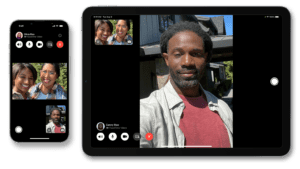
If you communicate a lot via Zoom, FaceTime, or any other video chat platform these days, your old iPhone can serve as a dedicated interface for video chats, as long as you have decent Wi-Fi coverage. Keep your old iPhone charged and in a central location, giving you and your family an always-ready device for video calls. This is especially handy if you have kids who frequently want to call relatives or friends. It gives them the freedom to call, and gives you the peace of mind that something won’t happen to your phone. Or if you’re using Zoom to join workout classes, be it on an exercise bike or yoga, you can mirror your screen on your big-screen TVto make it easier to follow along.
5. Your Old iPhone Can be a Good Wireless Webcam
Even an old iPhone has a better camera than a pretty expensive webcam. If your device is running iOS 17, you can use Continuity Camera to use it as a webcam with your Mac. It’ll up your game on remote meetings or live streams. Free software like DroidCam and EpocCam let you turn a iPhone into a webcam that can be used with your computer. All you need to do is download the app on your iPhone and computer, then link the two.
6. Use an Old iPhone as a Nightstand Alarm Clock
Smart displays like the Echo Show can help you manage the time, but not everyone wants a microiPhone in their bedroom. Instead, turn that old iPhone’s big display into an alarm clock that (hopefully) won’t spy on you. All you have to do is set an alarm in the Clock app on your iPhone or download an alarm clock app via Wi-Fi. From there, place your iPhone on a stand, hook it up to power, and you are good to go.
7. Use Your Old iPhone as a Ebook Reader
If you love books and comics, but don’t want to purchase an ebook reader, use your iPhone instead. Download the Amazon Kindle app or your ebook reader app of choice, and sync up your purchases, free e-books, and titles borrowed from the library. Comics fans can buy digital comics from Amazon, Marvel, and DC, or tap into monthly subscription services like Marvel Unlimited, and DC Universe Infinite. For something different, try the digital-first, vertical scrolling Webtoon app.

8. Turn Your Old iPhone into a Dedicated Media Player
Turn an old iPhone into a dedicated video streamer. Even better, use it to listen to books, music, and podcasts on your favorite music streaming services and podcast apps. Set it up on a charging stand and connect it to a Bluetooth speaker or pop in some wireless earbuds while cleaning the house or working out at home. You can also download movies or music from Spotify before you leave the house for on-the-go entertainment that won’t burn through your data plan or battery. It will be just like having an iPod again.

9. Use your Old iPhone as a TV Remote
Your media streaming device comes with its own remote control, but it tends to be small and easy to lose. Whether you own an Apple TV, Chromecast, Fire Stick, or Roku, chances are you will (or already have) misplaced its remote. Instead of buying a new one, use your phone. Download the device’s app onto your old iPhone, link your account, and you have a working remote again. This can also come in handy for live TV streaming services, like YouTube TV.
10. Convert Your Old iPhone Into a Kitchen helper
An iPhone makes a great kitchen companion — not just for searching and viewing recipes, but also for watching demonstration videos.
In fact, you could install an under-cabinet phone mount and keep your iPhone at eye level, at the same time protecting it from cooking splatter.

And don’t forget all the great cooking apps, like How to Cook Everything, Butterball Cookbook Plus (essential around Thanksgiving), and the ever-popular Epicurious.