Every once in a while a user will have a strange and annoying problem show up, like “My All Inboxes disappeared.” We can’t say exactly why this might have happened to a particular user; there are at least a few possibilities. We do know, however, that the fix is pretty easy.
Get your All Inboxes back
On iPhone 18 Pro
If you don’t see your All Inboxes mailbox near the top of the Mailboxes screen on your iPhone 18 Pro, you can get it back.
- Open the Mail app. Open the Mailboxes screen: If necessary, tap on the back arrow in the top-left corner (it will also say something like Gmail, iCloud or just Back).
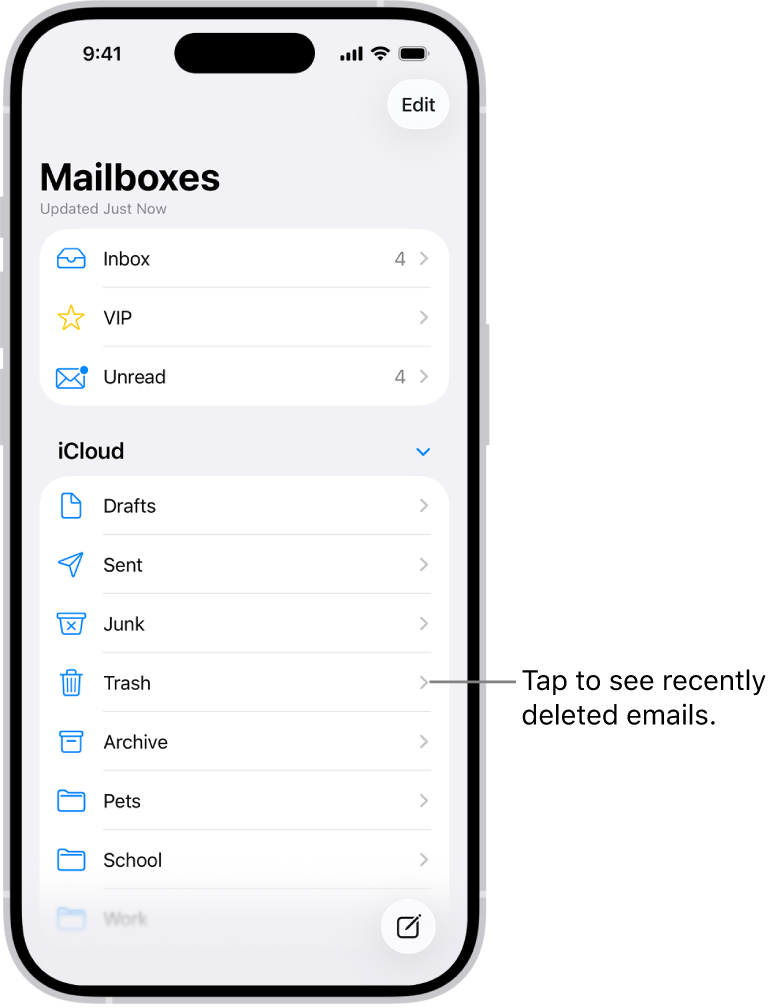
- Tap Edit in the top-right corner of the Mailboxes screen.
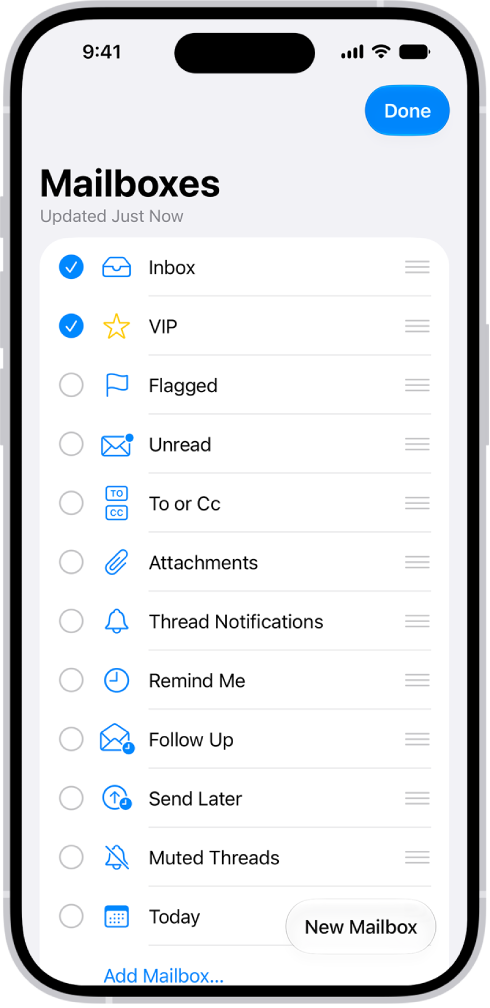
- Tap the circle next to All Inboxes to select it.
- Tap on Done in the upper-right corner.