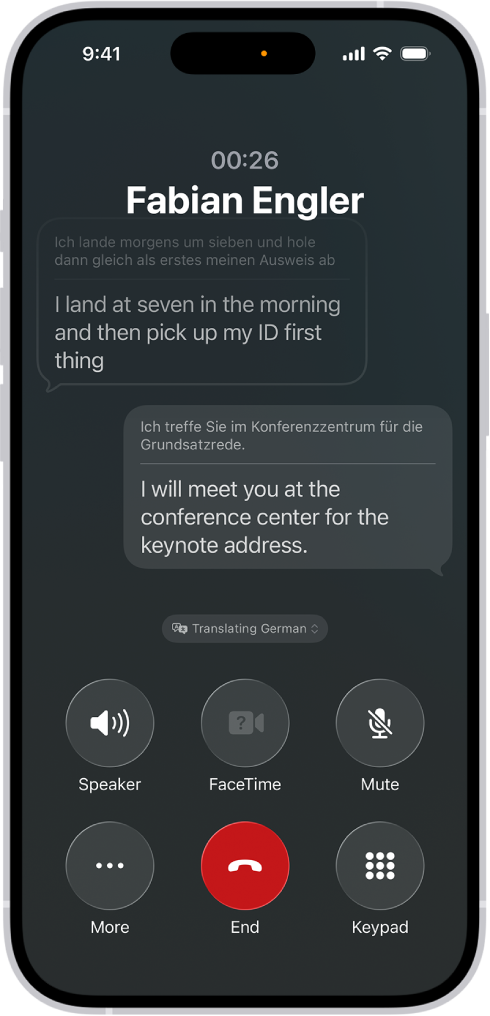
On iPad, during a call in the Phone app with someone who speaks a different language, you can use Live Translation—powered by Apple Intelligence—to hear and read the translation in your preferred language.
Live Translation works for one-on-one calls in languages like English, French, German, Italian, Portuguese, Spanish, Chinese, Japanese, and Korean. Apple Intelligence is available on iPad models with M1 or later and on iPad mini (A17 Pro). It isn’t available in all languages or regions, and usage limits may apply.
Before using Live Translation, download the input and output languages you expect to use on calls. See Download languages.
Go to the Phone app on your iPad.
- During a phone call, tap the More button and tap Live Translation.
- Choose the caller’s language and your preferred language.
- Tap Start Translation.
Note: Live Translation in the Phone app is available for one-on-one calls in English (UK, U.S.), French (France), German, Italian, Portuguese (Brazil), Spanish (Spain), Chinese (Simplified), Chinese (Traditional), Japanese, and Korean. Apple Intelligence on iPadOS 27 or later is available on an Apple Intelligence-enabled iPad mini (A17 Pro) and iPad models with M1 or later. Apple Intelligence is not available in all languages or regions. Usage limits may apply.*
*Apple Intelligence is available with Siri and device language set to Chinese (Simplified), Chinese (Traditional), Danish, Dutch, English, French, German, Italian, Japanese, Korean, Norwegian, Portuguese, Spanish, Swedish, Turkish, or Vietnamese. Some features may not be available in all regions or languages. Some devices may not be available in all regions. Siri AI is available in beta in iOS 27, iPadOS 27, macOS 27, watchOS 27, and visionOS 27 and requires an Apple Intelligence–enabled device set to a supported language. Available in English to start. Siri AI will not be initially available in the EU on iOS, iPadOS, and watchOS. Certain Apple Intelligence features that rely on server-side models are subject to daily usage limits, including but not limited to Siri AI, Intelligent Photo Editing Tools, Image Playground, and AFM 3 Cloud models in Shortcuts. Daily limits may vary by feature, request complexity, system demand, system policies, and other factors. Expanded access to such features will be available for a fee in the future. Use of these features is subject to the Apple Intelligence Terms and Conditions.
See also