





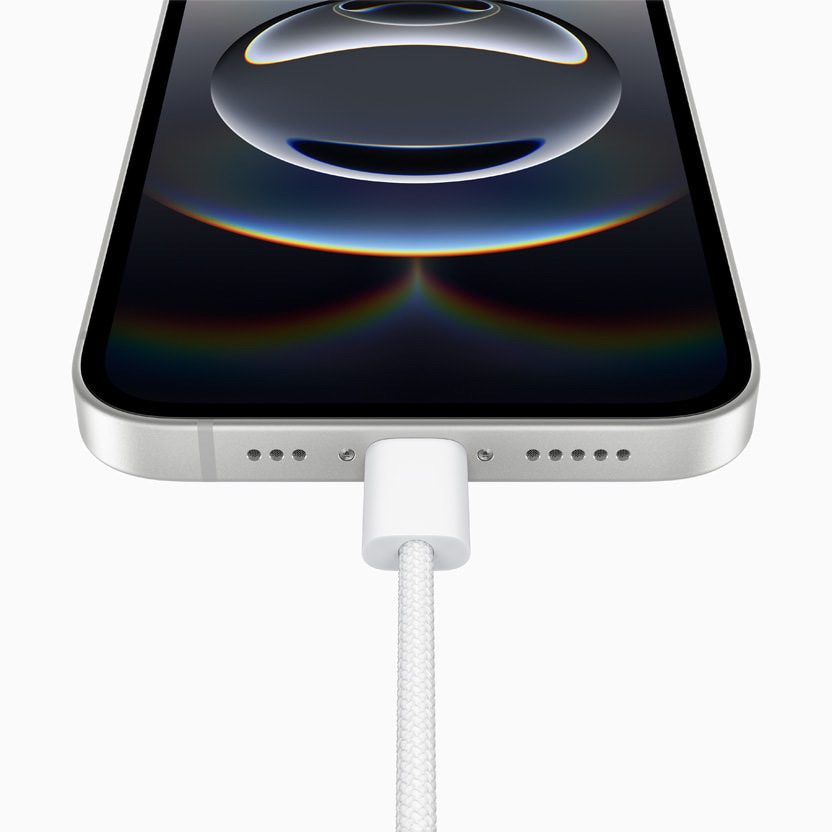
If you’re someone who likes to connect your iPhone to a computer monitor, TV or projector–maybe to watch movies on a bigger screen, show a presentation, or mirror your display in a classroom–then HDMI output is probably something you want. It’s been a useful feature on many iPhones in the past, especially when paired with a simple adapter.
So when I got my hands on the new iPhone 16e, I naturally assumed it would support HDMI output through its USB-C port–just like my iPad Mini and MacBook Pro. I used the same reliable USB-C to HDMI cable I always do, plugged it into my LG Smart TV, and… nothing. Just a "No Signal" message on the screen.
After trying different cables and adapters (all of which work fine on other devices), I realized something must be missing–and unfortunately, it is.
QUICK ANSWER:
The iPhone 16e Does Not Support HDMI Output
Despite having a USB-C port, the iPhone 16e does not output to HDMI. This is because Apple left out a crucial feature called DisplayPort Alt Mode–the standard that allows USB-C ports to transmit video signals to external displays. In simple terms: the iPhone 16e cannot send video to a TV, projector or monitor using any HDMI adapter or cable, no matter how good or compatible it is.
Why This Is a Frustrating Change
For years, iPhones supported HDMI output through Apple’s Lightning to HDMI (Digital AV) adapter. It wasn’t fancy, but it worked–and it was reliable.
Now, with new iPhone models, Apple switching to USB-C across the iPhone lineup, most of us expected even better compatibility. But instead, Apple quietly removed video-out support from the iPhone 16e. And that caught a lot of people off guard–including me.
There’s no mention of this limitation in Apple’s marketing. You’d have to dig into the fine print of the tech specs to discover it as you can see below–and by then, it’s probably too late.
What the Specs Actually Say
Here’s a quick breakdown of what Apple’s official specifications reveal:
- iPhone 16e: USB 2.0, no DisplayPort, no video output
- iPhone 16 / 16 Plus: USB 2.0, with DisplayPort
- iPhone 16 Pro / Pro Max: USB 3.0, with DisplayPort
So while the USB-C port may look the same across models, only some can actually output video. The 16e isn’t one of them.
Who This Affects
The lack of HDMI output on the iPhone 16e may not matter to everyone–but for some users, it can cause real difficulties. For example, teachers who rely on HDMI connections to plug into classroom TVs or projectors may find their new phone suddenly unusable for lessons or presentations. Since I am also a teacher, teachers use these type of setups often. I myself use this a lot. Like teachers, other professionals or business people use these type of setups also. Or people who spend time in RVs, hotels, or rural areas may not have access to reliable Wi-Fi, making wireless alternatives like AirPlay impractical.
Any Workarounds?
There are a few options, but they may not work for everyone:
- Use AirPlay: If your TV supports AirPlay or you have an Apple TV, you can mirror your iPhone wirelessly. Just keep in mind–it requires Wi-Fi and can introduce some lag. But there are ways to increase quality.
- Streaming devices with AirPlay support: Some streaming devices, like Roku, Apple TV, and a few smart TVs, support AirPlay–Apple’s wireless screen mirroring feature. This allows your iPhone to send video and audio to the streaming device over Wi-Fi, without needing a physical HDMI connection from your phone.
- Use a different model: If HDMI output is essential, you’ll need to go with the regular iPhone 16 or one of the Pro models.
Unfortunately, there’s no adapter or cable that will make HDMI work on the 16e.






Will 16e work with I share wireless hdmi? I don’t have wifi. Feels like I have no choice but to get a different new phone! It’s very irritating… not one salesman at ATT, Verizon or T Mobile had a clue about this limitation. So I’m just out the price of a new phone that doesn’t do the one thing I need. I kinda want an apology from
Apple or somebody… if you know
What I mean